

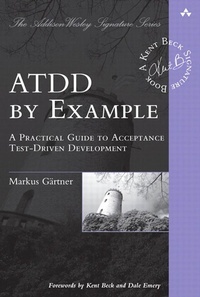
ATDD by Example
Description

ATDD pioneer Markus Gärtner walks readers step by step through deriving the right systems from business users, and then implementing fully automated, functional tests that accurately reflect business requirements, are intelligible to stakeholders, and promote more effective development.
Through two end-to-end case studies, Gärtner demonstrates how ATDD can be applied using diverse frameworks and languages. Each case study is accompanied by an extensive set of artifacts, including test automation classes, step definitions, and full sample implementations. These realistic examples illuminate ATDD's fundamental principles, show how ATDD fits into the broader development process, highlight tips from Gärtner's extensive experience, and identify crucial pitfalls to avoid. Readers will learn to
- Master the thought processes associated with successful ATDD implementation
- Use ATDD with Cucumber to describe software in ways businesspeople can understand
- Test web pages using ATDD tools
- Bring ATDD to Java with the FitNesse wiki-based acceptance test framework
- Use examples more effectively in Behavior-Driven Development (BDD)
- Specify software collaboratively through innovative workshops
- Implement more user-friendly and collaborative test automation
- Test more cleanly, listen to test results, and refactor tests for greater value
If you're a tester, analyst, developer, or project manager, this book offers a concrete foundation for achieving real benefits with ATDD now-and it will help you reap even more value as you gain experience.
More details
Other editions
Additional editions
Person
Content
Foreword by Dale Emery xiii
Preface xv
Acknowledgments xxi
About the Author xxiii
Part I: Airport Parking Lot 1
Chapter 1: Parking Cost Calculator Workshop 3
Valet Parking 3
Short-Term Parking 5
Economy and Long-Term Parking 6
Essential Examples 9
Summary 12
Chapter 2: Valet Parking Automation 17
The First Example 18
Pairing for the First Test 25
Tabulated Tests 36
Summary 39
Chapter 3: Automating the Remaining Parking Lots 41
Short-Term Parking Lot 41
Economy Parking Lot 44
Summary 46
Chapter 4: Wish and Collaborate 47
Specification Workshops 48
Wishful Thinking 49
Collaboration 50
Summary 52
Part II: Traffic Light Software System 53
Chapter 5: Getting Started 55
Traffic Lights 55
FitNesse 58
Supporting Code 59
Summary 60
Chapter 6: Light States 61
State Specifications 61
The First Test 62
Diving into the Code 66
Refactoring 70
Summary 90
Chapter 7: First Crossing 93
Controller Specifications 93
Driving the Controller 94
Summary 118
Chapter 8: Discover and Explore 119
Discover the Domain 120
Drive the Production Code 121
Test Your Glue Code 122
Value Your Glue Code 124
Summary 125
Part III: Principles of Acceptance Test-Driven Development 127
Chapter 9: Use Examples 129
Use a Proper Format 130
Refine the Examples 142
Cut Examples 146
Consider Gaps 149
Summary 151
Chapter 10: Specify Collaboratively 153
Meet the Power of Three 153
Hold Workshops 155
Trawl Requirements 158
Summary 159
Chapter 11: Automate Literally 161
Use Friendly Automation 162
Collaborate on Automation 164
Discover the Domain 166
Summary 167
Chapter 12: Test Cleanly 169
Develop Test Automation 170
Listen to the Tests 172
Refactor Tests 176
Summary 180
Chapter 13: Successful ATDD 183
Appendix A: Cucumber 187
Feature Files 187
Step Definitions 188
Production Code 189
Appendix B: FitNesse 191
Wiki Structure 191
SLiM Tables 192
Support Code 193
Appendix C: Robot Framework 195
Sections 195
Library Code 199
References 201
Index 205
