

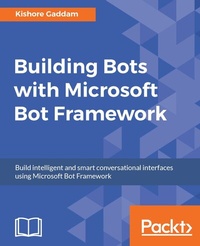
Building Bots with Microsoft Bot Framework
Creating intelligent conversational interfaces
Published on 8. July 2025
424 pages
978-1-78646-964-9 (ISBN)
Description

Build intelligent and smart conversational interfaces using Microsoft Bot Framework
Key Features
[*] Develop various real-world intelligent bots from scratch using Microsoft Bot Framework
[*] Integrate your bots with most popular conversation platforms such as Skype, Slack, and Facebook Messenger
[*] Flaunt your bot building skills in your organization by thoroughly understanding and implementing the bot development concepts such as messages (rich text and pictures), dialogs, and third-party authentication and calling
Book DescriptionBots help users to use the language as a UI and interact with the applications from any platform. This book teaches you how to develop real-world bots using Microsoft Bot Framework. The book starts with setting up the Microsoft Bot Framework development environment and emulator, and moves on to building the first bot using Connector and Builder SDK. Explore how to register, connect, test, and publish your bot to the Slack, Skype, and Facebook Messenger platforms. Throughout this book, you will build different types of bots from simple to complex, such as a weather bot, a natural speech and intent processing bot, an Interactive Voice Response (IVR) bot for a bank, a facial expression recognition bot, and more from scratch. These bots were designed and developed to teach you concepts such as text detection, implementing LUIS dialogs, Cortana Intelligence Services, third-party authentication, Rich Text format, Bot State Service, and microServices so you can practice working with the standard development tools such as Visual Studio, Bot Emulator, and Azure. What you will learn
[*] Set up a development environment and install all the required software to get started programming a bot
[*] Publish a bot to Slack, Skype, and the Facebook Messenger platform
[*] Develop a fully functional weather bot that communicates the current weather in a given city
[*] Help your bot identify the intent of a text with the help of LUIS in order to make decisions
[*] Integrate an API into your bot development
[*] Build an IVR solution
[*] Explore the concept of MicroServices and see how MicroServices can be used in bot development
[*] Develop an IoT project, deploy it, and connect it to a bot
Who this book is forThis book is for developers who are keen on building powerful services with great and interactive bot interface. Experience with C# is needed.
Key Features
[*] Develop various real-world intelligent bots from scratch using Microsoft Bot Framework
[*] Integrate your bots with most popular conversation platforms such as Skype, Slack, and Facebook Messenger
[*] Flaunt your bot building skills in your organization by thoroughly understanding and implementing the bot development concepts such as messages (rich text and pictures), dialogs, and third-party authentication and calling
Book DescriptionBots help users to use the language as a UI and interact with the applications from any platform. This book teaches you how to develop real-world bots using Microsoft Bot Framework. The book starts with setting up the Microsoft Bot Framework development environment and emulator, and moves on to building the first bot using Connector and Builder SDK. Explore how to register, connect, test, and publish your bot to the Slack, Skype, and Facebook Messenger platforms. Throughout this book, you will build different types of bots from simple to complex, such as a weather bot, a natural speech and intent processing bot, an Interactive Voice Response (IVR) bot for a bank, a facial expression recognition bot, and more from scratch. These bots were designed and developed to teach you concepts such as text detection, implementing LUIS dialogs, Cortana Intelligence Services, third-party authentication, Rich Text format, Bot State Service, and microServices so you can practice working with the standard development tools such as Visual Studio, Bot Emulator, and Azure. What you will learn
[*] Set up a development environment and install all the required software to get started programming a bot
[*] Publish a bot to Slack, Skype, and the Facebook Messenger platform
[*] Develop a fully functional weather bot that communicates the current weather in a given city
[*] Help your bot identify the intent of a text with the help of LUIS in order to make decisions
[*] Integrate an API into your bot development
[*] Build an IVR solution
[*] Explore the concept of MicroServices and see how MicroServices can be used in bot development
[*] Develop an IoT project, deploy it, and connect it to a bot
Who this book is forThis book is for developers who are keen on building powerful services with great and interactive bot interface. Experience with C# is needed.
More details
Edition
Digital original
Language
English
Place of publication
Birmingham
United Kingdom
Target group
Professional and scholarly
US School Grade: College Graduate Student
Edition type
Digital original
File size
19,70 MB
ISBN-13
978-1-78646-964-9 (9781786469649)
Copyright in bibliographic data and cover images is held by Nielsen Book Services Limited or by the publishers or by their respective licensors: all rights reserved.
Schweitzer Classification
Other editions
Additional editions
Kishore Gaddam
Building Bots with Microsoft Bot Framework
Book
05/2017
Packt Publishing
€52.10
Shipment within 3-4 weeks
Person
Gaddam Kishore :
Contacted on 10-07-2016
Contacted on 10-07-2016
Content
Table of Contents
Setting up Microsoft Bot Framework Dev Environment
Developing Your First Bot Using the Connector and Builder SDK
Developing Weather Bot Using Dialogs and LUIS
Natural Speech and Intent Processing Bot using Microsoft Cognitive Services
Developing Bots Using LUIS Prompt Dialogs with State and Nearby Bot Using Custom APIs
Developing IVR bot for a Bank using advanced Microsoft Bot Framework technologies
Intelligent Bots with Microsoft Bot Framework & Service Fabric
Developing Intelligent Facial Expression Identification Bot for IoT using Azure and Power BI
Publishing a bot to Skype, Slack, Facebook, and the GroupMe Channel
"https://api.projectoxford.ai/luis/v1/application?id=
fbec04e7-8bda-4160-a059-a8f8b995184b&subscription-
key=ENTER_KEY_HERE";
HttpResponseMessage response = await
httpClient.GetAsync(luisRequestURL + "&q=" + messagetext);
string luisResponseString = await
response.Content.ReadAsStringAsync();
JsonConvert.DeserializeObject<LuisResponse>
(luisResponseString);
if (luisResponse.entities.Count > 0)
{
foreach (var entity in luisResponse.entities)
{
if (entity.type.Contains("geography"))
{
if(!luisOutputString.ToLower().
Contains(entity.entity.ToLower()))
luisOutputString +=
entity.type.Replace("builtin.geography.", "")+"
: " + entity.entity + " \r \n";
}
else if (entity.type == "Name")
{
luisOutputString += "Name: " + entity.entity +
" \r \n";
}
else if (entity.type == "Company")
{
luisOutputString += "Company: " + entity.entity
+ " \r \n";
}
else
{
luisOutputString += entity.type + " " +
entity.entity + " \r \n";
}
}
}
else
{
luisOutputString = "No matching found for Intent and
Language Understanding Intelligence Service
Processing";
}
if (botOutputString == "")
{
botOutputString = "No matching found for Natural Speech
and Intent Processing";
}
public async Task<Message> Post([FromBody]Message message)
{
var properties = new Dictionary<string, string> { {"Page
Name","MessagesController" }, {"Method Name","Post" },
{ "Session Id",telemetry.Context.Session.Id }, {"User
Spoken Message Json",message.ToString() } };
telemetry.TrackEvent("Post Event Views", properties);
string messagetext = message.Text;
var aiproperties = new Dictionary<string, string> { {"Page
Name","MessagesController" }, {"Method Name","Post" },
{ "Session Id",telemetry.Context.Session.Id }, {"User
Spoken Message",messagetext } };
telemetry.TrackEvent("Post Event Views", aiproperties);
string resultsAsJson = "", botOutputString = "";
this.serviceHost = string.IsNullOrWhiteSpace(serviceHost) ?
DefaultServiceHost : serviceHost.Trim();
httpClient = new HttpClient();
httpClient.DefaultRequestHeaders.Add(SubscriptionKeyName,
"b7ba08bf576747728ad0a74af2d5718f");
// List analyzers
Analyzer[] supportedAnalyzers = null;
try
{
var requestUrl = $"
{this.serviceHost}/{ListAnalyzersQuery}";
supportedAnalyzers = await SendRequestAsync<object,
Analyzer[]>(HttpMethod.Get, requestUrl);
var analyzersAsJson =
JsonConvert.SerializeObject(supportedAnalyzers,
Formatting.Indented, jsonSerializerSettings);
//Console.WriteLine("Supported analyzers: " +
analyzersAsJson);
}
catch (Exception e)
{
//Console.Error.WriteLine("Failed to list supported
analyzers: " + e.ToString());
Environment.Exit(1);
}
// Analyze text with all available analyzers
var analyzeTextRequest = new AnalyzeTextRequest()
{
Language = "en",
AnalyzerIds = supportedAnalyzers.Select(analyzer =>
analyzer.Id).ToArray(),
Text = messagetext
};
try
{
var requestUrl = $"
{this.serviceHost}/{AnalyzeTextQuery}";
var analyzeTextResults = await
this.SendRequestAsync<object, AnalyzeTextResult[]>
(HttpMethod.Post, requestUrl, analyzeTextRequest);
resultsAsJson =
JsonConvert.SerializeObject(analyzeTextResults,
Formatting.Indented, jsonSerializerSettings);
//Console.WriteLine("Analyze text results: " +
resultsAsJson);
}
catch (Exception e)
{
//Console.Error.WriteLine("Failed to list supported
analyzers: " + e.ToString());
Environment.Exit(1);
}
var data = JsonConvert.DeserializeObject<List<RootObject>>
(resultsAsJson);
if (data.Count == 3)
{
var jsonTreeList = data[0].result.ToArray();
string jsonTree = jsonTreeList.Count() > 0 ? "{Nodes:"
+ jsonTreeList[0].ToString() + "}" : null;
//jsonTree = "{Nodes:" + jsonTree;
var posTags = JsonConvert.DeserializeObject<Tree>
(jsonTree);
var jsonTreeView = data[1].result.ToArray();
var tokenList = data[2].result.ToArray();
string tokenJson = tokenList.Count() > 0 ?
tokenList[0].ToString() : null;
var tokenData =
JsonConvert.DeserializeObject<TokenRootObject>
(tokenJson);
for (int i = 0; i < posTags.Nodes.Count; i++)
{
if (posTags.Nodes[i] == "NNP")
{
botOutputString += tokenData.Tokens[i].RawToken
+ " is Noun" + " \r \n";
}
else if (posTags.Nodes[i] == "VBG" ||
posTags.Nodes[i] == "VB")
{
botOutputString += tokenData.Tokens[i].RawToken
+ " is Verb" + " \r \n";
}
else if (posTags.Nodes[i] == "WRB")
{
botOutputString += tokenData.Tokens[i].RawToken
+ " is Adverb" + " \r \n";
}
else if (posTags.Nodes[i] == "WP")
{
botOutputString += tokenData.Tokens[i].RawToken
+ " is Pronoun" + " \r \n";
}
else if (posTags.Nodes[i] == "JJ" ||
posTags.Nodes[i] == "JJR" || posTags.Nodes[i] ==
"JJS")
{
botOutputString += tokenData.Tokens[i].RawToken
+ " is Adjective" + " \r \n";
}
else if (posTags.Nodes[i] == "IN")
{
botOutputString += tokenData.Tokens[i].RawToken
+ " is Preposition" + " \r \n";
}
}
botOutputString = botOutputString != "" ? "Speech and
Natural Language Processing \r \n" + botOutputString :
"";
var insightproperties = new Dictionary<string, string>
{ {"Page Name","MessagesController" }, {"Method
Name","Post" },
{ "Session Id",telemetry.Context.Session.Id }, {"Result
From Linguistic API",botOutputString } };
telemetry.TrackEvent("Post Event Views",
insightproperties);
}
else
{
botOutputString = "";
}
//To identify name of a...
Setting up Microsoft Bot Framework Dev Environment
Developing Your First Bot Using the Connector and Builder SDK
Developing Weather Bot Using Dialogs and LUIS
Natural Speech and Intent Processing Bot using Microsoft Cognitive Services
Developing Bots Using LUIS Prompt Dialogs with State and Nearby Bot Using Custom APIs
Developing IVR bot for a Bank using advanced Microsoft Bot Framework technologies
Intelligent Bots with Microsoft Bot Framework & Service Fabric
Developing Intelligent Facial Expression Identification Bot for IoT using Azure and Power BI
Publishing a bot to Skype, Slack, Facebook, and the GroupMe Channel
Calling LUIS from the bot
To incorporate a call to LUIS, we can start by adding this function. It simply calls LUIS and returns the phrases identified by LUIS, such as name, city, company name, and so on.
Place your LUIS app endpoint URL, which you copied from the preceding step, in to the following variable in your code:
var luisRequestURL ="https://api.projectoxford.ai/luis/v1/application?id=
fbec04e7-8bda-4160-a059-a8f8b995184b&subscription-
key=ENTER_KEY_HERE";
Next, append the user message, which we get from the user to the luisRequestUrl and do a Get request:
httpClient = new HttpClient();HttpResponseMessage response = await
httpClient.GetAsync(luisRequestURL + "&q=" + messagetext);
string luisResponseString = await
response.Content.ReadAsStringAsync();
Deserialize the LUIS response and parse it to identify the Intents and Entities:
var luisResponse =JsonConvert.DeserializeObject<LuisResponse>
(luisResponseString);
if (luisResponse.entities.Count > 0)
{
foreach (var entity in luisResponse.entities)
{
if (entity.type.Contains("geography"))
{
if(!luisOutputString.ToLower().
Contains(entity.entity.ToLower()))
luisOutputString +=
entity.type.Replace("builtin.geography.", "")+"
: " + entity.entity + " \r \n";
}
else if (entity.type == "Name")
{
luisOutputString += "Name: " + entity.entity +
" \r \n";
}
else if (entity.type == "Company")
{
luisOutputString += "Company: " + entity.entity
+ " \r \n";
}
else
{
luisOutputString += entity.type + " " +
entity.entity + " \r \n";
}
}
}
else
{
luisOutputString = "No matching found for Intent and
Language Understanding Intelligence Service
Processing";
}
if (botOutputString == "")
{
botOutputString = "No matching found for Natural Speech
and Intent Processing";
}
The complete code of the Post method will be as follows:
public async Task<Message> Post([FromBody]Message message)
{
var properties = new Dictionary<string, string> { {"Page
Name","MessagesController" }, {"Method Name","Post" },
{ "Session Id",telemetry.Context.Session.Id }, {"User
Spoken Message Json",message.ToString() } };
telemetry.TrackEvent("Post Event Views", properties);
string messagetext = message.Text;
var aiproperties = new Dictionary<string, string> { {"Page
Name","MessagesController" }, {"Method Name","Post" },
{ "Session Id",telemetry.Context.Session.Id }, {"User
Spoken Message",messagetext } };
telemetry.TrackEvent("Post Event Views", aiproperties);
string resultsAsJson = "", botOutputString = "";
this.serviceHost = string.IsNullOrWhiteSpace(serviceHost) ?
DefaultServiceHost : serviceHost.Trim();
httpClient = new HttpClient();
httpClient.DefaultRequestHeaders.Add(SubscriptionKeyName,
"b7ba08bf576747728ad0a74af2d5718f");
// List analyzers
Analyzer[] supportedAnalyzers = null;
try
{
var requestUrl = $"
{this.serviceHost}/{ListAnalyzersQuery}";
supportedAnalyzers = await SendRequestAsync<object,
Analyzer[]>(HttpMethod.Get, requestUrl);
var analyzersAsJson =
JsonConvert.SerializeObject(supportedAnalyzers,
Formatting.Indented, jsonSerializerSettings);
//Console.WriteLine("Supported analyzers: " +
analyzersAsJson);
}
catch (Exception e)
{
//Console.Error.WriteLine("Failed to list supported
analyzers: " + e.ToString());
Environment.Exit(1);
}
// Analyze text with all available analyzers
var analyzeTextRequest = new AnalyzeTextRequest()
{
Language = "en",
AnalyzerIds = supportedAnalyzers.Select(analyzer =>
analyzer.Id).ToArray(),
Text = messagetext
};
try
{
var requestUrl = $"
{this.serviceHost}/{AnalyzeTextQuery}";
var analyzeTextResults = await
this.SendRequestAsync<object, AnalyzeTextResult[]>
(HttpMethod.Post, requestUrl, analyzeTextRequest);
resultsAsJson =
JsonConvert.SerializeObject(analyzeTextResults,
Formatting.Indented, jsonSerializerSettings);
//Console.WriteLine("Analyze text results: " +
resultsAsJson);
}
catch (Exception e)
{
//Console.Error.WriteLine("Failed to list supported
analyzers: " + e.ToString());
Environment.Exit(1);
}
var data = JsonConvert.DeserializeObject<List<RootObject>>
(resultsAsJson);
if (data.Count == 3)
{
var jsonTreeList = data[0].result.ToArray();
string jsonTree = jsonTreeList.Count() > 0 ? "{Nodes:"
+ jsonTreeList[0].ToString() + "}" : null;
//jsonTree = "{Nodes:" + jsonTree;
var posTags = JsonConvert.DeserializeObject<Tree>
(jsonTree);
var jsonTreeView = data[1].result.ToArray();
var tokenList = data[2].result.ToArray();
string tokenJson = tokenList.Count() > 0 ?
tokenList[0].ToString() : null;
var tokenData =
JsonConvert.DeserializeObject<TokenRootObject>
(tokenJson);
for (int i = 0; i < posTags.Nodes.Count; i++)
{
if (posTags.Nodes[i] == "NNP")
{
botOutputString += tokenData.Tokens[i].RawToken
+ " is Noun" + " \r \n";
}
else if (posTags.Nodes[i] == "VBG" ||
posTags.Nodes[i] == "VB")
{
botOutputString += tokenData.Tokens[i].RawToken
+ " is Verb" + " \r \n";
}
else if (posTags.Nodes[i] == "WRB")
{
botOutputString += tokenData.Tokens[i].RawToken
+ " is Adverb" + " \r \n";
}
else if (posTags.Nodes[i] == "WP")
{
botOutputString += tokenData.Tokens[i].RawToken
+ " is Pronoun" + " \r \n";
}
else if (posTags.Nodes[i] == "JJ" ||
posTags.Nodes[i] == "JJR" || posTags.Nodes[i] ==
"JJS")
{
botOutputString += tokenData.Tokens[i].RawToken
+ " is Adjective" + " \r \n";
}
else if (posTags.Nodes[i] == "IN")
{
botOutputString += tokenData.Tokens[i].RawToken
+ " is Preposition" + " \r \n";
}
}
botOutputString = botOutputString != "" ? "Speech and
Natural Language Processing \r \n" + botOutputString :
"";
var insightproperties = new Dictionary<string, string>
{ {"Page Name","MessagesController" }, {"Method
Name","Post" },
{ "Session Id",telemetry.Context.Session.Id }, {"Result
From Linguistic API",botOutputString } };
telemetry.TrackEvent("Post Event Views",
insightproperties);
}
else
{
botOutputString = "";
}
//To identify name of a...
