

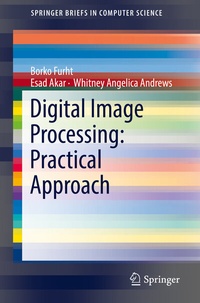
Digital Image Processing: Practical Approach
1st Edition
Published on 28. August 2018
VIII, 90 pages
978-3-319-96634-2 (ISBN)
Description

The SpringerBrief covers fundamentals of digital image processing including image concept, image file formats, creating user interfaces and many practical examples of processing images using C++ and Java. These practical examples include among other creating image histograms, performing lossless image compression, detecting change in colors, similarity-based image retrieval and others.
All practical examples are accompanied with an explanation how to create programs and the obtained results. This SpringerBrief can be very useful for the undergraduate courses on image processing, providing students with the basic tools in image analysis and processing. Practitioners and researchers working in this field will also find this research useful.
More details
Series
Language
English
Place of publication
Cham
Switzerland
Publishing group
Springer International Publishing
Product notice
Reflowable
Illustrations
VIII, 90 p. 104 illus., 95 illus. in color.
File size
6,06 MB
ISBN-13
978-3-319-96634-2 (9783319966342)
DOI
10.1007/978-3-319-96634-2
Schweitzer Classification
Other editions
Additional editions
Borko Furht | Esad Akar | Whitney Angelica Andrews
Digital Image Processing: Practical Approach
Book
09/2018
Springer
€53.49
Shipment within 10-15 days
Content
1 - Preface [Seite 6]
2 - Contents [Seite 8]
3 - Chapter 1: Introduction to Digital Imaging [Seite 10]
3.1 - 1.1 Image Concept [Seite 10]
3.2 - 1.2 Image File Formats [Seite 13]
3.3 - 1.3 Image Resolution [Seite 13]
4 - Chapter 2: Creating User Interface [Seite 15]
4.1 - 2.1 Compiling the Program [Seite 18]
5 - Chapter 3: Image Loading and Rendering [Seite 20]
5.1 - 3.1 Loading Image from Disk [Seite 20]
5.2 - 3.2 Writing to Disk [Seite 22]
5.3 - 3.3 Creating Texture from Images [Seite 22]
5.4 - 3.4 Converting Color to Grayscale Images [Seite 24]
6 - Chapter 4: Creating Image Histograms [Seite 27]
6.1 - 4.1 Program for Creating Histograms [Seite 28]
7 - Chapter 5: Detecting Changes in Color [Seite 32]
8 - Chapter 6: Lossless JPEG Image Compression [Seite 39]
8.1 - 6.1 Example of a Huffman coder [Seite 41]
8.2 - 6.2 Huffman Programming Example [Seite 44]
8.3 - 6.3 Lossless JPEG Examples [Seite 50]
9 - Chapter 7: Similarity-Based Image Retrieval [Seite 55]
10 - Chapter 8: Data Hiding in Digital Images [Seite 60]
11 - Chapter 9: Image Transition [Seite 67]
11.1 - 9.1 Compiler Optimizations [Seite 70]
12 - Chapter 10: Image-to-Image Embedding [Seite 72]
13 - Chapter 11: Changing Color of Selected Objects [Seite 77]
13.1 - 11.1 Implementation Description [Seite 77]
14 - Chapter 12: Loading and Inserting Objects in an Image [Seite 81]
15 - Chapter 13: Swap Faces in an Image [Seite 84]
15.1 - 13.1 Rapid Object Detection Using a Boosted Cascade of Simple Features [Seite 84]
15.2 - 13.2 Features in Images [Seite 85]
15.3 - 13.3 Integral Image [Seite 85]
2 - Contents [Seite 8]
3 - Chapter 1: Introduction to Digital Imaging [Seite 10]
3.1 - 1.1 Image Concept [Seite 10]
3.2 - 1.2 Image File Formats [Seite 13]
3.3 - 1.3 Image Resolution [Seite 13]
4 - Chapter 2: Creating User Interface [Seite 15]
4.1 - 2.1 Compiling the Program [Seite 18]
5 - Chapter 3: Image Loading and Rendering [Seite 20]
5.1 - 3.1 Loading Image from Disk [Seite 20]
5.2 - 3.2 Writing to Disk [Seite 22]
5.3 - 3.3 Creating Texture from Images [Seite 22]
5.4 - 3.4 Converting Color to Grayscale Images [Seite 24]
6 - Chapter 4: Creating Image Histograms [Seite 27]
6.1 - 4.1 Program for Creating Histograms [Seite 28]
7 - Chapter 5: Detecting Changes in Color [Seite 32]
8 - Chapter 6: Lossless JPEG Image Compression [Seite 39]
8.1 - 6.1 Example of a Huffman coder [Seite 41]
8.2 - 6.2 Huffman Programming Example [Seite 44]
8.3 - 6.3 Lossless JPEG Examples [Seite 50]
9 - Chapter 7: Similarity-Based Image Retrieval [Seite 55]
10 - Chapter 8: Data Hiding in Digital Images [Seite 60]
11 - Chapter 9: Image Transition [Seite 67]
11.1 - 9.1 Compiler Optimizations [Seite 70]
12 - Chapter 10: Image-to-Image Embedding [Seite 72]
13 - Chapter 11: Changing Color of Selected Objects [Seite 77]
13.1 - 11.1 Implementation Description [Seite 77]
14 - Chapter 12: Loading and Inserting Objects in an Image [Seite 81]
15 - Chapter 13: Swap Faces in an Image [Seite 84]
15.1 - 13.1 Rapid Object Detection Using a Boosted Cascade of Simple Features [Seite 84]
15.2 - 13.2 Features in Images [Seite 85]
15.3 - 13.3 Integral Image [Seite 85]
