

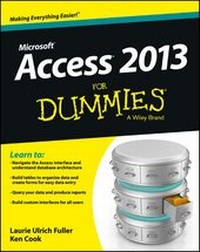
Access 2013 For Dummies
Published on 14. March 2013
456 pages
978-1-118-56850-7 (ISBN)
Description

The easy guide to Microsoft Access returns with updates onthe latest version!
Microsoft Access allows you to store, organize, view, analyze,and share data; the new Access 2013 release enables you to buildeven more powerful, custom database solutions that integrate withthe web and enterprise data sources. Access 2013 For Dummiescovers all the new features of the latest version of Accessandserves as an ideal reference, combining the latest Access featureswith the basics of building usable databases. You'll learn how tocreate an app from the Welcome screen, get support for your desktopdatabases, and much more.
* Includes coverage of all the new features of Access 2013,including the updated interface
* Shows you how to create and share reports
* Features special videos and materials created by the authors tohelp reinforce the lessons included in the book
* Helps you build data analysis and interface tools for yourspecific needs
* Offers plenty of techniques and tips for solving commonproblems
Access 2013 For Dummies provides you with access to thelatest version of this database tool.
Microsoft Access allows you to store, organize, view, analyze,and share data; the new Access 2013 release enables you to buildeven more powerful, custom database solutions that integrate withthe web and enterprise data sources. Access 2013 For Dummiescovers all the new features of the latest version of Accessandserves as an ideal reference, combining the latest Access featureswith the basics of building usable databases. You'll learn how tocreate an app from the Welcome screen, get support for your desktopdatabases, and much more.
* Includes coverage of all the new features of Access 2013,including the updated interface
* Shows you how to create and share reports
* Features special videos and materials created by the authors tohelp reinforce the lessons included in the book
* Helps you build data analysis and interface tools for yourspecific needs
* Offers plenty of techniques and tips for solving commonproblems
Access 2013 For Dummies provides you with access to thelatest version of this database tool.
All prices
More details
Other editions
Additional editions
Laurie A. Ulrich | Ken Cook
Access 2013 For Dummies
Book
04/2013
Wiley
€42.27
Article exhausted; check different version
Persons
Laurie Ulrich Fuller is a professional technology trainer and author. She has written books on Excel, Photoshop, and Dreamweaver.
Ken Cook is a professional database developer and author who has written extensively on Access and Excel.
Ken Cook is a professional database developer and author who has written extensively on Access and Excel.
Content
Introduction 1
Part I: Getting Started with Access 2013 9
Chapter 1: Access 2013 Basic Training 11
Chapter 2: Navigating the Access Workspace 33
Chapter 3: Database Basics 55
Part II: Setting the Table 73
Chapter 4: Table Tune Ups 75
Chapter 5: Remodeling Your Data 91
Chapter 6: Types, Masks, and Triggers 109
Part III: Data Management Mania 131
Chapter 7: A Form for All Reasons 133
Chapter 8: Importing and Exporting Data 147
Chapter 9: Automatic Data Editing 159
Chapter 10: Access and the Web 171
Part IV: Ask Your Data, and Ye Shall Receive Answers 193
Chapter 11: Finding, Filtering, and Sorting Your Data -- Fast 195
Chapter 12: I Was Just Asking for Answers 211
Chapter 13: I Want These AND Those OR Them 237
Chapter 14: Number Crunching with the Total Row 245
Chapter 15: Express Yourself with Formulas 257
Chapter 16: Take Charge with Action Queries 271
Part V: Simple and Snazzy Reporting 281
Chapter 17: Fast and Furious Automatic Reporting 283
Chapter 18: Professionally Designed Reports Made Easy 305
Chapter 19: Headers and Footers and Groups, Oh My! 331
Chapter 20: Magical Mass Mailings 353
Part VI: More Power to You 361
Chapter 21: Analyze This! 363
Chapter 22: Steer Users in the Right Direction with Navigation Forms 375
Part VII: The Part of Tens 383
Chapter 23: Ten Common Problems 385
Chapter 24: Ten Uncommon Tips 397
Appendix: Getting Help 405
Index 413
Part I: Getting Started with Access 2013 9
Chapter 1: Access 2013 Basic Training 11
Chapter 2: Navigating the Access Workspace 33
Chapter 3: Database Basics 55
Part II: Setting the Table 73
Chapter 4: Table Tune Ups 75
Chapter 5: Remodeling Your Data 91
Chapter 6: Types, Masks, and Triggers 109
Part III: Data Management Mania 131
Chapter 7: A Form for All Reasons 133
Chapter 8: Importing and Exporting Data 147
Chapter 9: Automatic Data Editing 159
Chapter 10: Access and the Web 171
Part IV: Ask Your Data, and Ye Shall Receive Answers 193
Chapter 11: Finding, Filtering, and Sorting Your Data -- Fast 195
Chapter 12: I Was Just Asking for Answers 211
Chapter 13: I Want These AND Those OR Them 237
Chapter 14: Number Crunching with the Total Row 245
Chapter 15: Express Yourself with Formulas 257
Chapter 16: Take Charge with Action Queries 271
Part V: Simple and Snazzy Reporting 281
Chapter 17: Fast and Furious Automatic Reporting 283
Chapter 18: Professionally Designed Reports Made Easy 305
Chapter 19: Headers and Footers and Groups, Oh My! 331
Chapter 20: Magical Mass Mailings 353
Part VI: More Power to You 361
Chapter 21: Analyze This! 363
Chapter 22: Steer Users in the Right Direction with Navigation Forms 375
Part VII: The Part of Tens 383
Chapter 23: Ten Common Problems 385
Chapter 24: Ten Uncommon Tips 397
Appendix: Getting Help 405
Index 413

