

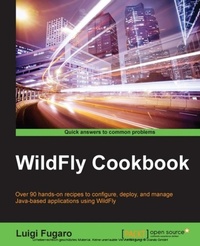
Wildfly Cookbook
Over 90 hands-on recipes to configure, deploy, and manage Java-based applications using WildFly
Published on 7. October 2025
604 pages
978-1-78439-604-6 (ISBN)
Description

Key Features
Book DescriptionThis book is intended for middleware system administrators and Java developers, actually good Java developers, who care about architecture design and implementation. Whether you are new to WildFly, come from a previous version, such as JBoss AS 5, 6, and 7, or are an expert in it, you will be able to master both the basic and advanced features of WildFly. By the way, most of the core components of WildFly are totally new, such as its administration tool, that is, the CLI; its operational modes, which are, the standalone and domain modes; and its web server provided by Undertow, you can benefit from this book even if you have no experience in JBoss and WildFly at all.What you will learn
Run WildFly in both standalone and domain operational modes
Adopt the right profile for your applications
Configure and manage your WildFly instances with the Admin Console
Utilize the CLI to deploy, configure, stop, and start services
Develop HA systems with Apache HTTPD, WildFly, and ModCluster
Assemble TCP or UDP WildFly clusters
Deploy your application to the cloud with OpenShift Online
Use Linux containers with Docker to ship your clean, tested, and readytouse WildFly environment
Who this book is forThis book is intended for middleware system administrators and Java developers, actually good Java developers, who care about architecture design and implementation. Whether you are new to WildFly, come from a previous version, such as JBoss AS 5, 6, and 7, or are an expert in it, you will be able to master both the basic and advanced features of WildFly.
Book DescriptionThis book is intended for middleware system administrators and Java developers, actually good Java developers, who care about architecture design and implementation. Whether you are new to WildFly, come from a previous version, such as JBoss AS 5, 6, and 7, or are an expert in it, you will be able to master both the basic and advanced features of WildFly. By the way, most of the core components of WildFly are totally new, such as its administration tool, that is, the CLI; its operational modes, which are, the standalone and domain modes; and its web server provided by Undertow, you can benefit from this book even if you have no experience in JBoss and WildFly at all.What you will learn
Run WildFly in both standalone and domain operational modes
Adopt the right profile for your applications
Configure and manage your WildFly instances with the Admin Console
Utilize the CLI to deploy, configure, stop, and start services
Develop HA systems with Apache HTTPD, WildFly, and ModCluster
Assemble TCP or UDP WildFly clusters
Deploy your application to the cloud with OpenShift Online
Use Linux containers with Docker to ship your clean, tested, and readytouse WildFly environment
Who this book is forThis book is intended for middleware system administrators and Java developers, actually good Java developers, who care about architecture design and implementation. Whether you are new to WildFly, come from a previous version, such as JBoss AS 5, 6, and 7, or are an expert in it, you will be able to master both the basic and advanced features of WildFly.
All prices
More details
Edition
Digital original
Language
English
Place of publication
Birmingham
United Kingdom
Target group
Professional and scholarly
US School Grade: College Graduate Student
Edition type
Digital original
File size
9,70 MB
ISBN-13
978-1-78439-604-6 (9781784396046)
Copyright in bibliographic data and cover images is held by Nielsen Book Services Limited or by the publishers or by their respective licensors: all rights reserved.
Schweitzer Classification
Other editions
Additional editions
Person
Fugaro Luigi :
Luigi Fugaro's first encounter with computers was in the early 80s when he was a kid. He started with a Commodore Vic-20, passing through a Sinclair, a Commodore 64, and an Atari ST 1040, where he spent days and nights giving breath mints to Otis. In 1998, he started his career as a webmaster doing HTML, JavaScript, Applets, and some graphics with Paint Shop Pro. He then switched to Delphi, Visual Basic, and then started working on Java projects. He has been developing all kinds of web applications, dealing with backend and frontend frameworks. In 2012, he started working for Red Hat and is now an architect in the EMEA Middleware team. He has authored WildFly Cookbook and Mastering JBoss Enterprise Application Platform 7 by Packt Publishing.
Luigi Fugaro's first encounter with computers was in the early 80s when he was a kid. He started with a Commodore Vic-20, passing through a Sinclair, a Commodore 64, and an Atari ST 1040, where he spent days and nights giving breath mints to Otis. In 1998, he started his career as a webmaster doing HTML, JavaScript, Applets, and some graphics with Paint Shop Pro. He then switched to Delphi, Visual Basic, and then started working on Java projects. He has been developing all kinds of web applications, dealing with backend and frontend frameworks. In 2012, he started working for Red Hat and is now an architect in the EMEA Middleware team. He has authored WildFly Cookbook and Mastering JBoss Enterprise Application Platform 7 by Packt Publishing.
Content
Table of Contents
Welcome to WildFly!
Running WildFly in Standalone Mode
Running WildFly in Domain Mode
Managing the Logging Subsystem with CLI
Managing the Datasource Subsystem with CLI
Clustering WildFly
Balancing WildFly
Commanding the CLI
Conquering the CLI
Hardening WildFly Communication
Hardening WildFly Configuration
Role-based Access Control with WildFly
Messaging with WildFly
WildFly into the Cloud with OpenShift
Running WildFly into Docker
Appendix (to be uploaded as a bonus chp)
Welcome to WildFly!
Running WildFly in Standalone Mode
Running WildFly in Domain Mode
Managing the Logging Subsystem with CLI
Managing the Datasource Subsystem with CLI
Clustering WildFly
Balancing WildFly
Commanding the CLI
Conquering the CLI
Hardening WildFly Communication
Hardening WildFly Configuration
Role-based Access Control with WildFly
Messaging with WildFly
WildFly into the Cloud with OpenShift
Running WildFly into Docker
Appendix (to be uploaded as a bonus chp)

