

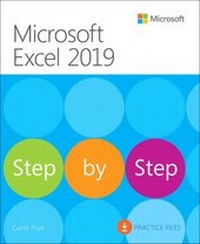
Microsoft Excel 2019 Step by Step
1st Edition
Published on 19. November 2018
480 pages
978-1-5093-0615-2 (ISBN)
Description

The quick way to learn Microsoft Excel 2019!
This is learning made easy. Get more done quickly with Microsoft Excel 2019. Jump in wherever you need answers-brisk lessons and detailed screenshots show you exactly what to do, step by step.
Quickly set up workbooks, enter data, and format it for easier viewing
Perform calculations and find and correct errors
Create sophisticated forecast worksheets, key performance indicators (KPIs), and timelines
Visualize data with 3D maps, funnel charts, and other powerful tools
Import, process, summarize, and analyze huge datasets with Excel's improved PowerPivot and Power Query
Build powerful data models and use them in business intelligence
Look up just the tasks and lessons you need
This is learning made easy. Get more done quickly with Microsoft Excel 2019. Jump in wherever you need answers-brisk lessons and detailed screenshots show you exactly what to do, step by step.
Quickly set up workbooks, enter data, and format it for easier viewing
Perform calculations and find and correct errors
Create sophisticated forecast worksheets, key performance indicators (KPIs), and timelines
Visualize data with 3D maps, funnel charts, and other powerful tools
Import, process, summarize, and analyze huge datasets with Excel's improved PowerPivot and Power Query
Build powerful data models and use them in business intelligence
Look up just the tasks and lessons you need
All prices
More details
Edition
1. Auflage
Language
English
Place of publication
Boston
United States
Publishing group
Microsoft Press,U.S.
Target group
Professional and scholarly
File size
9,93 MB
ISBN-13
978-1-5093-0615-2 (9781509306152)
Copyright in bibliographic data and cover images is held by Nielsen Book Services Limited or by the publishers or by their respective licensors: all rights reserved.
Schweitzer Classification
Other editions
Additional editions
Curtis Frye
Microsoft Excel 2019 Step by Step
Book
01/2019
1st Edition
Microsoft Press
€37.49
Shipment within 3-4 weeks
Person
Curt Frye is the author of more than 30 books, including Microsoft Excel 2016 Step by Step and Microsoft OneNote Step by Step for Microsoft Press. He has also created and recorded more than 60 online training courses for lynda.com and LinkedIn Learning, including Office 365 for Mac: Excel Essential Training, Excel: Scenario Planning and Analysis, Excel: Statistical Process Control, and Microsoft Excel: Using Solver for Decision Analysis.
Curt is a popular conference speaker, offering his Improspectives (R) program on applying the techniques of improvisational theater to business and life as well as Which Game Are You Playing?, which applies lessons from the strategies and tactics of popular games to business. He earned his undergraduate degree in political science from Syracuse University in 1990 and will receive his MBA from the University of Illinois in December 2018.
Curt lives in Portland, Oregon with his wife Virginia
Curt is a popular conference speaker, offering his Improspectives (R) program on applying the techniques of improvisational theater to business and life as well as Which Game Are You Playing?, which applies lessons from the strategies and tactics of popular games to business. He earned his undergraduate degree in political science from Syracuse University in 1990 and will receive his MBA from the University of Illinois in December 2018.
Curt lives in Portland, Oregon with his wife Virginia
Content
Part 1: Create and format workbooks
Chapter 1: Set up a workbook
Chapter 2: Work with data and Excel tables
Chapter 3: Perform calculations on data
Chapter 4: Change workbook appearance
Part 2: Analyze and present data
Chapter 5: Manage worksheet data
Chapter 6: Reorder and summarize data
Chapter 7: Combine data from multiple sources
Chapter 8: Analyze alternative data sets
Chapter 9: Create charts and graphics
Chapter 10: Use PivotTables and PivotCharts
Part 3: Collaborate and share in Excel
Chapter 11: Print worksheets and charts
Chapter 12: Automate repetitive tasks by using macros
Chapter 13: Work with other Microsoft Office apps
Chapter 14: Collaborate with colleagues
Part 4: Perform advanced analysis
Chapter 15: Perform business intelligence analysis
Chapter 16: Create forecasts and visualizations
Chapter 1: Set up a workbook
Chapter 2: Work with data and Excel tables
Chapter 3: Perform calculations on data
Chapter 4: Change workbook appearance
Part 2: Analyze and present data
Chapter 5: Manage worksheet data
Chapter 6: Reorder and summarize data
Chapter 7: Combine data from multiple sources
Chapter 8: Analyze alternative data sets
Chapter 9: Create charts and graphics
Chapter 10: Use PivotTables and PivotCharts
Part 3: Collaborate and share in Excel
Chapter 11: Print worksheets and charts
Chapter 12: Automate repetitive tasks by using macros
Chapter 13: Work with other Microsoft Office apps
Chapter 14: Collaborate with colleagues
Part 4: Perform advanced analysis
Chapter 15: Perform business intelligence analysis
Chapter 16: Create forecasts and visualizations
