

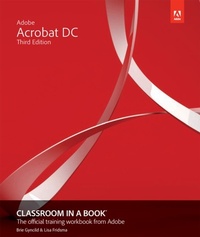
Adobe Acrobat DC Classroom in a Book
3rd Edition
Published on 14. March 2019
336 pages
978-0-13-549578-0 (ISBN)
Description

Adobe Acrobat DC Classroom in a Book, Third Edition, is the most thorough and comprehensive way for you to learn how to reliably create, edit, share, and sign PDF documents and forms with Adobe Acrobat DC. Each of the 13 lessons in this step-by-step, project-based guide contains a project that builds on your growing knowledge of the program, while end-of-chapter review questions reinforce each lesson. This cross-platform (Mac and Windows) book shows you how to collaborate effectively through electronic reviews, easily work with PDFs across multiple platforms and devices (including via the Adobe Document Cloud service), and speed up your production and business task workflows with Acrobat DC.
You will learn how to easily convert files from any application to PDF and how to directly edit text and images in PDF documents. You'll also learn how to build PDF forms, and to speed up business workflow by gathering feedback and approval using new shared document review features. And you'll learn how to create interactive forms and track responses within Acrobat, add signatures and security to PDF files, work with companion Acrobat apps, and much more.
All of the project files used in the book's lessons are available for download.
You will learn how to easily convert files from any application to PDF and how to directly edit text and images in PDF documents. You'll also learn how to build PDF forms, and to speed up business workflow by gathering feedback and approval using new shared document review features. And you'll learn how to create interactive forms and track responses within Acrobat, add signatures and security to PDF files, work with companion Acrobat apps, and much more.
All of the project files used in the book's lessons are available for download.
More details
Series
Edition
3rd edition
Language
English
Place of publication
Boston
United States
Publishing group
Pearson Education (US)
Target group
Professional and scholarly
ISBN-13
978-0-13-549578-0 (9780135495780)
Copyright in bibliographic data and cover images is held by Nielsen Book Services Limited or by the publishers or by their respective licensors: all rights reserved.
Schweitzer Classification
Other editions
Additional editions
Lisa Fridsma | Brie Gyncild
Adobe Acrobat DC Classroom in a Book
Book
04/2019
3rd Edition
Addison Wesley
€56.00
Shipment within 15-20 days
Persons
Brie Gyncild aims to make technical information accessible to those who need it. Brie wrote The Photoshop CS5 Pocket Guide and The Photoshop Elements 8 Pocket Guide. She has also co-written The Photoshop Show Starring Russell Brown; numerous editions of the Classroom in a Book series on Photoshop, After Effects, Flash, and Acrobat; and several editions of the How to Wow series. Brie lives in Seattle with cats and an overgrown garden.
Lisa Fridsma has long loved the process of teaching others to use Adobe products. She has written, edited, and designed over thirty books in the Classroom in a Book series over the last two decades (including books on Photoshop and After Effects), starting with her time on-staff at Adobe. She is currently the owner of Darlington Hill Productions (informational illustrations and publishing). Lisa lives in Bethesda, Maryland, with her family which includes a tortoise and an above-average dog.
Lisa Fridsma has long loved the process of teaching others to use Adobe products. She has written, edited, and designed over thirty books in the Classroom in a Book series over the last two decades (including books on Photoshop and After Effects), starting with her time on-staff at Adobe. She is currently the owner of Darlington Hill Productions (informational illustrations and publishing). Lisa lives in Bethesda, Maryland, with her family which includes a tortoise and an above-average dog.
Content
Getting Started
1. Introducing Adobe Acrobat DC
2. Creating Adobe PDF Files
3. Reading and Working with PDF Files
4. Enhancing PDF Documents
5. Editing Content in PDF Files
6. Using Acrobat with Microsoft Office Files
7. Combining Files
8. Adding Signatures and Security
9. Using Acrobat in a Review Cycle 218
10. Working with Forms in Acrobat
11. Using Actions (Acrobat Pro)
12. Using Acrobat in Professional Printing
1. Introducing Adobe Acrobat DC
2. Creating Adobe PDF Files
3. Reading and Working with PDF Files
4. Enhancing PDF Documents
5. Editing Content in PDF Files
6. Using Acrobat with Microsoft Office Files
7. Combining Files
8. Adding Signatures and Security
9. Using Acrobat in a Review Cycle 218
10. Working with Forms in Acrobat
11. Using Actions (Acrobat Pro)
12. Using Acrobat in Professional Printing
