

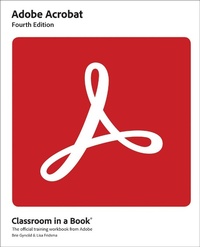
Adobe Acrobat Classroom in a Book
4th Edition
Published on 17. April 2023
336 pages
978-0-13-798382-7 (ISBN)
Description

Learn how to read and edit PDFs using Adobe Acrobat DC Adobe Acrobat DC Classroom in a Book, 4th edition uses real-world, project-based learning to cover the basics and beyond, providing countless tips and techniques to help you become more productive with the program. For beginners and experienced users alike, you can follow the book from start to finish or choose only those lessons that interest you. Learn to:
Easily convert files from any application to PDF
Directly edit text and images in PDF documents
Collaborate effectively through electronic reviews
Speed up business task workflows by gathering feedback and approval using new shared document review features
Build interactive forms and track responses within Acrobat
Add signatures and security to PDF files
Work with PDFs across multiple platforms and devices (including via the Adobe Document Cloud service)
Leverage tips and tricks across platforms (covers both Mac and Windows)
Classroom in a Book (R), the best-selling series of hands-on software training workbooks, offers what no other book or training program does-an official training series from Adobe, developed with the support of Adobe product experts.
Purchasing this book includes valuable online extras. Follow the instructions in the book's "Getting Started" section to unlock access to:
Downloadable lesson files you need to work through the projects in the book
Web Edition containing the complete text of the book, interactive quizzes, and videos that walk you through the lessons step by step
What you need to use this book: Adobe Acrobat DC (2023 release) software, for either Windows or macOS. (Software not included.)
Note: Classroom in a Book does not replace the documentation, support, updates, or any other benefits of being a registered owner of Adobe Acrobat DC software.
Easily convert files from any application to PDF
Directly edit text and images in PDF documents
Collaborate effectively through electronic reviews
Speed up business task workflows by gathering feedback and approval using new shared document review features
Build interactive forms and track responses within Acrobat
Add signatures and security to PDF files
Work with PDFs across multiple platforms and devices (including via the Adobe Document Cloud service)
Leverage tips and tricks across platforms (covers both Mac and Windows)
Classroom in a Book (R), the best-selling series of hands-on software training workbooks, offers what no other book or training program does-an official training series from Adobe, developed with the support of Adobe product experts.
Purchasing this book includes valuable online extras. Follow the instructions in the book's "Getting Started" section to unlock access to:
Downloadable lesson files you need to work through the projects in the book
Web Edition containing the complete text of the book, interactive quizzes, and videos that walk you through the lessons step by step
What you need to use this book: Adobe Acrobat DC (2023 release) software, for either Windows or macOS. (Software not included.)
Note: Classroom in a Book does not replace the documentation, support, updates, or any other benefits of being a registered owner of Adobe Acrobat DC software.
More details
Series
Edition
4th edition
Language
English
Place of publication
Boston
United States
Publishing group
Pearson Education (US)
Target group
Professional and scholarly
File size
41,46 MB
ISBN-13
978-0-13-798382-7 (9780137983827)
Copyright in bibliographic data and cover images is held by Nielsen Book Services Limited or by the publishers or by their respective licensors: all rights reserved.
Schweitzer Classification
Other editions
Additional editions
Lisa Fridsma | Brie Gyncild
Adobe Acrobat Classroom in a Book
Book
04/2024
4th Edition
Addison Wesley
€60.65
Shipment within 15-20 days
Persons
Brie Gyncild aims to make technical information accessible to those who need it. Brie has authored The Photoshop CS5 Pocket Guide and The Photoshop Elements 8 Pocket Guide. She has also co-written The Photoshop Show Starring Russell Brown; numerous editions of the Classroom in a Book series on Photoshop, After Effects, and Acrobat; and several editions of the How to Wow series.
Lisa Fridsma has long loved the process of teaching others to use Adobe product. She has written, edited, and designed more than thirty books in the Classroom in a Book series over the last decade and a half (including books on Photoshop and After Effects), going back to her time on staff at Adobe. She's currently the owner of Darlington Hill Productions (informational illustrations and publishing).
Lisa Fridsma has long loved the process of teaching others to use Adobe product. She has written, edited, and designed more than thirty books in the Classroom in a Book series over the last decade and a half (including books on Photoshop and After Effects), going back to her time on staff at Adobe. She's currently the owner of Darlington Hill Productions (informational illustrations and publishing).
Content
Getting Started
1. Introducing Adobe Acrobat
2. Creating Adobe PDF Files
3. Reading and Working with PDF Files
4. Enhancing PDF Documents
5. Editing Content in PDF Files
6. Using Acrobat on Mobile Devices
7. Using Acrobat with Microsoft Office Files
8. Combining Files
9. Adding Signatures and Security
10. Using Acrobat in a Review Cycle
11. Working with Forms in Acrobat
12. Using Actions (Acrobat Pro)
13. Using Acrobat in Professional Printing
1. Introducing Adobe Acrobat
2. Creating Adobe PDF Files
3. Reading and Working with PDF Files
4. Enhancing PDF Documents
5. Editing Content in PDF Files
6. Using Acrobat on Mobile Devices
7. Using Acrobat with Microsoft Office Files
8. Combining Files
9. Adding Signatures and Security
10. Using Acrobat in a Review Cycle
11. Working with Forms in Acrobat
12. Using Actions (Acrobat Pro)
13. Using Acrobat in Professional Printing
