

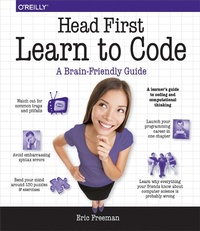
Head First Learn to Code
A Learner's Guide to Coding and Computational Thinking
Published on 2. January 2018
640 pages
978-1-4919-5881-0 (ISBN)
Description

What will you learn from this book?Its no secret the world around you is becoming more connected, more configurable, more programmable, more computational. You can remain a passive participant, or you can learn to code. With Head First Learn to Code youll learn how to think computationally and how to write code to make your computer, mobile device, or anything with a CPU do things for you. Using the Python programming language, youll learn step by step the core concepts of programming as well as many fundamental topics from computer science, such as data structures, storage, abstraction, recursion, and modularity.Why does this book look so different?Based on the latest research in cognitive science and learning theory, Head First Learn to Code uses a visually rich format to engage your mind, rather than a text-heavy approach that puts you to sleep. Why waste your time struggling with new concepts? This multi-sensory learning experience is designed for the way your brain really works.
More details
Other editions
Additional editions
Book
01/2018
O'Reilly
€56.00
Shipment within 10-20 days
Content
- Intro
- Praise
- Copyright
- Table of Contents
- Intro: How to use this book
- Who is this book for?
- We know what you're thinking
- Metacognition: thinking about thinking
- Here's what WE did
- Here's what YOU can do to bend your brain into submission
- Read Me
- You're going to have to install Python
- A word on organizing your code
- Acknowledgments
- The Review Team
- Chapter 1: Getting Started: Thinking computationally
- Breaking it down
- How coding works
- Are we even speaking the same language?
- The world of programming languages
- How you'll write and run code with Python
- A very brief history of Python
- Putting Python through its paces
- Saving your work
- Congrats on coding your first Python program!
- Phrase-O-Matic
- Getting the code in the machine
- Chapter 2: Know Your Value: Simple values, variables, and types
- Calculating the Dog Age Calculator
- Going from pseudocode to code
- Step 1: Getting some input
- How the input function works
- Using variables to remember and store values
- Assigning the user's input to a variable
- Step 2: Getting more input
- It's time to run some code
- Getting some code entered
- A deep dive on variables
- Adding some expression
- Variables are called VARY-ables for a reason
- Better living through operator precedence
- Computing with operator precedence
- Back away from that keyboard
- Step 3: Computing the dog's age
- Houston, we've got a problem!
- To err is to code
- A little more debugging...
- What are Python types, anyway?
- Fixing our code
- Houston, we have liftoff
- Step 4: User-friendly output
- Chapter 3: Decisive Code: Booleans, decisions, and loops
- Would you like to play a game?
- First, a high-level design
- The computer's choice
- How to use the random number
- True? Or False?
- Introducing the Boolean type
- Making decisions
- Decisions and more decisions
- Back to Rock, Paper, Scissors
- Getting the user's choice
- Taking a look at the user's choice
- Adding the code to detect a tie
- Who won?
- How to implement the game logic
- More about Boolean operators
- Display the winner
- Got documentation?
- How to add comments to your code
- We need to finish that game!
- How do we know if the user's choice is invalid?
- Checking out and cleaning up the expression
- How to continually prompt the user
- Doing things more than once
- How the while loop works
- How to use while to prompt the user until you get a valid choice
- Congratulations on coding your first game!
- Beware of the Dreaded Infinite Loop
- Chapter 4: Providing Some Structure: Lists and iteration
- Can you help Bubbles-R-Us?
- How to represent multiple values in Python
- How lists work
- How to access a list item
- How big is that list, anyway?
- Accessing the last item in the list
- Python makes this even easier
- Using Python's negative indices
- Meanwhile, back at Bubbles-R-Us...
- How to iterate over a list
- Fixing the output glitch
- Really fixing the output glitch
- The for loop, the preferred way to iterate over a list
- How the for loop works
- How the for loop works on a range of numbers
- Doing more with ranges
- Putting it all together
- Test drive the bubble report
- Building your own list, from scratch
- Doing even more with lists
- Test drive the final report
- Testing the most cost-effective solution
- Chapter 5: Getting Functional: Functions and abstraction
- What's wrong with the code, anyway?
- Turning a block of code into a FUNCTION
- We created a function, so how do we use it?
- But how does all this actually work?
- Functions can RETURN things too
- How to call a function that has a return value
- Getting a little refactoring under our belts
- Running the code
- How to abstract the avatar code
- Writing the get_attribute function body
- Calling get_attribute
- Let's talk about variables a little more...
- Understanding variable scope
- When variables get passed to functions
- Making the drink_me function call
- What about using global variables in functions?
- Going further with parameters: default values and keywords
- Always list your required parameters first!
- Using arguments with keywords
- How to think about all these options
- Chapter 4, part 2: Putting Some Order in Your Data: Sorting and nested iteration
- Understanding bubble sort
- Some bubble sort pseudocode
- Implementing bubble sort in Python
- Computing bubble solution numbers
- Chapter 6: Putting It All Together: Text, strings, and heuristics
- Welcome to the data sciences
- How do you compute something like readability?
- The game plan
- Writing some pseudocode
- We need some text to analyze
- Setting up the function
- First up: we need the total number of words in our text
- Computing the total number of sentences
- Writing the count_sentences function
- Computing the number of syllables, or, learning to love heuristics
- Setting up the heuristic
- Writing the heuristic
- How to count vowels
- Ignoring consecutive vowels
- Writing the code to ignore consecutive vowels
- Removing final e's, y's, and punctuation
- Putting slicing (substrings) to work
- Finishing off the heuristic
- Implementing the reading ease formula
- Taking it even further
- Chapter 7: Getting Modular: Modules, methods, classes, and objects
- A quick module review
- The __name__ global review
- Using analyze.py as a module
- Adding docstrings to analyze.py
- Exploring other Python modules
- Wait, did someone say "turtles"?!
- Creating your very own turtle
- Turtle lab
- Adding a second turtle
- What are turtles, anyway?
- What are objects?
- Okay, what's a class then?
- A class tells us what an object knows and what an object can do
- How to use objects and classes
- What about those methods and attributes?
- Seeing classes and objects everywhere
- Get ready for some turtle races
- Planning the game
- Let's start coding
- Setting up the game
- Writing the setup code
- Not so fast!
- Starting the race
- Chapter 8: Beyond Iteration and Indices: Recursion and dictionaries
- A different way to compute
- And now the different way...
- Now let's write some code for our two cases
- Let's get some more practice
- Using recursion to detect palindromes
- Writing a recursive palindrome detector
- The Anti-Social Network
- Introducing the dictionary
- What about iterating through a dictionary?
- Leveraging dictionaries at the Anti-Social Network
- But how do we add more attributes?
- Remember the Anti-Social Network's killer feature?
- Finding the most anti-social user
- Now, it's all you!
- Can we just remember function call results?
- We might as well use the $5 words: Memoization
- Some more brain building
- A closer look at the koch function
- Truly exploring the koch fractal
- Chapter 9: Persistence: Saving and retrieving files
- Ready for some Crazy Libs?
- How Crazy Libs is going to work
- Step 1: Read the text of the story from a file
- To read a file in Python, you first have to open it
- How to use file paths
- Relative paths
- Absolute paths
- Oh, and don't forget to clean up when you're done!
- Reading a file into your Python code
- Using the file object to read a file
- Oh, give it a break already...
- Hey, we've got a Crazy Lib game to finish!
- Using the readline method of the file object
- How do we know when we've read the last line?
- Reading in a Crazy Lib template
- Processing the template text
- Now let's process the text
- Using a new string method to fix the bug
- Actually fixing the bug
- Some code has real problems
- Handling exceptions
- Explicitly handling exceptions
- Updating Crazy Libs to handle exceptions
- Our last step: storing the Crazy Lib
- Updating the rest of the code
- Chapter 10: You Really Should Get Out More: Using web APIs
- Extending your reach with Web APIs
- How Web APIs work
- All Web APIs have a web address
- Time for a quick upgrade
- Doing the upgrade
- All we need now is a good Web API...
- A closer look at the API
- Web APIs provide data using JSON
- Now let's look at that request module again
- Putting it all together: making a request to Open Notify
- How to use JSON in Python
- Using the JSON module on our ISS data
- Meet the screen object
- Let's add a turtle to represent the ISS
- Turtles can look like space stations too
- Forget the ISS-where are we?
- Finishing off the ISS code
- Chapter 11: Getting Interactive: Widgets, events, and emergent behavior
- A closer look at the Game of Life
- What we're going to build
- Do we have the right design?
- How we're going to build the simulator
- Building the data model
- Computing a generation of the Game of Life
- Completing the model code
- Where are we?
- Building the view
- Creating your first widget
- Adding the rest of the widgets
- Correcting the layout
- Placing the widgets into a grid layout
- Translating the grid layout to code
- Moving on to the controller
- Ready for another new style of computation?
- Let's add a click handler
- How the start/pause button is going to work
- Implementing the start/pause button
- Another kind of event
- We have the technology: the after method
- Are we there yet?
- How to enter and edit cells directly
- Writing the grid_view handler
- Now it's time to add some patterns
- Writing a handler for the OptionMenu
- How to define your patterns
- Writing the pattern loader
- Chapter 12: A Trip to Objectville: Object-oriented programming
- Breaking it down, a different way
- What's the point of object-oriented programming, anyway?
- Designing your first class
- Writing your first class
- Writing the bark method
- How methods work
- Adding some inheritance
- Implementing the ServiceDog class
- A closer look at subclassing
- A ServiceDog IS-A Dog
- Testing IS-A in code
- How would you describe yourself?
- Overriding and extending behavior
- Welcome to Jargon City
- Object can HAS-Another object
- Designing a Doggie Hotel
- Implementing the Doggie Hotel
- Renovating the Doggie Hotel
- Adding some hotel activities
- I can do anything you can, or Polymorphism
- It's about time we teach the other dogs to walk
- The power and responsibility of inheritance
- Creating a Doggie Hotel walking service
- How are we going to hire a person to walk our dogs if we don't even have people objects?
- Have you considered a career in coding?
- Appendix: The Top Ten Topics (We Didn't Cover): Leftovers
- #1: List comprehensions
- #2: Dates and times
- #3: Regular expressions
- #4: Other data types: tuples
- #5: Other data types: sets
- #6: Server-side coding
- #7: Lazy evaluation
- #8: Decorators
- #9: Higher-order and first-class functions
- #10: A lot of libraries
- Index
