

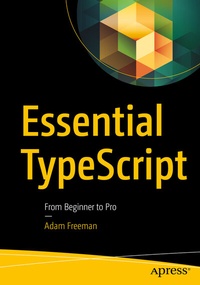
Essential TypeScript
Description

Starting from the nuts-and-bolts and building up to the most advanced and sophisticated features, you will learn how TypeScript builds on the JavaScript type system to create a safer and more productive development experience and understand how TypeScript can be used to create applications using popular frameworks, including Node.js, Angular, React, and Vue.js.
Each topic is covered clearly and concisely and is packed with the details you need to learn to be truly effective. The most important features are given a no-nonsense in-depth treatment and chapters include common problems and details of how to avoid them.
What You Will Learn
- Gain a solid understanding of the TypeScript language and tools
- Use TypeScript for client- and server-side development
- Extend and customize TypeScript
- Debug and unit test your TypeScript code
Who This Book Is For
Developers who want to start using TypeScript, for example to create rich web applications using Angular, React, or Vue.js
Adam Freeman is an experienced IT professional who has held senior positions in a range of companies, most recently serving as chief technology officer and chief operating officer of a global bank. Now retired, he spends his time writing and long-distance running.
More details
Other editions
Additional editions
Person
Content
Part 1: Getting Started with TypeScript.- 1. Your First TypeScript Application.- 2. Understanding TypeScript.- 3. JavaScript Primer, Part 1.- 4. JavaScript Primer, Part 2.- 5. Using the TypeScript Compiler.- 6. Testing and Debugging TypeScript.- Part 2: Working with TypeScript.- 7. Understanding Static Types.- 8. Using Functions.- 9. Using Arrays, Tuples and Enums.- 10. Working with Objects.- 11. Working with Classes and Interfaces.- 12. Using Generic Types.- 13. Advanced Generic Types.- 14. Working with JavaScript.- Part 3: Creating Web Applications.- 15. Creating a Stand-Alone Web App, Part 1.- 16. Creating a Stand-Alone Web App, Part 2.- 17. Creating an Angular App, Part 1.- 18. Creating an Angular App, Part 2.- 19. Creating a React App, Part 1.- 20. Creating a React App, Part 2.- 21. Creating a Vue.js App, Part 1.-22. Creating a Vue.js App, Part 2.
