

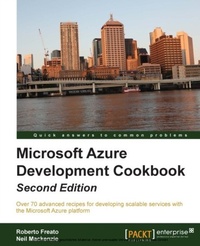
Microsoft Azure Development Cookbook Second Edition
Over 70 advanced recipes for developing scalable services with the Microsoft Azure platform
Published on 13. January 2025
422 pages
978-1-78217-033-4 (ISBN)
Description

Key Features
Book DescriptionIf you are an architect, this book will help you make the correct decisions about which Azure building blocks to use. If you are a developer, this book will help you understand how to use them appropriately, and if you are a .NET developer, this book is a pure delight.What you will learn
Deploy a web application and worker processes to a scalable infrastructure
Accelerate the life cycle of a web application without lockin
Implement scalable solutions for storage data with Blobs
Develop a solution with a relational backend with SQL Database
Evaluate NoSQL alternatives with Azure Table Service
Implement messaging solutions with Queues, scaling, and decoupling systems
Automate management operations by developing components for the Azure Management API
Power up the existing infrastructure with inmemory storage with Azure Cache
Who this book is for
Book DescriptionIf you are an architect, this book will help you make the correct decisions about which Azure building blocks to use. If you are a developer, this book will help you understand how to use them appropriately, and if you are a .NET developer, this book is a pure delight.What you will learn
Deploy a web application and worker processes to a scalable infrastructure
Accelerate the life cycle of a web application without lockin
Implement scalable solutions for storage data with Blobs
Develop a solution with a relational backend with SQL Database
Evaluate NoSQL alternatives with Azure Table Service
Implement messaging solutions with Queues, scaling, and decoupling systems
Automate management operations by developing components for the Azure Management API
Power up the existing infrastructure with inmemory storage with Azure Cache
Who this book is for
All prices
More details
Edition
Digital original
Language
English
Place of publication
Birmingham
United Kingdom
Target group
Professional and scholarly
US School Grade: College Graduate Student
Edition type
Digital original
File size
9,10 MB
ISBN-13
978-1-78217-033-4 (9781782170334)
Copyright in bibliographic data and cover images is held by Nielsen Book Services Limited or by the publishers or by their respective licensors: all rights reserved.
Schweitzer Classification
Other editions
Additional editions
Roberto Freato | Neil MacKenzie
Microsoft Azure Development Cookbook
Over 70 advanced recipes for developing scalable services with the Microsoft Azure platform
Book
09/2014
2nd Edition
Packt Publishing
€64.00
Shipment within 3-4 weeks
Persons
Roberto Freato has been an independent IT consultant since he started to work. Working for small software factories while he was studying, after his M.Sc. in Computer Science Engineering with his thesis on Consumer Cloud Computing, he got specialization in Cloud and Azure. Today, he works as a freelance consultant for major companies in Italy, helping clients design and kick off their distributed software solutions. He trains the developer community in his free time, speaking at many conferences. He has been a Microsoft MVP since 2010. Neil Mackenzie has worked with computers for nearly 3 decades. He started his computer career doing large-scale numerical simulations for scientific research and business planning. Since then, he has primarily been involved in healthcare software and developing electronic medical record systems. He has been using Microsoft Azure since PDC 2008 and has used nearly all parts of the Microsoft Azure platform, including those parts that no longer exist. Neil is very active in the online Microsoft Azure community, contributing to the MSDN Microsoft Azure forums in particular. He is a Microsoft MVP for Microsoft Azure.
Content
Table of Contents
Developing Cloud Services on Windows Azure
Developing Fast with Windows Azure Web Sites
Getting storage with Blobs in Windows Azure
Going relational with Windows Azure SQL Database
Going NoSQL with Windows Azure Table Storage
Messaging and Queues with Storage and Service Bus
Managing Azure Resources with the Azure Management libraries
Going in-memory with Windows Azure Cache
Going IaaS with Virtual Machines
Looking at Windows Azure Services
Developing Cloud Services on Windows Azure
Developing Fast with Windows Azure Web Sites
Getting storage with Blobs in Windows Azure
Going relational with Windows Azure SQL Database
Going NoSQL with Windows Azure Table Storage
Messaging and Queues with Storage and Service Bus
Managing Azure Resources with the Azure Management libraries
Going in-memory with Windows Azure Cache
Going IaaS with Virtual Machines
Looking at Windows Azure Services

