

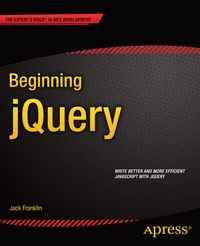
Beginning jQuery
Published on 12. March 2013
XIX, 204 pages
978-1-4302-4933-7 (ISBN)
Description

Beginning jQuery is your step-by-step guide to learning the jQuery library. jQuery is the most popular JavaScript library in the web developer's toolkit. Jack Franklin takes you from the basics of getting you started with jQuery, right through to extending jQuery by writing your own plug-ins. You'll discover best practices you can follow, how you can avoid common mistakes, and you'll learn about so many of the things that jQuery has to offer, including how you can:
- Use jQuery's powerful tools to dynamically update content on your site, including DOM manipulation.
- Extend jQuery's capabilities by writing your own plugins on top of the framework.
- Animate elements and build your own jQuery slider.
- Employ best practices and avoid common errors made by beginners.
JavaScript is a powerful language but every web developer must navigate the tricky issues around cross-browser inconsistencies. Beginning jQuery teaches you how to use jQuery to avoid spending your time fixing these browser bugs - letting you concentrate on what really matters to you. Throughout Beginning jQuery, you'll discover how expressive yet concise jQuery's code is and how much quicker and efficient you can develop with jQuery!
More details
Other editions
New editions

Jack Franklin | Russ Ferguson
Beginning jQuery
From the Basics of jQuery to Writing your Own Plug-ins
E-Book
11/2017
2nd Edition
APress
€46.99
Available for download
Additional editions
Person
Jack Franklin is a web developer and Computer Science student from the world heritage city of Bath, in the UK. He first started creating websites back in 2005 and has experience in a number of web languages including HTML, CSS, PHP, Ruby, Python and others, although his main focus is JavaScript. He runs the popular online resource javascriptplayground.com and has released a number of open source jQuery plug-ins online.
Content
- Intro
- Title Page
- Copyright Page
- Contents at a Glance
- Table of Contents
- Foreword
- About the Author
- About the Technical Reviewer
- Acknowledgments
- CHAPTER 1 JavaScript You Need to Know
- Using JavaScript on a Web Page
- Syntax Conventions
- Comments
- Variables
- Types
- Functions
- Functions Returning Values
- Conditionals
- Debugging with the Console
- Arrays
- Loops
- More console.log()
- Summary
- CHAPTER 2 The Basics of jQuery
- The Document Object Model (DOM)
- Downloading jQuery
- The jQuery API Documentation
- Writing Some jQuery
- Animation Example
- Summary
- CHAPTER 3 Traversing the DOM
- CSS Selectors in jQuery
- Traversal Methods
- Further Traversal
- Chaining Methods
- Further Filtering
- Summary
- CHAPTER 4 DOM Manipulation with jQuery
- CSS
- animate() and Animation Convenience Methods
- Attributes and Properties
- text( ) and html( )
- Removing Elements from the DOM
- Creating New Elements
- Inserting into the DOM
- DOM Insertion, Around
- DOM Insertion, Inside
- DOM Insertion, Outside
- Efficient DOM Insertion
- Summary
- CHAPTER 5 An Introduction to Events
- Popular Events
- Interacting with the Element
- Triggering Events
- Unbinding from Events
- The Event Object
- Building an Accordion
- Summary
- CHAPTER 6 More Events
- Event Delegation
- Event Propagation
- When Should I Worry About Event Propagation?
- Preventing Default Behavior
- A Note on return false
- Your Own Events
- The Accordion, Take 2
- Summary
- CHAPTER 7 Animation
- The animate( ) Method
- Basic Usage
- Easing
- Passing in Two Objects
- Animation Shortcuts
- More Convenience Methods
- Fading
- Sliding
- Sliding and Fading
- The Animation Queue
- A Common Problem
- Fixing Your Accordion
- The Image Slider
- Summary
- CHAPTER 8 Ajax with jQuery
- JSON
- Parsing JSON in JavaScript
- Ajax with jQuery
- Setting Up a Local Development Server
- A Real API: Dribbble
- Summary
- CHAPTER 9 Writing a jQuery Plug-in
- Why a Plug-in?
- Your First jQuery Plug-in
- Improvements
- Immediately-Invoked Function Expressions
- Giving the User Options
- Adding Options to Your Plug-ins
- The Accordion Plug-in
- Adding Callback Support
- Summary
- CHAPTER 10 More jQuery Plug-ins
- The Dribbble API Plug-in
- The getShots method
- Improving getShots
- Minifying Your Code
- More Refactoring
- Documentation
- Summary
- CHAPTER 11 A jQuery Image Slider
- Plan of Attack
- Project Setup
- Plug-in Setup
- Animating the Slider
- Infinitely Looping
- Catch Up
- Keeping Track
- Keyboard Support
- Automatic Animation
- Bug Fixing
- Summary
- Conclusion
- Index
