

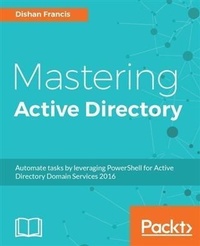
Mastering Active Directory
Understand the Core Functionalities of Active Directory Services Using Microsoft Server 2016 and PowerShell
Published on 8. July 2025
742 pages
978-1-78728-307-7 (ISBN)
Description

Become a master at managing enterprise identity infrastructure by leveraging Active Directory
Key Features
Manage your Active Directory services for Windows Server 2016 effectively
Automate administrative tasks in Active Directory using PowerShell
Manage your organization's network with ease
Book DescriptionActive Directory is a centralized and standardized system that automates networked management of user data, security, and distributed resources and enables interoperation with other directories. If you are aware of Active Directory basics and want to gain expertise in it, this book is perfect for you. We will quickly go through the architecture and fundamentals of Active Directory and then dive deep into the core components, such as forests, domains, sites, trust relationships, OU, objects, attributes, DNS, and replication. We will then move on to AD schemas, global catalogs, LDAP, RODC, RMS, certificate authorities, group policies, and security best practices, which will help you gain a better understanding of objects and components and how they can be used effectively. We will also cover AD Domain Services and Federation Services for Windows Server 2016 and all their new features. Last but not least, you will learn how to manage your identity infrastructure for a hybrid-cloud setup. All this will help you design, plan, deploy, manage operations on, and troubleshoot your enterprise identity infrastructure in a secure, effective manner. Furthermore, I will guide you through automating administrative tasks using PowerShell cmdlets. Toward the end of the book, we will cover best practices and troubleshooting techniques that can be used to improve security and performance in an identity infrastructure. What you will learn
Explore the new features in Active Directory Domain Service 2016
Automate AD tasks with PowerShell
Get to know the advanced functionalities of the schema
Learn about Flexible Single Master Operation (FSMO) roles and their placement
Install and migrate Active directory from older versions to Active Directory 2016
Manage Active Directory objects using different tools and techniques
Manage users, groups, and devices effectively
Design your OU structure in the best way
Audit and monitor Active Directory
Integrate Azure with Active Directory for a hybrid setup
Who this book is forIf you are an Active Directory administrator, system administrator, or network professional who has basic knowledge of Active Directory and are looking to gain expertise in this topic, this is the book for you.
Key Features
Manage your Active Directory services for Windows Server 2016 effectively
Automate administrative tasks in Active Directory using PowerShell
Manage your organization's network with ease
Book DescriptionActive Directory is a centralized and standardized system that automates networked management of user data, security, and distributed resources and enables interoperation with other directories. If you are aware of Active Directory basics and want to gain expertise in it, this book is perfect for you. We will quickly go through the architecture and fundamentals of Active Directory and then dive deep into the core components, such as forests, domains, sites, trust relationships, OU, objects, attributes, DNS, and replication. We will then move on to AD schemas, global catalogs, LDAP, RODC, RMS, certificate authorities, group policies, and security best practices, which will help you gain a better understanding of objects and components and how they can be used effectively. We will also cover AD Domain Services and Federation Services for Windows Server 2016 and all their new features. Last but not least, you will learn how to manage your identity infrastructure for a hybrid-cloud setup. All this will help you design, plan, deploy, manage operations on, and troubleshoot your enterprise identity infrastructure in a secure, effective manner. Furthermore, I will guide you through automating administrative tasks using PowerShell cmdlets. Toward the end of the book, we will cover best practices and troubleshooting techniques that can be used to improve security and performance in an identity infrastructure. What you will learn
Explore the new features in Active Directory Domain Service 2016
Automate AD tasks with PowerShell
Get to know the advanced functionalities of the schema
Learn about Flexible Single Master Operation (FSMO) roles and their placement
Install and migrate Active directory from older versions to Active Directory 2016
Manage Active Directory objects using different tools and techniques
Manage users, groups, and devices effectively
Design your OU structure in the best way
Audit and monitor Active Directory
Integrate Azure with Active Directory for a hybrid setup
Who this book is forIf you are an Active Directory administrator, system administrator, or network professional who has basic knowledge of Active Directory and are looking to gain expertise in this topic, this is the book for you.
More details
Edition
Digital original
Language
English
Place of publication
Birmingham
United Kingdom
Target group
Professional and scholarly
US School Grade: College Graduate Student
Edition type
Digital original
File size
198,21 MB
ISBN-13
978-1-78728-307-7 (9781787283077)
Copyright in bibliographic data and cover images is held by Nielsen Book Services Limited or by the publishers or by their respective licensors: all rights reserved.
Schweitzer Classification
Other editions
New editions
Dishan Francis
Mastering Active Directory
Deploy and secure infrastructures with Active Directory, Windows Server 2016, and PowerShell
E-Book
06/2024
2nd Edition
Packt Publishing Limited
€39.99
Available for download
Additional editions
Dishan Francis
Mastering Active Directory
Understand the Core Functionalities of Active Directory Services Using Microsoft Server 2016 and PowerShell
Book
05/2017
Packt Publishing
€77.30
Shipment within 3-4 weeks
Person
Francis Dishan :
Dishan Francis is an IT professional with over 15 years of experience. He was a six-time Microsoft MVP in enterprise mobility before he joined Microsoft UK as a security consultant. He has maintained the RebelAdmin technology blog over the years, with lots of useful articles that focus on on-premises Active Directory services and Azure Active Directory. He has also written for other Microsoft-managed blogs such as canitpro and ITopsTalk. When it comes to managing innovative identity infrastructure solutions to improve system stability, efficiency, and security, his level of knowledge and experience places him among the very best in the field.
Dishan Francis is an IT professional with over 15 years of experience. He was a six-time Microsoft MVP in enterprise mobility before he joined Microsoft UK as a security consultant. He has maintained the RebelAdmin technology blog over the years, with lots of useful articles that focus on on-premises Active Directory services and Azure Active Directory. He has also written for other Microsoft-managed blogs such as canitpro and ITopsTalk. When it comes to managing innovative identity infrastructure solutions to improve system stability, efficiency, and security, his level of knowledge and experience places him among the very best in the field.
Content
Table of Contents
Active Directory Fundamentals
Active Directory Domain Services 2016
Designing Active Directory Infrastructure
Active Directory Domain Name System
Placing Operation Master Roles
Migrating to Active Directory 2016
Managing Active Directory Objects
Managing Users, Groups and Devices
Designing OU Structure
Managing Group Policies
Active Directory Services
Active Directory Certificate Services
Active Directory Federation Services
Active Directory Rights Management Services
Active Directory Security Best Practices
Advanced AD Management with PowerShell
Azure Active Directory Hybrid Setup
Active Directory Audit and Monitoring
Active Directory Troubleshooting
Active Directory Fundamentals
Active Directory Domain Services 2016
Designing Active Directory Infrastructure
Active Directory Domain Name System
Placing Operation Master Roles
Migrating to Active Directory 2016
Managing Active Directory Objects
Managing Users, Groups and Devices
Designing OU Structure
Managing Group Policies
Active Directory Services
Active Directory Certificate Services
Active Directory Federation Services
Active Directory Rights Management Services
Active Directory Security Best Practices
Advanced AD Management with PowerShell
Azure Active Directory Hybrid Setup
Active Directory Audit and Monitoring
Active Directory Troubleshooting
