

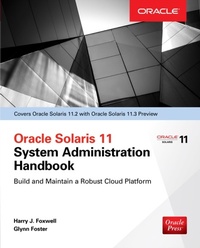
Oracle Solaris 11.2 System Administration Handbook
1st Edition
Published on 23. October 2015
340 pages
978-0-07-184421-5 (ISBN)
Available for download
Description

This Oracle Press guide offers complete coverage of Oracle Solaris 11.2 installation, configuration, management, security, and tuning This handbook ncludes cutting-edge information on Oracle Solaris 11.2, providing you the essential skills needed to successfully set up, deploy, and maintain a Solaris system. Every aspect of Solaris system administration is explained in full detail, including configuration, networking, performance, security, virtualization, and cloud computing. Oracle Solaris 11 System Administration Handbook features up-to-date details on new technologies such as OpenStack cloud support, Unified Archives provisioning, Kernel Zone virtualization, and software defined networking. You will learn the keys to optimizing Oracle Solaris 11.2 instances with the hands-on technical instruction and shared best practices contained in this authoritative volume from Oracle Press. Real-world case studies provide detailed scenarios and ready-to-deploy solutions Tips and best practices for administration are included throughout Covers brand-new configuration tools and techniques
More details
Other editions
Additional editions
Harry Foxwell | Glynn Foster
Oracle Solaris 11.2 System Administration Handbook (Oracle Press)
Book
11/2015
McGraw-Hill Inc.,US
€51.50
Shipment within 15-20 days
Content
- Cover
- Title Page
- Copyright Page
- Dedication
- About the Author
- Contents
- Foreword
- Preface
- Acknowledgments
- Introduction
- 1 Introduction to Oracle Solaris 11
- About Oracle Solaris 11 11/11
- The Oracle Solaris 11.1 Update
- The Solaris 11.2 Update
- Solaris 11 End-of-Feature Notifications
- Solaris 11 Optimizations for Oracle Software
- Solaris 11 The Cloud Operating System
- Summary of Major Changes from Oracle Solaris 10 to Oracle Solaris 11.2
- Oracle Solaris Future
- Obtaining Oracle Solaris 11 Software
- Summary
- References
- 2 Basic Installation and Updates
- Installation Requirements
- Oracle Hardware Compatibility List
- Solaris 11 Installation on x86 Systems
- GUI/Live Media Installation for x86 Systems
- The Interactive Text Installer Image
- Installation on SPARC Systems
- What You'll See When You Log In
- The Solaris 11 Login Environment
- Some Postinstallation Tasks
- Setting Up the VNC Server Graphical Interface
- Automated Installation
- The AI Server
- Updating Your Operating System
- Installing and Updating Application Software Using IPS
- Summary
- References
- 3 Lifecycle Management
- Boot Environments
- Creating and Activating Boot Environments
- Mounting and Destroying Boot Environments
- Boot Environment Snapshots and Clones
- Booting from a Boot Environment
- Image Packaging System
- Configuring IPS Publishers
- Getting Information About a Package
- Installing Packages
- Understanding the Package FMRI
- Searching for Packages
- Updating a System
- Fixing a System
- Exact Installations
- Managing IPS Repositories
- Unified Archives
- Unified Archive Types
- Creating a Clone Archive
- Creating a Recovery Archive
- Creating Bootable Media to Deploy an Archive
- Automated Installer
- Creating an Automated Installer Service
- Configuring an AI Manifest
- Installing a Client System
- Applying a System Configuration Profile
- Applying Client Criteria
- Final Configuration with First-Boot Scripts
- Secure End-to-End Provisioning
- Creating Custom Media
- Summary
- References
- 4 Oracle Solaris Zones
- Oracle's Virtualization Technologies
- What Are Zones?
- The Global Zone
- Basic Non-global (Native) Zones
- Creating New Zones Using Clones
- Solaris 10 Branded Zones
- Moving a Zone
- Kernel Zones
- Immutable Zones
- Hard Partitioning with Zones for Oracle Licensing
- Capping Zone Resources for Performance Management
- What Kind of Virtualization Should I Use?
- Summary
- References
- 5 Configuring Solaris 11 Networking
- Basic Network Setup
- Identifying Physical Network Devices
- Using the Network Preferences Graphical User Interface
- Virtual Network Devices
- Virtual Network Components
- Creating Virtual Network Components
- The Elastic Virtual Switch
- Creating an EVS Network
- Managing and Monitoring Network Resources
- Controlling Network Bandwidth
- Monitoring Network Activity
- Summary
- References
- 6 Performance and Observability
- Server Sizing
- Methodology
- Verifying Your System Configuration
- Optimizing Performance
- Software and Hardware Errors
- CPU (Hardware Threads) and Operating System Issues
- Process Scheduling
- Memory Issues
- Storage I/O
- Network Performance
- Tunable Kernel Parameters
- DTrace
- Virtualization (Zones)
- Graphical View of Performance Monitoring
- Summary
- References
- 7 Oracle Solaris 11 Security Features
- Secure Installation and Configuration
- Image Packaging System Security
- ZFS Security
- User Privilege Control
- Observability and Auditing
- Auditing
- Observing Virtual Operating System Activity
- Zone Security
- Immutable Non-Global Zones
- Immutable Global Zone
- Compliance
- Security Certifications
- Complete Oracle Stack Security
- Summary
- References
- 8 Installing Applications Using Templates and IPS
- Installing Oracle VirtualBox
- Creating Solaris Virtual Machines Using VirtualBox
- Installing Oracle Applications in Zones
- Installing Oracle WebLogic Server 12c in a Zone
- Installing Oracle Database 12c in a Zone
- Packaging and Deploying Applications Using IPS
- Creating an Image Packaging System Repository
- Creating a Package Manifest
- Publishing the Package Manifest
- Providing Wider Access to Your Repository
- Summary
- References
- 9 Configuration Management
- Service Management
- Basic Service Management
- Setting Service Properties
- Service Bundles-Manifests and Profiles
- Manifests
- Profiles
- Repository Layers
- Creating Manifests and Profiles
- Creating a New SMF Service
- Creating a New System Profile
- SMF Stencils
- Managing Solaris 11 Infrastructure with Puppet
- What is Puppet?
- Installing Puppet on Solaris 11.2
- Puppet Resources
- Performing Configuration with Puppet
- Puppet Best Practices
- Remote Administration Daemon
- Summary
- References
- 10 Cloud and OpenStack
- What is OpenStack?
- Core OpenStack Projects
- Nova
- Cinder
- Neutron
- Keystone
- Glance
- Horizon
- Heat
- Swift
- Getting Started with Oracle OpenStack
- Installing Using Automated Installer
- Installing into an Oracle Solaris Kernel Zone
- Configuring the Elastic Virtual Switch
- Using OpenStack Horizon
- Adding a Self-Service User
- Creating a Network
- Adding SSH Keypair
- Launching a VM instance
- Configuring the Neutron L3 Agent
- Uploading New Images to the Glance Image Repository
- Setting Up a Multinode OpenStack Environment
- Additional OpenStack Services
- Summary
- References
- A Oracle Solaris 11.2 Cheat Sheet General Administration
- System Configuration
- Service Management Facility
- Installation and Deployment
- B Oracle Solaris 11.3 Beta Release
- Oracle Solaris 11.3
- Obtaining Oracle Solaris 11.3 Beta
- Major New Features of Oracle Solaris 11.3
- References
- Index

