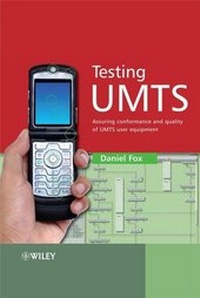
Testing UMTS
Description
Alles über E-Books | Antworten auf Fragen rund um E-Books, Kopierschutz und Dateiformate finden Sie in unserem Info- & Hilfebereich.
More details
Other editions
Additional editions

Person
Daniel Fox currently works for Anritsu - the world leader in measurement systems for ISDN optical communications - as Director of Technology. He has overall responsibility for system architecture for the company's wireless test and measurement platforms.
Daniel has been at Anritsu since 1999 and, prior to his appointment as Director of Technology, managed the business unit responsible for protocol test software solutions for UMTS. He served as an official in the 3GPP standards programme, first as the Chair of the signaling sub-working group that developed the protocol conformance test specifications, and later as Convener of that group and Vice-Chair of the terminals working group. Before joining Anritsu Daniel worked for Motorola Semiconductors for almost 10 years.
He has a degree in Applied Physics and Biology from the University of Wales, University College Swansea.

Content
System requirements
File format: PDF
Copy-Protection: Adobe-DRM (Digital Rights Management)
System requirements:
- Computer (Windows; MacOS X; Linux): Install the free reader Adobe Digital Editions prior to download (see eBook Help).
- Tablet/smartphone (Android; iOS): Install the free app Adobe Digital Editions or the app PocketBook before downloading (see eBook Help).
- E-reader: Bookeen, Kobo, Pocketbook, Sony, Tolino and many more (only limited: Kindle).
The file format PDF always displays a book page identically on any hardware. This makes PDF suitable for complex layouts such as those used in textbooks and reference books (images, tables, columns, footnotes). Unfortunately, on the small screens of e-readers or smartphones, PDFs are rather annoying, requiring too much scrolling.
This eBook uses Adobe-DRM, a „hard” copy protection. If the necessary requirements are not met, unfortunately you will not be able to open the eBook. You will therefore need to prepare your reading hardware before downloading.
Please note: We strongly recommend that you authorise using your personal Adobe ID after installation of any reading software.
For more information, see our eBook Help page.