

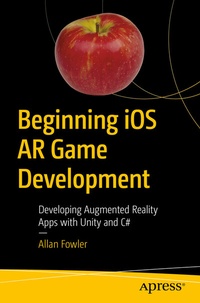
Beginning iOS AR Game Development
Description

Create a fully featured application that's both sophisticated and engaging. This book provides a detailed guide in developing augmented reality games that can take advantage of the advanced capabilities of new iOS devices and code while also offering compatibility with still supported legacy devices.
No programming experience is necessary as this book begins on the ground floor with basic programming concepts in Unity and builds to incorporating input from the real world to create interactive realities. You'll learn to program with the Unity 2017 development platform using C#.
Recent announcements of increased AR capabilities on the latest iPhones and iPads show a clear dedication on Apple's part to this emerging market of immersive games and apps. Unity 2017 is the latest version of this industry leading development platform and C# is a ubiquitous programming language perfect for any programmer to begin with.
Using the latest development technologies, Beginning iOS AR Game Development will show you how to program games that interact directly with the real world environment around the user for creative fantastic augmented reality experiences.
What You'll Learn
-
Download assets from the Unity store
-
Create a scene in Unity 2017
-
Use physics and controls on mobile devices
Beginner programmers and/or people new to developing games using Unity. It also serves as a great introduction to developing AR games and educators teaching the subject at high school or higher levels.
More details
Other editions
Additional editions
Person
Allan Fowler is a Professor in Game Design at Kennesaw State University and lives in Atlanta, GA. Fowler is a published author, game designer, and dedicated educator. Apart from looking after his two children, in his spare time he makes games and practices martial arts and is a keen amateur photographer. Fowler holds second degree black belts in both Shotokan karate and Goju-ryu karate and has competed in State and International Tournaments.
Content
Chapter 1: Getting Started.- Chapter 2: Getting Started.- Chapter 3: The Unity ARKit.- Chapter 4: Hit Testing & Lighting.- Chapter 5: Making AR Games.- Chapter 6: Introducing Touch.- Chapter 7: Adding Plane Detection & Point Clouds.- Chapter 8: Final Steps.
