

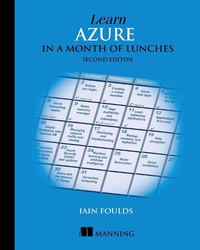
Learn Azure in a Month of Lunches
Published on 21. June 2020
368 pages
978-1-63835-628-8 (ISBN)
Description

Learn Azure in a Month of Lunches, Second Edition, is a tutorial on writing, deploying, and running applications in Azure. In it, you'll work through 21 short lessons that give you real-world experience. Each lesson includes a hands-on lab so you can try out and lock in your new skills.
Summary
You can be incredibly productive with Azure without mastering every feature, function, and service. Learn Azure in a Month of Lunches, Second Edition gets you up and running quickly, teaching you the most important concepts and tasks in 21 practical bite-sized lessons. As you explore the examples, exercises, and labs, you'll pick up valuable skills immediately and take your first steps to Azure mastery! This fully revised new edition covers core changes to the Azure UI, new Azure features, Azure containers, and the upgraded Azure Kubernetes Service.
Purchase of the print book includes a free eBook in PDF, Kindle, and ePub formats from Manning Publications.
About the technology
Microsoft Azure is vast and powerful, offering virtual servers, application templates, and prebuilt services for everything from data storage to AI. To navigate it all, you need a trustworthy guide. In this book, Microsoft engineer and Azure trainer Iain Foulds focuses on core skills for creating cloud-based applications.
About the book
Learn Azure in a Month of Lunches, Second Edition, is a tutorial on writing, deploying, and running applications in Azure. In it, you'll work through 21 short lessons that give you real-world experience. Each lesson includes a hands-on lab so you can try out and lock in your new skills.
What's inside
Understanding Azure beyond point-and-click
Securing applications and data
Automating your environment
Azure services for machine learning, containers, and more
About the reader
This book is for readers who can write and deploy simple web or client/server applications.
About the author
Iain Foulds is an engineer and senior content developer with Microsoft.
Table of Contents
PART 1 - AZURE CORE SERVICES
1 Before you begin
2 Creating a virtual machine
3 Azure Web Apps
4 Introduction to Azure Storage
5 Azure Networking basics
PART 2 - HIGH AVAILABILITY AND SCALE
6 Azure Resource Manager
7 High availability and redundancy
8 Load-balancing applications
9 Applications that scale
10 Global databases with Cosmos DB
11 Managing network traffic and routing
12 Monitoring and troubleshooting
PART 3 - SECURE BY DEFAULT
13 Backup, recovery, and replication
14 Data encryption
15 Securing information with Azure Key Vault
16 Azure Security Center and updates
PART 4 - THE COOL STUFF
17 Machine learning and artificial intelligence
18 Azure Automation
19 Azure containers
20 Azure and the Internet of Things
21 Serverless computing
Summary
You can be incredibly productive with Azure without mastering every feature, function, and service. Learn Azure in a Month of Lunches, Second Edition gets you up and running quickly, teaching you the most important concepts and tasks in 21 practical bite-sized lessons. As you explore the examples, exercises, and labs, you'll pick up valuable skills immediately and take your first steps to Azure mastery! This fully revised new edition covers core changes to the Azure UI, new Azure features, Azure containers, and the upgraded Azure Kubernetes Service.
Purchase of the print book includes a free eBook in PDF, Kindle, and ePub formats from Manning Publications.
About the technology
Microsoft Azure is vast and powerful, offering virtual servers, application templates, and prebuilt services for everything from data storage to AI. To navigate it all, you need a trustworthy guide. In this book, Microsoft engineer and Azure trainer Iain Foulds focuses on core skills for creating cloud-based applications.
About the book
Learn Azure in a Month of Lunches, Second Edition, is a tutorial on writing, deploying, and running applications in Azure. In it, you'll work through 21 short lessons that give you real-world experience. Each lesson includes a hands-on lab so you can try out and lock in your new skills.
What's inside
Understanding Azure beyond point-and-click
Securing applications and data
Automating your environment
Azure services for machine learning, containers, and more
About the reader
This book is for readers who can write and deploy simple web or client/server applications.
About the author
Iain Foulds is an engineer and senior content developer with Microsoft.
Table of Contents
PART 1 - AZURE CORE SERVICES
1 Before you begin
2 Creating a virtual machine
3 Azure Web Apps
4 Introduction to Azure Storage
5 Azure Networking basics
PART 2 - HIGH AVAILABILITY AND SCALE
6 Azure Resource Manager
7 High availability and redundancy
8 Load-balancing applications
9 Applications that scale
10 Global databases with Cosmos DB
11 Managing network traffic and routing
12 Monitoring and troubleshooting
PART 3 - SECURE BY DEFAULT
13 Backup, recovery, and replication
14 Data encryption
15 Securing information with Azure Key Vault
16 Azure Security Center and updates
PART 4 - THE COOL STUFF
17 Machine learning and artificial intelligence
18 Azure Automation
19 Azure containers
20 Azure and the Internet of Things
21 Serverless computing
More details
Other editions
Additional editions
Iain Foulds
Learn Azure in a Month of Lunches
Book
07/2020
2nd Edition
Manning Publications
€47.00
Shipment within 10-20 days
Person
Iain Foulds
Content
- Intro
- Second Edition
- Copyright
- Praise for the first edition
- brief contents
- contents
- preface
- acknowledgments
- about this book
- Roadmap
- About the examples and source code
- liveBook discussion forum
- about the author
- Part 1. Azure core services
- 1 Before you begin
- 1.1 Is this book for you?
- 1.2 How to use this book
- 1.2.1 The main chapters
- 1.2.2 Try it now
- 1.2.3 Hands-on labs
- 1.2.4 Source code and supplementary materials
- 1.3 Creating your lab environment
- 1.3.1 Creating a free Azure account
- 1.3.2 Bonus lab exercise: Creating a free GitHub account
- 1.4 A little helping hand
- 1.5 Understanding the Azure platform
- 1.5.1 Virtualization in Azure
- 1.5.2 Management tools
- Azure portal
- Azure Cloud Shell
- Local Azure CLI and PowerShell tools
- 2 Creating a virtual machine
- 2.1 Virtual machine configuration basics
- 2.1.1 Regions and availability options
- 2.1.2 VM images
- 2.1.3 VM sizes
- 2.1.4 Azure storage
- 2.1.5 Virtual networking
- 2.2 Creating an SSH key pair for authentication
- 2.3 Creating a VM from your web browser
- 2.4 Connecting to the VM and installing the web server
- 2.4.1 Connecting to the VM with SSH
- 2.4.2 Installing the web server
- 2.5 Allowing web traffic to reach the VM
- 2.5.1 Creating a rule to allow web traffic
- 2.5.2 Viewing the web server in action
- 2.6 Lab: Creating a Windows VM
- 2.7 Cleaning up resources
- 2.8 Houston, we have a problem
- 3 Azure Web Apps
- 3.1 Azure Web Apps overview and concepts
- 3.1.1 Supported languages and environments
- 3.1.2 Staging different versions with deployment slots
- App service plans
- 3.2 Creating a web app
- 3.2.1 Creating a basic web app
- 3.2.2 Deploying a sample HTML site
- 3.3 Viewing diagnostic logs
- 3.4 Lab: Creating and using a deployment slot
- 4 Introduction to Azure Storage
- 4.1 Managed Disks
- 4.1.1 OS disks
- 4.1.2 Temporary disks and data disks
- 4.1.3 Disk-caching options
- 4.2 Adding disks to a VM
- 4.1.3 Azure Storage
- 4.3.1 Table storage
- 4.3.2 Queue storage
- 4.3.3 Storage availability and redundancy
- 4.4 Lab: Exploring Azure Storage
- 4.4.1 VM-focused
- 4.4.2 Developer-focused
- 5 Azure Networking basics
- 5.1 Virtual network components
- 5.1.1 Virtual networks and subnets
- 5.1.2 Virtual network interface cards
- 5.1.3 Public IP address and DNS resolution
- 5.2 Securing and controlling traffic with network security groups
- 5.2.1 Creating a network security group
- 5.2.2 Associating a network security group with a subnet
- 5.2.3 Creating network security group filtering rules
- 5.3 Building a sample web application with secure traffic
- 5.3.1 Creating remote access network connections
- 5.3.2 Creating VMs
- 5.3.3 Using the SSH agent to connect to your VMs
- 5.4 Lab: Installing and testing the LAMP web server
- Part 2. High availability and scale
- 6 Azure Resource Manager
- 6.1 The Azure Resource Manager approach
- 6.1.1 Designing around the application lifecycle
- 6.1.2 Securing and controlling resources
- 6.1.3 Protecting resources with locks
- 6.1.4 Managing and grouping resources with tags
- 6.2 Azure Resource Manager templates
- 6.2.1 Creating and using templates
- 6.2.2 Creating multiples of a resource type
- 6.2.3 Tools to build your own templates
- 6.2.4 Storing and using templates
- 6.3 Lab: Deploying Azure resources from a template
- 7 High availability and redundancy
- 7.1 The need for redundancy
- 7.2 Infrastructure redundancy with Availability Zones
- 7.2.1 Creating network resources across an Availability Zone
- 7.2.2 Creating VMs in an Availability Zone
- 7.3 VM redundancy with Availability Sets
- 7.3.1 Fault domains
- 7.3.2 Update domains
- 7.3.3 Distributing VMs across an Availability Set
- 7.3.4 View distribution of VMs across an Availability Set
- 7.4 Lab: Deploying highly available VMs from a template
- 8 Load-balancing applications
- 8.1 Azure load-balancer components
- 8.1.1 Creating a frontend IP pool
- 8.1.2 Creating and configuring health probes
- 8.1.3 Defining traffic distribution with load-balancer rules
- 8.1.4 Routing direct traffic with Network Address Translation rules
- 8.1.5 Assigning groups of VMs to backend pools
- 8.2 Creating and configuring VMs with the load balancer
- 8.3 Lab: Viewing templates of existing deployments
- 9 Applications that scale
- 9.1 Why build scalable, reliable applications?
- 9.1.1 Scaling VMs vertically
- Resizing virtual machines
- Scaling down
- 9.1.2 Scaling web apps vertically
- 9.1.3 Scaling resources horizontally
- 9.2 Virtual machine scale sets
- 9.2.1 Creating a virtual machine scale set
- 9.2.2 Creating autoscale rules
- 9.3 Scaling a web app
- 9.4 Lab: Installing applications on your scale set or web app
- 9.4.1 Virtual machine scale sets
- 9.4.2 Web apps
- 10 Global databases with Cosmos DB
- 10.1 What is Cosmos DB?
- 10.1.1 Structured (SQL) databases
- 10.1.2 Unstructured (NoSQL) databases
- 10.1.3 Scaling databases
- 10.1.4 Bringing it all together with Cosmos DB
- 10.2 Creating a Cosmos DB account and database
- 10.2.1 Creating and populating a Cosmos DB database
- 10.2.2 Adding global redundancy to a Cosmos DB database
- 10.3 Accessing globally distributed data
- 10.4 Lab: Deploying a web app that uses Cosmos DB
- 11 Managing network traffic and routing
- 11.1 What is Azure DNS?
- 11.2 Delegating a real domain to Azure DNS
- 11.3 Global routing and resolution with Traffic Manager
- 11.3.1 Creating Traffic Manager profiles
- 11.3.2 Globally distributing traffic to the closest instance
- 11.4 Lab: Deploying web apps to see Traffic Manager in action
- 12 Monitoring and troubleshooting
- 12.1 VM boot diagnostics
- 12.2 Performance metrics and alerts
- 12.2.1 Viewing performance metrics with the VM diagnostics extension
- 12.2.2 Creating alerts for performance conditions
- 12.3 Azure Network Watcher
- 12.3.1 Verifying IP flows
- 12.3.2 Viewing effective NSG rules
- 12.3.3 Capturing network packets
- 12.4 Lab: Creating performance alerts
- Part 3. Secure by default
- 13 Backup, recovery, and replication
- 13.1 Azure Backup
- 13.1.1 Policies and retention
- Recovery point objective
- Recovery time objective
- 13.1.2 Backup schedules
- Restoring a VM
- File-level restore
- Complete VM restore
- 13.2 Azure Site Recovery
- 13.3 Lab: Configuring a VM for Site Recovery
- 14 Data encryption
- 14.1 What is data encryption?
- 14.2 Encryption at rest
- 14.3 Storage Service Encryption
- 14.4 VM encryption
- 14.4.1 Storing encryption keys in Azure Key Vault
- 14.4.2 Encrypting an Azure VM
- 14.5 Lab: Encrypting a VM
- 15 Securing information with Azure Key Vault
- 15.1 Securing information in the cloud
- 15.1.1 Software vaults and hardware security modules
- 15.1.2 Creating a key vault and secret
- 15.2 Managed identities for Azure resources
- 15.3 Obtaining a secret from within a VM with managed identity
- 15.4 Creating and injecting certificates
- 15.5 Lab: Configuring a secure web server
- 16 Azure Security Center and updates
- 16.1 Azure Security Center
- 16.2 Just-in-time access
- 16.3 Azure Update Management
- 16.3.1 Combined Azure management services
- 16.3.2 Reviewing and applying updates
- 16.4 Lab: Enabling JIT and updates for a Windows VM
- Part 4. The cool stuff
- 17 Machine learning and artificial intelligence
- 17.1 Overview and relationship of AI and ML
- 17.1.1 Artificial intelligence
- 17.1.2 Machine learning
- 17.1.3 Bringing AI and ML together
- 17.1.4 Azure ML tools for data scientists
- 17.2 Azure Cognitive Services
- 17.3 Building an intelligent bot to help with pizza orders
- 17.3.1 Creating an Azure web app bot
- 17.3.2 Language and understanding intent with LUIS
- 17.3.3 Building and running a web app bot with LUIS
- 17.4 Lab: Adding channels for bot communication
- 18 Azure Automation
- 18.1 What is Azure Automation?
- 18.1.1 Creating an Azure Automation account
- 18.1.2 Azure Automation assets and runbooks
- 18.2 Azure Automation sample runbook
- 18.2.1 Running and viewing output from a sample runbook
- 18.3 PowerShell Desired State Configuration (DSC)
- 18.3.1 Defining and using PowerShell DSC and an Azure Automation pull server
- 18.4 Lab: Using DSC with Linux
- 19 Azure containers
- 19.1 What are containers?
- 19.2 The microservices approach to applications
- 19.3 Azure Container Instances
- 19.4 Azure Kubernetes Service
- 19.4.1 Creating a cluster with Azure Kubernetes Services
- 19.4.2 Running a basic website in Kubernetes
- 19.5 Lab: Scaling your Kubernetes deployments
- 20 Azure and the Internet of Things
- 20.1 What is the Internet of Things?
- 20.2 Centrally managing devices with Azure IoT Hub
- 20.3 Creating a simulated Raspberry Pi device
- 20.4 Streaming Azure IoT hub data into Azure web apps
- 20.5 Azure IoT component review
- 20.6 Lab: Exploring use cases for IoT
- 21 Serverless computing
- 21.1 What is serverless computing?
- 21.2 Azure messaging platforms
- 21.2.1 Azure Event Grid
- 21.2.2 Azure Event Hubs and Service Bus
- 21.2.3 Creating a service bus and integrating it with an IoT hub
- 21.3 Creating an Azure logic app
- 21.4 Creating an Azure function app to analyze IoT device data
- 21.5 Don't stop learning
- 21.5.1 Additional learning materials
- 21.5.2 GitHub resources
- 21.5.3 One final thought
- index
