
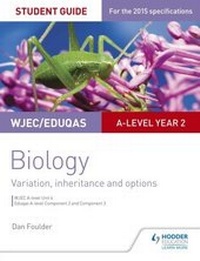
WJEC/Eduqas A-level Year 2 Biology Student Guide: Variation, Inheritance and Options
Description
Alles über E-Books | Antworten auf Fragen rund um E-Books, Kopierschutz und Dateiformate finden Sie in unserem Info- & Hilfebereich.
Exam Board: WJEC, Eduqas
Level: A-level
Subject: Biology
First Teaching: September 2015
First Exam: Summer 2017
Reinforce students' understanding throughout their course with clear topic summaries and sample questions and answers to help your students target higher grades.
Written by experienced teacher Dan Foulder, our Student Guides are divided into two key sections, content guidance and sample questions and answers.
Content guidance will:
- Develop students' understanding of key concepts and terminology; this guide covers WJEC A-level Unit 4; Eduqas A-level Component 2 and Component 3.
- Consolidate students' knowledge with 'knowledge check questions' at the end of each topic and answers in the back of the book.
Sample questions and answers will:
- Build students' understanding of the different question types, so they can approach each question with confidence.
- Enable students to target top grades with sample answers and commentary explaining exactly why marks have been awarded.
More details
Other editions
Additional editions

Person
System requirements
File format: ePUB
Copy protection: Adobe-DRM (Digital Rights Management)
System requirements:
- Computer (Windows; MacOS X; Linux): Install the free reader Adobe Digital Editions prior to download (see eBook Help).
- Tablet/smartphone (Android; iOS): Install the free app Adobe Digital Editions or the app PocketBook before downloading (see eBook Help).
- E-reader: Bookeen, Kobo, Pocketbook, Sony, Tolino and many more (not Kindle).
The file format ePub works well for novels and non-fiction books – i.e., „flowing” text without complex layout. On an e-reader or smartphone, line and page breaks automatically adjust to fit the small displays.
This eBook uses Adobe-DRM, a „hard” copy protection. If the necessary requirements are not met, unfortunately you will not be able to open the eBook. You will therefore need to prepare your reading hardware before downloading.
Please note: We strongly recommend that you authorise using your personal Adobe ID after installation of any reading software.
For more information, see our ebook Help page.