

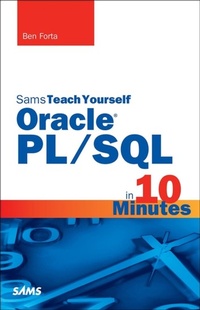
Sams Teach Yourself Oracle PL/SQL in 10 Minutes
1st Edition
Published on 2. September 2015
288 pages
978-0-13-396678-7 (ISBN)
Description

Covers Oracle DBMS versions 10, 11, 12, and XE
Sams Teach Yourself Oracle PL/SQL in 10 Minutes offers straightforward, practical answers when you need fast results. By working through the book's 26 lessons of 10 minutes or less, you'll learn what you need to know to take advantage of Oracle's PL/SQL language.
This handy pocket guide starts with simple data retrieval and moves on to more complex topics, including the use of joins, subqueries, regular expression and full text-based searches, stored procedures, cursors, triggers, table constraints, and much more.
10 minutes is all you need to learn how to...
Use PL/SQL in the Oracle environments and tools
Construct complex PL/SQL statements using multiple clauses and operators
Retrieve, sort, and format database contents
Pinpoint the data you need using a variety of filtering techniques
Use string, date-time, and math functions to manipulate your data
Join two or more related tables
Insert, update, and delete data
Create and alter database tables
Work with views, stored procedures, cursors, triggers, and more
Sams Teach Yourself Oracle PL/SQL in 10 Minutes offers straightforward, practical answers when you need fast results. By working through the book's 26 lessons of 10 minutes or less, you'll learn what you need to know to take advantage of Oracle's PL/SQL language.
This handy pocket guide starts with simple data retrieval and moves on to more complex topics, including the use of joins, subqueries, regular expression and full text-based searches, stored procedures, cursors, triggers, table constraints, and much more.
10 minutes is all you need to learn how to...
Use PL/SQL in the Oracle environments and tools
Construct complex PL/SQL statements using multiple clauses and operators
Retrieve, sort, and format database contents
Pinpoint the data you need using a variety of filtering techniques
Use string, date-time, and math functions to manipulate your data
Join two or more related tables
Insert, update, and delete data
Create and alter database tables
Work with views, stored procedures, cursors, triggers, and more
More details
Series
Language
English
Place of publication
Boston
United States
Publishing group
Pearson Education (US)
Target group
College/higher education
ISBN-13
978-0-13-396678-7 (9780133966787)
Copyright in bibliographic data and cover images is held by Nielsen Book Services Limited or by the publishers or by their respective licensors: all rights reserved.
Schweitzer Classification
Other editions
Additional editions
Book
10/2015
Sams Publishing
€27.22
Shipment within 10-20 days
Person
Ben Forta has three decades of experience in the computer industry in product design and development, support, training, and marketing. As Adobe Inc.'s Senior Director of Education Initiatives, he spends a considerable amount of time teaching, talking, and writing about Adobe products, coding and application development, creativity, and digital literacy and provides feedback to help shape the future direction of Adobe products.
Ben is the author of more than 40 books, including the world's bestselling title on SQL, as well as titles on topics as diverse as Regular Expressions, mobile development, and Adobe ColdFusion. More than 750,000 copies of his books are in print in English, and titles have been translated into fifteen languages. Many of these titles are used as textbooks in colleges and universities worldwide.
Education is Ben's passion. Between writing, lecturing, and in-classroom experience, Ben has dedicated his professional and personal lives to teaching, inspiring, and sharing his love for technology and creativity. He is immensely grateful to have had the opportunity to share with millions worldwide.
Ben is also a successful entrepreneur with experience creating, building, and selling start-ups. He is a sought-after public speaker, a writer, and a blogger, and he presents on education and development topics worldwide.
Ben is the author of more than 40 books, including the world's bestselling title on SQL, as well as titles on topics as diverse as Regular Expressions, mobile development, and Adobe ColdFusion. More than 750,000 copies of his books are in print in English, and titles have been translated into fifteen languages. Many of these titles are used as textbooks in colleges and universities worldwide.
Education is Ben's passion. Between writing, lecturing, and in-classroom experience, Ben has dedicated his professional and personal lives to teaching, inspiring, and sharing his love for technology and creativity. He is immensely grateful to have had the opportunity to share with millions worldwide.
Ben is also a successful entrepreneur with experience creating, building, and selling start-ups. He is a sought-after public speaker, a writer, and a blogger, and he presents on education and development topics worldwide.
Content
Introduction
Chapter 1: Understanding SQL
Chapter 2: Getting Started with Oracle and PL/SQL
Chapter 3: Working with Oracle
Chapter 4: Retrieving Data
Chapter 5: Sorting Retrieved Data
Chapter 6: Filtering Data
Chapter 7: Advanced Data Filtering
Chapter 8: Using Wildcard Filtering
Chapter 9: Searching Using Regular Expressions
Chapter 10: Creating Calculated Fields
Chapter 11: Using Data Manipulation Functions
Chapter 12: Summarizing Data
Chapter 13: Grouping Data
Chapter 14: Working with Subqueries
Chapter 15: Joining Tables
Chapter 16: Creating Advanced Joins
Chapter 17: Combining Queries
Chapter 18: Inserting Data
Chapter 19: Updating and Deleting Data
Chapter 20: Creating and Manipulating Tables
Chapter 21: Using Views
Chapter 22: Working with Stored Procedures
Chapter 23: Using Cursors
Chapter 24: Using Triggers
Chapter 25: Managing Transaction Processing
Chapter 26: Managing Security
Appendix A: The Example Tables
Appendix B: Oracle PL/SQL Datatypes
Appendix C: Oracle PL/SQL Reserved Words and Keywords
Index
Chapter 1: Understanding SQL
Chapter 2: Getting Started with Oracle and PL/SQL
Chapter 3: Working with Oracle
Chapter 4: Retrieving Data
Chapter 5: Sorting Retrieved Data
Chapter 6: Filtering Data
Chapter 7: Advanced Data Filtering
Chapter 8: Using Wildcard Filtering
Chapter 9: Searching Using Regular Expressions
Chapter 10: Creating Calculated Fields
Chapter 11: Using Data Manipulation Functions
Chapter 12: Summarizing Data
Chapter 13: Grouping Data
Chapter 14: Working with Subqueries
Chapter 15: Joining Tables
Chapter 16: Creating Advanced Joins
Chapter 17: Combining Queries
Chapter 18: Inserting Data
Chapter 19: Updating and Deleting Data
Chapter 20: Creating and Manipulating Tables
Chapter 21: Using Views
Chapter 22: Working with Stored Procedures
Chapter 23: Using Cursors
Chapter 24: Using Triggers
Chapter 25: Managing Transaction Processing
Chapter 26: Managing Security
Appendix A: The Example Tables
Appendix B: Oracle PL/SQL Datatypes
Appendix C: Oracle PL/SQL Reserved Words and Keywords
Index
