

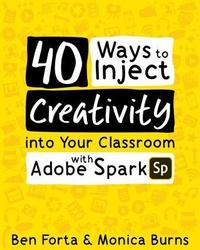
40 Ways to Inject Creativity into Your Classroom with Adobe Spark
Description

Empower Students to Tell Their Stories with Adobe Spark!
Adobe Spark is a fun, free content-creation tool that anyone can use. Easily accessible on web browsers, Chromebooks, and mobile devices, Adobe Spark's intuitive and easy-to-use design makes it the perfect tool for learners of all ages to create . . .
- Video book reports
- Modern, responsive webpage "papers"
- Video journalsScience posters and videos
- Web newsletters . . . and so much more!
In the hands of creative educators, Adobe Spark provides students with a fun way to embrace critical communication and creativity skills. But what if you don't consider yourself a "creative educator" or just aren't sure where to start?
That's where 40 Ways to Inject Creativity into Your Classroom with Adobe Spark comes to the rescue! Experienced educators Ben Forta and Monica Burns offer step-by-step guidance on how to incorporate this powerful tool into your classroom in ways that are meaningful and relevant. They present 40 fun and practical lesson plans suitable for a variety of ages and subjects as well as 15 graphic organizers to get you started.
With the tips, suggestions, and encouragement in this book, you'll find everything you need to inject creativity into your classroom using Adobe Spark.
More details
Content
- Intro
- Introduction
- Sp for Education
- Sp in the Classroom
- How to use This Book
- Getting Started with in the Classroom
- Lessons
- #1: Welcome Back Message
- #2: Student Introduction Videos
- #3: Daily Video Journal
- #4: Video Book Reports
- #5: Interesting Quotations
- #6: Community Highlights
- #7: Math All Around You
- #8: Video Storytelling
- #9: Create a Haiku
- #10: Rhyme Time
- #11: Project Proposal
- #12: Sight Word Video
- #13: Digital Citizenship Spotlight
- #14: Special Occasion Class Project
- #15: Perform a Poem
- #16: Multimedia Biography Reports
- #17: Collaborative Storytelling
- #18: Science Lab Reports
- #19: Public Service Announcement
- #20: Digital Bulletin Boards
- #21: ABC Movies
- #22: Document a Field Trip
- #23: Captioning a Special School Moment
- #24: Creating Engaging Slides for Presentations
- #25: Classroom Newsletter
- #26: Spot Math in Action
- #27: Publish Google Docs
- #28: Curiosity Wall
- #29: Destination Wish
- #30: Showcase a Discovery
- #31: Share a Research Question
- #32: Giving Eyes to the Exit Slip
- #33: Curate Research Materials
- #34: Foreign Language Vocabulary Practice
- #35: Explore Keyword Searches
- #36: Sequence Short Stories
- #37: Virtual School Tour
- #38: Digital Portfolios
- #39: Goal Setting
- #40: Reflection Collection
- Graphic Organizers
- Spark Creativity at Your School!
- More from Elevate Books EDU
- About the Authors
