

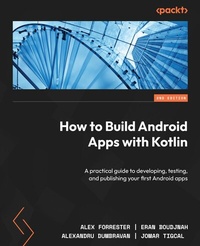
How to Build Android Apps with Kotlin
Description

Looking to kick-start your app development journey with Android 13, but don't know where to start? How to Build Android Apps with Kotlin is a comprehensive guide that will help jump-start your Android development practice.
This book starts with the fundamentals of app development, enabling you to utilize Android Studio and Kotlin to get started with building Android projects. You'll learn how to create apps and run them on virtual devices through guided exercises. Progressing through the chapters, you'll delve into Android's RecyclerView to make the most of lists, images, and maps, and see how to fetch data from a web service.
You'll also get to grips with testing, learning how to keep your architecture clean, understanding how to persist data, and gaining basic knowledge of the dependency injection pattern. Finally, you'll see how to publish your apps on the Google Play store.
You'll work on realistic projects that are split up into bitesize exercises and activities, allowing you to challenge yourself in an enjoyable and attainable way. You'll build apps to create quizzes, read news articles, check weather reports, store recipes, retrieve movie information, and remind you where you parked your car.
By the end of this book, you'll have the skills and confidence to build your own creative Android applications using Kotlin.
All prices
More details
Other editions
Additional editions
Previous edition
Content
- Cover
- Title Page
- Copyright
- Dedication
- Contributors
- Table of Contents
- Preface
- Part 1: Android Foundation
- Chapter 1: Creating Your First App
- Technical requirements
- Creating an Android project with Android Studio
- Exercise 1.01 - creating an Android Studio project for your app
- Setting up a virtual device and running your app
- Exercise 1.02 - setting up a virtual device and running your app on it
- The Android manifest
- Exercise 1.03 - configuring the Android manifest internet permission
- Using Gradle to build, configure, and manage app dependencies
- The project-level build.gradle file
- The app-level build.gradle file
- Exercise 1.04 - exploring how Material Design is used to theme an app
- Android application structure
- Exercise 1.05 - adding interactive UI elements to display a bespoke greeting to the user
- Accessing Views in layout files
- Further input validation
- Activity 1.01 - producing an app to create RGB colors
- Summary
- Chapter 2: Building User Screen Flows
- Technical requirements
- The Activity lifecycle
- Exercise 2.01 - logging the Activity Callbacks
- Saving and restoring the Activity state
- Exercise 2.02 - saving and restoring the state in layouts
- Exercise 2.03 - saving and restoring the state with Callbacks
- Activity interaction with Intents
- Exercise 2.04 - an introduction to Intents
- Exercise 2.05 - retrieving a result from an Activity
- Intents, Tasks, and Launch Modes
- Exercise 2.06 - setting the Launch Mode of an Activity
- Activity 2.01 - creating a login form
- Summary
- Chapter 3: Developing the UI with Fragments
- Technical requirements
- The fragment lifecycle
- onAttach
- onCreate
- onCreateView
- onViewCreated
- onActivityCreated
- onStart
- onResume
- onPause
- onStop
- onDestroyView
- onDestroy
- onDetach
- Exercise 3.01 - adding a basic fragment and the fragment lifecycle
- Exercise 3.02 - adding fragments statically to an activity
- Static fragments and dual-pane layouts
- Exercise 3.03 - dual-pane layouts with static fragments
- Dynamic fragments
- Exercise 3.04 - adding fragments dynamically to an activity
- Jetpack Navigation
- Exercise 3.05 - adding a Jetpack navigation graph
- Activity 3.01 - creating a quiz on the planets
- Summary
- Chapter 4: Building App Navigation
- Technical requirements
- Navigation overview
- Navigation drawer
- Exercise 4.01 - creating an App with a navigation drawer
- Bottom navigation
- Exercise 4.02 - adding bottom navigation to your app
- Tabbed navigation
- Exercise 4.03 - using tabs for app navigation
- Activity 4.01 - building primary and secondary app navigation
- Summary
- Part 2: Displaying Network Calls
- Chapter 5: Essential Libraries: Retrofit, Moshi, and Glide
- Technical requirements
- Introducing REST, API, JSON, and XML
- Fetching data from a network endpoint
- Exercise 5.01 - reading data from an API
- Parsing a JSON response
- Exercise 5.02 - extracting the image URL from the API response
- Loading images from a remote URL
- Exercise 5.03 - loading the image from the obtained URL
- Activity 5.01 - displaying the current weather
- Summary
- Chapter 6: Adding and Interacting with RecyclerView
- Technical requirements
- Adding RecyclerView to our layout
- Exercise 6.01 - adding an empty RecyclerView to your main activity
- Populating RecyclerView
- Exercise 6.02 - populating your RecyclerView
- Responding to clicks in RecyclerView
- Exercise 6.03 - responding to clicks
- Supporting different Item types
- Exercise 6.04 - adding titles to RecyclerView
- Swiping to remove Items
- Exercise 6.05 - adding swipe to delete functionality
- Adding items interactively
- Exercise 6.06 - implementing an Add A Cat button
- Activity 6.01 - managing a list of Items
- Summary
- Chapter 7: Android Permissions and Google Maps
- Technical requirements
- Requesting permission from the user
- Exercise 7.01 - requesting the location permission
- Showing a map of the user's location
- Exercise 7.02 - obtaining the user's current location
- Map clicks and custom markers
- Exercise 7.03 - adding a custom marker where the map was clicked
- Activity 7.01 - creating an app to find the location of a parked car
- Summary
- Chapter 8: Services, WorkManager, and Notifications
- Technical requirements
- Starting a background task using WorkManager
- Exercise 8.01 - executing background work with the WorkManager class
- Background operations noticeable to the user - using a Foreground Service
- Exercise 8.02 - tracking your SCA's work with a Foreground Service
- Activity 8.01 - reminder to drink water
- Summary
- Chapter 9: Building User Interfaces Using Jetpack Compose
- Technical requirements
- What is Jetpack Compose?
- Exercise 9.01 - first Compose screen
- Handling user actions
- Exercise 9.02 - handling user inputs
- Theming in Compose
- Exercise 9.03 - applying themes
- Adding Compose to existing projects
- Activity 9.01 - first Compose app
- Summary
- Part 3: Testing and Code Structure
- Chapter 10: Unit Tests and Integration Tests with JUnit, Mockito, and Espresso
- Technical requirements
- Types of testing
- JUnit
- Android Studio testing tips
- Mockito
- Exercise 10.01 - testing the sum of numbers
- Integration tests
- Robolectric
- Espresso
- Exercise 10.02 - double integration
- UI tests
- Testing in Jetpack Compose
- Exercise 10.03 - random waiting times
- TDD
- Exercise 10.04 - using TDD to calculate the sum of numbers
- Activity 10.01 - developing with TDD
- Summary
- Chapter 11: Android Architecture Components
- Technical requirements
- Android components background
- ViewModel
- Exercise 11.01 - shared ViewModel
- Data streams
- LiveData
- Additional data streams
- Room
- Entities
- DAO
- Setting up the database
- Third-party frameworks
- Exercise 11.03 - making a little room
- Activity 11.01 - a shopping notes app
- Summary
- Chapter 12: Persisting Data
- Technical requirements
- Preferences and DataStore
- SharedPreferences
- Exercise 12.01 - wrapping SharedPreferences
- DataStore
- Exercise 12.02 - Preference DataStore
- Files
- Internal storage
- External storage
- FileProvider
- The Storage Access Framework (SAF)
- Asset files
- Exercise 12.03 - copying files
- Scoped storage
- Camera and media storage
- Exercise 12.04 - taking photos
- Activity 12.01 - dog downloader
- Summary
- Chapter 13: Dependency Injection with Dagger, Hilt, and Koin
- Technical requirements
- The necessity of dependency injection
- Manual DI
- Exercise 13.01 - manual injection
- Dagger 2
- Consumers
- Providers
- Connectors
- Qualifiers
- Scopes
- Subcomponents
- Exercise 13.02 - Dagger injection
- Hilt
- Exercise 13.03 - Hilt injection
- Koin
- Exercise 13.04 - Koin injection
- Activity 13.01 - injected repositories
- Summary
- Part 4: Polishing and Publishing an App
- Chapter 14: Coroutines and Flow
- Technical requirements
- Using Coroutines on Android
- Creating coroutines
- Adding coroutines to your project
- Exercise 14.01 - using coroutines in an Android app
- Transforming LiveData
- Exercise 14.02 - LiveData transformations
- Using Flow on Android
- Collecting Flows on Android
- Creating Flows with Flow Builders
- Using operators with Flows
- Exercise 14.03 - using Flow in an Android application
- Activity 14.01 - creating a TV Guide app
- Summary
- Chapter 15: Architecture Patterns
- Technical requirements
- Getting started with MVVM
- Binding data on Android with data binding
- Exercise 15.01- using data binding in an Android project
- Using Retrofit and Moshi
- Implementing the Repository pattern
- Exercise 15.02 - using Repository with Room in an Android project
- Using WorkManager
- Exercise 15.03 - adding WorkManager to an Android Project
- Activity 15.01 - revisiting the TV Guide app
- Summary
- Chapter 16: Animations and Transitions with CoordinatorLayout and MotionLayout
- Technical requirements
- Activity transitions
- Adding activity transitions through XML
- Adding activity transitions through code
- Starting an activity with an activity transition
- Exercise 16.01 - creating activity transitions in an app
- Adding a shared element transition
- Starting an activity with the shared element transition
- Exercise 16.02 - creating the shared element transition
- Animations with CoordinatorLayout
- Animations with MotionLayout
- Adding MotionLayout
- Creating animations with MotionLayout
- Exercise 16.03 - adding animations with MotionLayout
- The Motion Editor
- Debugging MotionLayout
- Modifying the MotionLayout path
- Exercise 16.04 - modifying the animation path with keyframes
- Activity 16.01 - Password Generator
- Summary
- Chapter 17: Launching Your App on Google Play
- Preparing your apps for release
- Versioning apps
- Creating a keystore
- Exercise 17.01 - creating a keystore in Android Studio
- Storing the keystore and passwords
- Signing your apps for release
- Exercise 17.02 - creating a signed APK
- Android app bundle
- Exercise 17.03 - creating a signed app bundle
- App signing by Google Play
- Creating a developer account
- Uploading an app to Google Play
- Creating a store listing
- Preparing the release
- Rolling out a release
- Managing app releases
- Release tracks
- Staged rollouts
- Managed publishing
- Activity 17.01 - publishing an app
- Summary
- Index
- About Packt
- Other Books You May Enjoy
Preface
Android has ruled the app market for the past decade, and developers are increasingly looking to start building their own Android apps. How to Build Android Apps with Kotlin starts with the building blocks of Android development, teaching you how to use Android Studio, the integrated development environment (IDE) for Android, with the Kotlin programming language for app development.
Then, you'll learn how to create apps and run them on virtual devices using guided exercises. You'll cover the fundamentals of Android development, from structuring an app to building out the UI with activities, fragments, and various navigation patterns. Progressing through the chapters, you'll delve into Android's RecyclerView to make the most of displaying lists of data and become comfortable with fetching data from a web service and handling images.
You'll then learn about mapping, location services, and the permissions model before working with notifications and how to persist data. Next, you'll build user interfaces using Jetpack Compose. Moving on, you'll get to grips with testing, covering the full spectrum of the test pyramid. You'll also learn how Android Architecture Components (AAC) is used to cleanly structure your code and explore various architecture patterns and the benefits of dependency injection.
Coroutines and the Flow API are covered for asynchronous programming. The focus then returns to the UI, demonstrating how to add motion and transitions when users interact with your apps. Toward the end, you'll build an interesting app to retrieve and display popular movies from a movie database, and then see how to publish your apps on Google Play.
By the end of this book, you'll have the skills and confidence needed to build fully-fledged Android apps using Kotlin.
Who this book is for
If you want to build your own Android apps using Kotlin but are unsure of how to begin, then this book is for you. A basic understanding of the Kotlin programming language will help you grasp the topics covered in this book more quickly.
What this book covers
Chapter 1, Creating Your First App, shows how to use Android Studio to build your first Android app. Here, you will create an Android Studio project, understand what it's made up of, and explore the tools necessary for building and deploying an app on a virtual device. You will also learn about the structure of an Android app.
Chapter 2, Building User Screen Flows, dives into the Android ecosystem and the building blocks of an Android application. Concepts such as activities and their lifecycle, intents, and tasks will be introduced, as well as restoring the state and passing data between screens or activities.
Chapter 3, Developing the UI with Fragments, teaches you the fundamentals of using fragments for the user interface of an Android application. You will learn how to use fragments in multiple ways to build application layouts for phones and tablets, including using the Jetpack Navigation component.
Chapter 4, Building App Navigation, goes through the different types of navigation in an application. You will learn about navigation drawers with sliding layouts, bottom navigation, and tabbed navigation.
Chapter 5, Essential Libraries: Retrofit, Moshi, and Glide, gives you an insight into how to build apps that fetch data from a remote data source with the use of the Retrofit library and the Moshi library to convert data into Kotlin objects. You will also learn about the Glide library, which loads remote images into your app.
Chapter 6, Adding and Interacting with RecyclerView, introduces the concept of building lists and displaying them with the help of the RecyclerView widget.
Chapter 7, Android Permissions and Google Maps, presents the concept of permissions and how to request them from the user in order for your app to execute specific tasks, as well as introducing you to the Maps API.
Chapter 8, Services, WorkManager, and Notifications, details the concept of background work in an Android app and how you can have your app execute certain tasks in a way that is invisible to the user, as well as covering how to show a notification of this work.
Chapter 9, Building User Interfaces Using Jetpack Compose, shows how Jetpack Compose works, how to apply styles and themes, and how to use Jetpack Compose in projects started with layout files.
Chapter 10, Unit Tests and Integration Tests with JUnit, Mockito, and Espresso, teaches you about the different types of tests for an Android application, what frameworks are used for each type of test, and the concept of test-driven development.
Chapter 11, Android Architecture Components, provides an insight into components from the Android Jetpack libraries, such as ViewModel, which will help separate the business logic from the user interface code. We will then look at how we can use observable data streams such as LiveData to deliver data to the user interface. Finally, we will look at the Room library to analyze how we can persist data.
Chapter 12, Persisting Data, shows you the various ways to store data on a device, from SharedPreferences to files. The Repository concept will also be introduced, giving you an idea of how to structure your app in different layers.
Chapter 13, Dependency Injection with Dagger, Hilt, and Koin, explains the concept of dependency injection and the benefits it provides to an application. Frameworks such as Dagger, Hilt, and Koin are introduced to help you manage your dependencies.
Chapter 14, Coroutines and Flow, introduces you to doing background operations and data manipulations with coroutines and Flow. You'll also learn about manipulating and displaying data using Flow operators and LiveData transformation.
Chapter 15, Architecture Patterns, explains the architecture patterns you can use to structure your Android projects to separate them into different components with distinct functionality. These make it easier for you to develop, test, and maintain your code.
Chapter 16, Animations and Transitions with CoordinatorLayout and MotionLayout, discusses how to enhance your apps with animations and transitions with CoordinatorLayout and MotionLayout.
Chapter 17, Launching Your App on Google Play, concludes this book by showing you how to publish your apps on Google Play: from preparing a release to creating a Google Play Developer account, and finally launching your app.
To get the most out of this book
Each great journey begins with a humble step. Before we can do awesome things in Android, we need to be prepared with a productive environment. In this section, we will see how to do that.
Minimum hardware requirements
For an optimal learning experience, we recommend the following hardware configuration:
- Processor: Intel Core i5 or equivalent or higher
- Memory: 8 GB RAM or more
- Storage: 8 GB available space minimum
Software requirements
You'll also need the following software installed in advance:
- OS: 64-bit Windows 8/10/11, macOS, or 64-bit Linux
- Android Studio Electric Eel or higher
Installation and setup
Before you start this book, you will need to install Android Studio Electric Eel (or higher), which is the software you will be using throughout the chapters. You can download Android Studio from https://developer.android.com/studio.
On macOS, launch the DMG file and drag and drop Android Studio into the Applications folder. Once this is done, open Android Studio. On Windows, launch the EXE file. If you're using Linux, unpack the ZIP file into your preferred location. Open your Terminal and navigate to the android-studio/bin/ directory and execute studio.sh.
Next, the Data Sharing dialog will pop up; click either the Send usage statistics to Google button or the Don't send button to disable sending anonymous usage data to Google:
The Data Sharing dialog
In the Welcome dialog, click the Next button to start the...
