

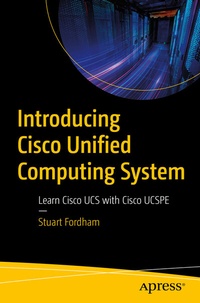
Introducing Cisco Unified Computing System
Learn Cisco UCS with Cisco UCSPE
Published on 24. November 2022
XV, 147 pages
978-1-4842-8986-0 (ISBN)
Description

The Cisco Unified Computing System (UCS) can be found in the majority of data centers across the world. However, getting hands-on practice to learn this infrastructure can be difficult, as many companies will push to have it production-ready as soon as possible. Home-labs are also cost-prohibitive, cumbersome, electricity-hungry, and noisy.
So, how do you get hands-on experience? With Unified Computing System Platform Emulator (UCSPE) and this book. UCSPE is free and can run on a laptop. Using it along with this book, you will learn how to set up, manage and troubleshoot a UCS, including the fabric interconnects, chassis and IOMs, and servers through the GUI and the CLI. All from the comfort of your own home. Introducing Cisco Unified Computing System will show you how to set up a UCS (comparing the UCSPE to a real-world deployment), customize the hardware, configure the UCS system, and secure it.
You'll start by creating an organization and then the policies to control storage, networking, boot options, maintenance policies, and server pools. Once you have the required policies you'll use them to create service profiles (using the policies) and templates and assign these to the blade and rack-mount servers in the virtual environment. You'll also be looking at real-life scenarios such as upgrades (and downgrades), northbound networking, and Storage Area Networking (SAN) connectivity. Using the GUI and the CLI you'll look at real-world examples that data center engineers may encounter.
What You'll Learn
Datacenter and network engineers and individuals studying for the CCNA and CCNP Cisco data center qualification.
So, how do you get hands-on experience? With Unified Computing System Platform Emulator (UCSPE) and this book. UCSPE is free and can run on a laptop. Using it along with this book, you will learn how to set up, manage and troubleshoot a UCS, including the fabric interconnects, chassis and IOMs, and servers through the GUI and the CLI. All from the comfort of your own home. Introducing Cisco Unified Computing System will show you how to set up a UCS (comparing the UCSPE to a real-world deployment), customize the hardware, configure the UCS system, and secure it.
You'll start by creating an organization and then the policies to control storage, networking, boot options, maintenance policies, and server pools. Once you have the required policies you'll use them to create service profiles (using the policies) and templates and assign these to the blade and rack-mount servers in the virtual environment. You'll also be looking at real-life scenarios such as upgrades (and downgrades), northbound networking, and Storage Area Networking (SAN) connectivity. Using the GUI and the CLI you'll look at real-world examples that data center engineers may encounter.
What You'll Learn
- Set up the Cisco UCSPE on VMWare
- Create UCS service profiles
- Secure the UCS system
- Troubleshoot the UCS
Datacenter and network engineers and individuals studying for the CCNA and CCNP Cisco data center qualification.
More details
Series
Edition
First Edition
Language
English
Place of publication
Berkeley
United States
Publishing group
APRESS
Target group
Professional and scholarly
Product notice
Reflowable
Illustrations
XV, 147 p. 152 illus.
File size
9,30 MB
ISBN-13
978-1-4842-8986-0 (9781484289860)
DOI
10.1007/978-1-4842-8986-0
Schweitzer Classification
Other editions
Additional editions
Book
11/2022
APress
€58.84
Shipment within 15-20 days
Person
Stuart Fordham,
CCIE 49337, is the Network Manager and Infrastructure Team Leader for SmartCommunications SC Ltd, which is the only provider of a cloud-based, next-generation customer communications platform. Stuart has written a series of books on SD-WAN, BGP, MPLS, VPNs, and NAT, as well as a CCNA study guide and a Cisco ACI Cookbook. He lives in the UK with his wife and twin sons.
Content
Chapter 1- Setting up UCSPE.- Chapter 2- The Hardware Chapter .- Chapter 3- Northbound Networking and SAN.- Chapter 4 - Policies.- Chapter 5- Service Profiles and Templates.- Chapter 6- UCS Security. Chapter 7- Troubleshooting.
