

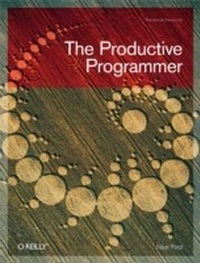
Productive Programmer
1st Edition
Published on 3. July 2008
226 pages
978-0-596-55186-5 (ISBN)
Description

Anyone who develops software for a living needs a proven way to produce it better, faster, and cheaper. The Productive Programmer offers critical timesaving and productivity tools that you can adopt right away, no matter what platform you use. Master developer Neal Ford not only offers advice on the mechanics of productivity-how to work smarter, spurn interruptions, get the most out your computer, and avoid repetition-he also details valuable practices that will help you elude common traps, improve your code, and become more valuable to your team. You'll learn to:Write the test before you write the codeManage the lifecycle of your objects fastidiouslyBuild only what you need now, not what you might need laterApply ancient philosophies to software developmentQuestion authority, rather than blindly adhere to standardsMake hard things easier and impossible things possible through meta-programmingBe sure all code within a method is at the same level of abstractionPick the right editor and assemble the best tools for the jobThis isn't theory, but the fruits of Ford's real-world experience as an Application Architect at the global IT consultancy ThoughtWorks. Whether you're a beginner or a pro with years of experience, you'll improve your work and your career with the simple and straightforward principles in The Productive Programmer.
More details
Other editions
Additional editions
Content
- Intro
- Table of Contents
- Foreword
- Preface
- Who This Book Is For
- Conventions Used in This Book
- Using Code Examples
- How to Contact Us
- Safari® Enabled
- Acknowledgments
- Chapter 1. Introduction
- Why a Book on Programmer Productivity?
- Address Completion in Browsers
- Internet Explorer
- Firefox
- What This Book Is About
- Part I: Mechanics (The Productivity Principles)
- Part II: Practice (Philosophy)
- Where to Go Now?
- Part I. Mechanics
- Chapter 2. Acceleration
- Launching Pad
- Launchers
- Creating a Windows Launching Pad
- Mac OS X
- Launching in Linux
- Accelerators
- Operating System Accelerators
- Windows address bar
- Mac OS X Finder
- Clipboard(s)
- Remember History
- There and Back
- Command Prompts at Your Fingertips
- Command Prompt Explorer Bar
- Here!
- Development Accelerators
- Search Trumps Navigation in Tools, Too
- Macros
- Macro Recorder
- Key Macro Tools
- Summary
- Chapter 3. Focus
- Kill Distractions
- Blocking Strategies
- Turn Off Needless Notifications
- Create Quiet Time
- Search Trumps Navigation
- Find Hard Targets
- Use Rooted Views
- Rooted Views in Windows
- Rooted Views in OS X
- Use Sticky Attributes
- Use Project-Based Shortcuts
- Multiply Your Monitors
- Segregate Your Workspace with Virtual Desktops
- Summary
- Chapter 4. Automation
- Don't Reinvent Wheels
- Cache Stuff Locally
- Automate Your Interaction with Web Sites
- Interact with RSS Feeds
- Subvert Ant for Non-Build Tasks
- Subvert Rake for Common Tasks
- Subvert Selenium to Walk Web Pages
- Use Bash to Harvest Exception Counts
- Replace Batch Files with Windows Power Shell
- Use Mac OS X Automator to Delete Old Downloads
- Tame Command-Line Subversion
- Build a SQL Splitter in Ruby
- Justifying Automation
- Don't Shave Yaks
- Summary
- Chapter 5. Canonicality
- DRY Version Control
- Use a Canonical Build Machine
- Indirection
- Taming Eclipse Plug-ins
- Syncing JEdit Macros
- TextMate Bundles
- Canonical Configuration
- Use Virtualization
- DRY Impedance Mismatches
- Data Mapping
- Migrations
- Rake migrations
- dbDeploy
- DRY Documentation
- SVN2Wiki
- Class Diagrams
- Database Schemas
- Summary
- Part II. Practice
- Chapter 6. Test-Driven Design
- Evolving Tests
- TDDing Unit Tests
- Measurements
- Design Impact
- Code Coverage
- Chapter 7. Static Analysis
- Byte Code Analysis
- Source Analysis
- Generate Metrics with Panopticode
- Analysis for Dynamic Languages
- Chapter 8. Good Citizenship
- Breaking Encapsulation
- Constructors
- Static Methods
- Criminal Behavior
- Chapter 9. YAGNI
- Chapter 10. Ancient Philosophers
- Aristotle's Essential and Accidental Properties
- Occam's Razor
- The Law of Demeter
- Software Lore
- Chapter 11. Question Authority
- Angry Monkeys
- Fluent Interfaces
- Anti-Objects
- Chapter 12. Meta-Programming
- Java and Reflection
- Testing Java with Groovy
- Writing Fluent Interfaces
- Whither Meta-Programming?
- Chapter 13. Composed Method and SLAP
- Composed Method in Action
- SLAP
- Chapter 14. Polyglot Programming
- How Did We Get Here? And Where Exactly Is Here?
- Java's Birth and Upbringing
- The Dark Side of Java
- That happens when?
- Zero-based arrays make sense to.
- Where Are We Going? And How Do We Get There?
- Polyglot Programming Today
- Today's Platform, Tomorrow's Languages
- Using Jaskell
- Ola's Pyramid
- Chapter 15. Find the Perfect Tools
- The Quest for the Perfect Editor
- Neal's List of What Makes a Perfect Editor
- A macro recorder
- Launchable from the command line
- Regular expression search and replace
- Additive cut and copy commands
- Multiple registers
- Cross-platform
- The Candidates
- Choosing the Right Tool for the Job
- Refactoring SqlSplitter for Testablility
- Keeping Behavior in Code
- Un-Choosing the Wrong Tools
- Chapter 16. Conclusion: Carrying on the Conversation
- Appendix. Building Blocks
- Cygwin
- The Command Line
- Getting Help When You Need It
- Index
