

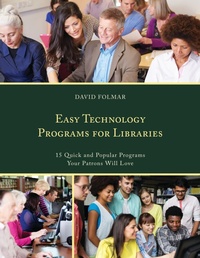
Easy Technology Programs for Libraries
15 Quick and Popular Programs Your Patrons Will Love
1st Edition
Published on 28. September 2017
130 pages
979-8-216-33455-2 (ISBN)
Description

Are you a librarian struggling to stay engaged in a digital age? Facing budget concerns to keep existing programs running? Don't have the staff or budget for specialized services? Wonder how to move beyond teaching your patrons HOW to use a computer?
This book gives you 15, step-by-step programs, using free online software, that go beyond basic digital literacy, and provides you, the librarian, with all you need for classes that engage the digital natives and computer users in your community.
It includes:
15 quick, easy classes focused on actual outcomes for patrons, without requiring a budget, dedicated facilities, or specialized knowledge. Classes that your patrons can relate to, geared towards actual needs or interests, and not just to "techy" people.How to's and other elements to effectively use simple software and allow patrons to get optimal results from their effort.Classes or workshops designed to help the average computer user so he or she can teach patrons with ease and authority. Tips for teachers or librarians on how to engage their audience and not lose them with information overload.
This book is a complete computer class upgrade solution. Based on the Montessori Method, classes are problem or project based. You are given all the tools you need as a presenter to show relatable uses of technology, making sure the patron can see the possibility involved in using the software. There are step-by-step instructions that focus on your patron leaving with practical skills for everyday life using freely-available software such as YouTube, Ebay, Google, and Monster. Best practices are also included so your patron's project has the greatest chance of being successful.
This book gives you 15, step-by-step programs, using free online software, that go beyond basic digital literacy, and provides you, the librarian, with all you need for classes that engage the digital natives and computer users in your community.
It includes:
15 quick, easy classes focused on actual outcomes for patrons, without requiring a budget, dedicated facilities, or specialized knowledge. Classes that your patrons can relate to, geared towards actual needs or interests, and not just to "techy" people.How to's and other elements to effectively use simple software and allow patrons to get optimal results from their effort.Classes or workshops designed to help the average computer user so he or she can teach patrons with ease and authority. Tips for teachers or librarians on how to engage their audience and not lose them with information overload.
This book is a complete computer class upgrade solution. Based on the Montessori Method, classes are problem or project based. You are given all the tools you need as a presenter to show relatable uses of technology, making sure the patron can see the possibility involved in using the software. There are step-by-step instructions that focus on your patron leaving with practical skills for everyday life using freely-available software such as YouTube, Ebay, Google, and Monster. Best practices are also included so your patron's project has the greatest chance of being successful.
More details
Edition
1. Auflage
Language
English
Place of publication
United States
Publishing group
Bloomsbury Publishing Plc
Target group
Professional and scholarly
Illustrations
2 BW Illustrations, 86 BW Photos, 1 Table, 55 Textbox
ISBN-13
979-8-216-33455-2 (9798216334552)
Copyright in bibliographic data and cover images is held by Nielsen Book Services Limited or by the publishers or by their respective licensors: all rights reserved.
Schweitzer Classification
Other editions
Additional editions
David Folmar
Easy Technology Programs for Libraries
15 Quick and Popular Programs Your Patrons Will Love
Book
09/2017
Rowman & Littlefield Publishers
€79.52
Shipment within 10-20 days
Person
David Folmar has 20 years of Digital Video and Audio production and presentation experience. David worked in the Richmond Public Library system as a Digital Literacy Librarian and then as Emerging Technology. Now, he researches UX, Social Media, Open Source Software, Gaming and Simulation, Digital and Media Literacy and is currently working with Children's STEM programs in Robotics, Coding, and Digital Design.
Content
PART 1 Programs for Creative Lifestyles
PROGRAM 1: Go From Facebook to Face to Face
PROGRAM 2: Making pictures perfect with PhotoCat
PROGRAM 3: Your YouTube channel: How to set up a YouTube Channel for you home videos and keep them private, or not
PROGRAM 4: Redecorate in 3D - Don't break your back
PROGRAM 5: CrowdFund Me!
PART 2 Millennial Lifestyles
PROGRAM 6: Make your meme move: motion Gif's
PROGRAM 7: Making Web Comics: Why Not?
PROGRAM 8: Share your Songs, Find an Audience
PROGRAM 9: PodCast your life
PART 3 Programs for Professional Life
PROGRAM 10: Searching For Jobs, past Monster and Classifieds
PROGRAM 11: Share don't steal - how to safely get images, sounds and video off the web
PROGRAM 12: Sell it online- what sells where
PROGRAM 13: Google Voice for a Home Business
PROGRAM 14: Show them to sell them with easy 3D programs
PROGRAM 15: Claim control of your online reputation
PROGRAM 1: Go From Facebook to Face to Face
PROGRAM 2: Making pictures perfect with PhotoCat
PROGRAM 3: Your YouTube channel: How to set up a YouTube Channel for you home videos and keep them private, or not
PROGRAM 4: Redecorate in 3D - Don't break your back
PROGRAM 5: CrowdFund Me!
PART 2 Millennial Lifestyles
PROGRAM 6: Make your meme move: motion Gif's
PROGRAM 7: Making Web Comics: Why Not?
PROGRAM 8: Share your Songs, Find an Audience
PROGRAM 9: PodCast your life
PART 3 Programs for Professional Life
PROGRAM 10: Searching For Jobs, past Monster and Classifieds
PROGRAM 11: Share don't steal - how to safely get images, sounds and video off the web
PROGRAM 12: Sell it online- what sells where
PROGRAM 13: Google Voice for a Home Business
PROGRAM 14: Show them to sell them with easy 3D programs
PROGRAM 15: Claim control of your online reputation
