

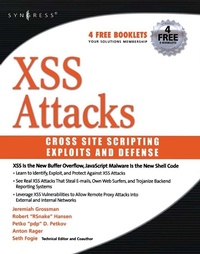
XSS Attacks
Cross Site Scripting Exploits and Defense
Published on 18. April 2011
480 pages
978-0-08-055340-5 (ISBN)
Description

A cross site scripting attack is a very specific type of attack on a web application. It is used by hackers to mimic real sites and fool people into providing personal data.XSS Attacks starts by defining the terms and laying out the ground work. It assumes that the reader is familiar with basic web programming (HTML) and JavaScript. First it discusses the concepts, methodology, and technology that makes XSS a valid concern. It then moves into the various types of XSS attacks, how they are implemented, used, and abused. After XSS is thoroughly explored, the next part provides examples of XSS malware and demonstrates real cases where XSS is a dangerous risk that exposes internet users to remote access, sensitive data theft, and monetary losses. Finally, the book closes by examining the ways developers can avoid XSS vulnerabilities in their web applications, and how users can avoid becoming a victim. The audience is web developers, security practitioners, and managers.
- XSS Vulnerabilities exist in 8 out of 10 Web sites
- The authors of this book are the undisputed industry leading authorities
- Contains independent, bleeding edge research, code listings and exploits that can not be found anywhere else
More details
Other editions
Additional editions
Book
06/2007
Syngress
€63.00
No shipping information available
Persons
Seth Fogie is the VP of Dallas-based Airscanner Corporation where he oversees the development of security software for the Window Mobile (Pocket PC) platform. He has co-authored numerous technical books on information security, including the top selling "Maximum Wireless Security" from SAMS, and "Security Warrior" from O'Reilly. Seth frequently speaks at IT and security conferences/seminars, including Black Hat, Defcon, CSI, and Dallascon. In addition, Seth has co-authored the HIPAA medical education course for the Texas Medical Associate and is acting Site Host for Security at the "InformIT.com" website where he writes articles and reviews/manages weekly information security related books and articlesJeremiah Grossman, founder and chief technology officer of WhiteHat Security, is a world-renowned expert in web application security and a founding member of the Web Application Security Consortium (WASC). At WhiteHat, Mr. Grossman is responsible for web application security R&D and industry evangelism. He is a frequent speaker at industry events including the Black Hat Briefings, ISACA, OWASP, NASA, ISSA and Defcon. A trusted media resource, Mr. Grossman has been featured in USA Today, the Washington Post, Information Week, NBC Nightly News, and many others. Prior to WhiteHat, Mr. Grossman was an information security officer at Yahoo!Robert Hansen, also known as RSnake, is the founder of the ha.ckers.org web application security lab and has been heavily involved in the hacking and the security industry since the mid 1990s. Robert has worked in banner advertizing and built click fraud detection in his role as CSO for several startups. For many years he ran the managed security services product lines for Cable & Wireless. At eBay he worked on anti-cross site scripting, anti-phishing, anti-virus and web application intrusion detection and countermeasures. He has spoken at Black Hat, the Gartner security round table and at Networld+Interop and he is a member of WASC, OWASP, and ISSA.Anton Rager is a Sr. Security Engineer with Avaya Labs and a founding member of Avaya's Enterprise Security Practice. He specializes in vulnerability research, VPN security and wireless security and is best known for his WEPCrack, WEPWedgie and IKECrack security tools. He has presented at Defcon, Toorcon, Interz0ne and many other lesser-known conferences, and was a contributing technical editor to the book Maximum Wireless Security.Petko "pdp D. Petkov is a senior IT security consultant based in London, United Kingdom. His day-to-day work involves identifying vulnerabilities, building attack strategies and creating attack tools and penetration testing infrastructures. Petko is known in the underground circles as pdp or architect but his name is well known in the IT security industry for his strong technical background and creative thinking. He has been working for some of the world's top companies, providing consultancy on the latest security vulnerabilities and attack technologies.His latest project, GNUCITIZEN (gnucitizen.org), is one of the leading web application security resources on-line where part of his work is disclosed for the benefit of the public. Petko defines himself as a cool hunter in the security circles.
Content
- Front Cover
- XSS Attacks: Cross Site Scripting Exploits and Defense
- Copyright Page
- Contents
- Chapter 1. Cross-site Scripting Fundamentals
- Introduction
- Web Application Security
- XML and AJAX Introduction
- Summary
- Solutions Fast Track
- Frequently Asked Questions
- Chapter 2. The XSS Discovery Toolkit
- Introduction
- Burp
- Debugging DHTML With Firefox Extensions
- Analyzing HTTP Traffic with Firefox Extensions
- GreaseMonkey
- Hacking with Bookmarklets
- Using Technika
- Summary
- Solutions Fast Track
- Frequently Asked Questions
- Chapter 3. XSS Theory
- Introduction
- Getting XSS'ed
- DOM-based XSS In Detail
- Redirection
- CSRF
- Flash, QuickTime, PDE Oh My
- HTTP Response Injection
- Source vs. DHTML Reality
- Bypassing XSS Length Limitations
- XSS Filter Evasion
- Summary
- Solutions Fast Track
- Frequently Asked Questions
- Chapter 4. XSS Attack Methods
- Introduction
- History Stealing
- Intranet Hacking
- XSS Defacements
- Summary
- Solutions Fast Track
- Frequently Asked Questions
- References
- Chapter 5. Advanced XSS Attack Vectors
- Introduction
- DNS Pinning
- IMAP3
- MHTML
- Hacking JSON
- Summary
- Frequently Asked Questions
- Chapter 6. XSS Exploited
- Introduction
- XSS vs. Firefox Password Manager
- SeXXS Offenders
- Equifraked
- Owning the Cingular Xpress Mail User
- Alternate XSS: Outside the BoXXS
- XSS Old School- Windows Mobile PIE 4.2
- XSSing Firefox Extensions
- XSS Exploitation: Point-Click-Own with EZPhotoSales
- Summary
- Solutions Fast Track
- Frequently Asked Questions
- Chapter 7. Exploit Frameworks
- Introduction
- AttackAPI
- BeEF
- CAL9000
- Overview of XSS-Proxy
- Summary
- Solutions Fast Track
- Frequently Asked Questions
- Chapter 8. XSS Worms
- Introduction
- Exponential XSS
- XSS Warhol Worm
- Linear XSS Worm
- Samy Is My Hero
- Summary
- Solutions Fast Track
- Frequently Asked Questions
- Chapter 9. Preventing XSS Attacks
- Introduction
- Filtering
- Input Encoding
- Output Encoding
- Web Browser's Security
- Summary
- Solutions Fast Track
- Frequently Asked Questions
- Appendix A The Owned List
- Index
