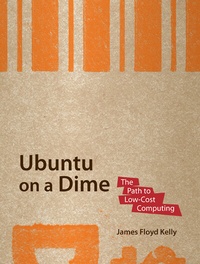
Ubuntu on a Dime
Description

You know that Ubuntu software costs nothing. Now you want the PC system that costs as little as possible and runs Ubuntu and OS applications without complaints and calls to tech support.
So you spent your hard-earned dollars on the hardware only, and have your own optimized Ubuntu PC. This is the book that will show you how to get what you need without wreaking havoc on your finances. Put together the parts to make a great work computer for little cost.
Packed with the practical, hands-on guidance and technical know-how that you've come to expect from Apress, Ubuntu on a Dime takes you on a tour of the very best low-cost hardware, while only using zero-cost software in each of the many categories that matter to the typical PC user.
You'll learn how to find the best and cheapest hardware, and how to put it together to make a working PC. Learn to edit photos on the Internet without having to install any software at all. Find out where to get a free office suite for word processing and spreadsheet work. Whatever your need, James Kelly , best-selling technology author, guides you through the exciting and often confusing world of zero-cost computing.
This book
- Takes you step-by-step through a PC build
- Tells you what you need to install to have a fantastic work computer without spending a dime
- Saves you money by showing you how to meet your computing needs
- Saves you time by pointing you directly to the best free software
- Saves you work by illustrating the most commonly performed tasks with each zero-cost software
- Gives you choices and the ability to make your own decisions for your own needs and requirements
Before you go buy that $900 dollar computer and that $400 office suite-or worse, before you "borrow" it from work-stop! Let this inexpensive book show you how to save hundreds of dollars in expensivesoftware, and never depend on the big PC providers and their tech support again. Learn all about cheap, fast hardware, find out about the free tools that the digerati use to make their lives better, and stop paying out the nose. Don't spend a dime!
More details
Other editions
Additional editions