

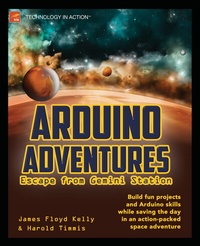
Arduino Adventures
Description

Trouble ensues. The station is evacuated, including Cade and Elle's class that was visiting the station on a field trip. Cade and Elle don't make it aboard their shuttle and are trapped on the station along with a friendly artificial intelligence named Andrew who wants to help them get off the damaged station. Using some old hardware, a laptop, and some toolboxes full of electronics parts, you will follow along and build eight gizmos with Cade and Elle that will help them escape from Gemini Station.
The hardware is Arduino. Each new challenge opens a new area of Arduino and basic electronics knowledge. You'll be taken incrementally from a simple task such as turning on a light through to a complex combination of microcontroller, electronic components, and software programming. By the end of the book you'll be well on your way towards being able to create and implement any sort of electronically controlled device you can imagine, using the stunningly popular Arduino microcontroller.
- Provides eight challenges, each challenge increasing in complexity
- Builds around a fictional storyline that keeps the learning fun
- Leaves you on a solid foundation of electronic skills and knowledge
More details
Other editions
Additional editions
Persons
Content
Challenge #1: Potentiometer
1. Trouble at Gemini Station
2. Challenge 1: Fun Stuff to now
3. Challenge 1: Examining the Hardware
4. Challenge 1: Examining the Software
Challenge 2: LED Flashlight
5. Damage Assessment
6. Challenge 2: Fun Stuff to Know
7. Challenge 2: Gathering Hardware
8. Challenge 2: Examining Software
Challenge 3: Temperature
9. Feeling the Heat
10. Challenge 3: Fun Stuff to Know
11. Challenge 3: Examining the Hardware
12. Challenge 3: Examining the Software
Challenge 4: Bucket Mover
13. Uninvited Guest
14. Challenge 4: Fun Stuff to Know
15. Challenge 4: Gathering Hardware
16. Challenge 4: Examining the Software
Challenge 5: Motion Detector
17. Hide and Seek
18. Challenge 5: Fun Stuff to Know
19. Challenge 5: Examining the Hardware
20. Challenge 5: Examining the Software
Challenge 6: Servo Motor
21. Carousel Ride
22. Challenge 6: Fun Stuff to Know
23. Challenge 6: Gathering Hardware
24. Challenge 6: Examining Software
Challenge 7: Remote Control
25. Push the Button
26. Challenge 7: Fun Stuff to Know
27. Challenge 7: Gathering Hardware
28. Challenge 7: Examining Software
Challenge 8: Robot
29. Off the Station
30. Challenge 8: Fun Stuff to Know
31. Challenge 8: Gathering Hardware
32. Challenge 8: Examining Software
33. Epilogue
Appendix A: Parts List
