

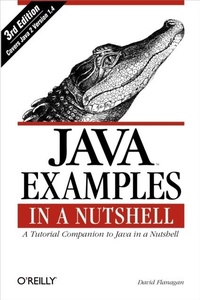
Java Examples in a Nutshell
A Tutorial Companion to Java in a Nutshell
Published on 21. January 2004
722 pages
978-0-596-55232-9 (ISBN)
Description

The author of the best-selling Java in a Nutshell has created an entire book of real-world Java programming examples that you can learn from. If you learn best "e;by example,"e; this is the book for you.This third edition covers Java 1.4 and contains 193 complete, practical examples: over 21,900 lines of densely commented, professionally written Java code, covering 20 distinct client-side and server-side APIs. It includes new chapters on the Java Sound API and the New I/O API. The chapters on XML and servlets have been rewritten to cover the latest versions of the specifications and to demonstrate best practices for Java 1.4. New and updated examples throughout the book demonstrate many other new Java features and APIs.Java Examples in a Nutshell is a companion volume to Java in a Nutshell, Java Foundation Classes in a Nutshell, and Java Enterprise in a Nutshell. It picks up where those quick references leave off, providing a wealth of examples for both novices and experts. This book doesn't hold your hand; it simply delivers well-commented working examples with succinct explanations to help you learn and explore Java and its APIs.Java Examples in a Nutshell contains examples that demonstrate:Core APIs, including I/O, New I/O, threads, networking, security, serialization, and reflectionDesktop APIs, highlighting Swing GUIs, Java 2D graphics, preferences, printing, drag-and-drop, JavaBeans, applets, and soundEnterprise APIs, including JDBC (database access), JAXP (XML parsing and transformation), Servlets 2.4, JSP 2.0 (JavaServer Pages), and RMIThe book begins with introductory examples demonstrating structured and object-oriented programming techniques for new Java programmers. A special index at the end of the book makes it easy to look up examples that use a particular Java class or accomplish a desired task. In between, each chapter includes exercises that challenge readers and suggest further avenues for exploration.
More details
Other editions
Additional editions
David Flanagan
Java Examples in a Nutshell
Book
02/2004
3rd Edition
O'Reilly
€37.50
Shipment within 10-20 days
Content
- Intro
- Third Edition
- David Flanagan
- Beijing Cambridge Farnham Köln Paris Sebastopol Taipei Tokyo
- Other JavaT resources from O'Reilly
- Related titles
- Java Books Resource Center
- java.oreilly.com is a complete catalog of O'Reilly's books on Java and related technologies, incl...
- OnJava.com is a one-stop resource for enterprise Java developers, featuring news, code recipes, i...
- Conferences
- O'Reilly & Associates brings diverse innovators together to nurture the ideas that spark revoluti...
- Safari Bookshelf (safari.oreilly.com) is the premier online reference library for programmers and...
- Table of Contents
- Preface
- New in This Edition
- Java Examples Online
- Related Books from O'Reilly
- Conventions Used in This Book
- Request for Comments
- Acknowledgments
- I
- Java Basics
- Hello World
- Running Hello World
- FizzBuzz
- The Fibonacci Series
- Using Command-Line Arguments
- Echo in Reverse
- FizzBuzz Switched
- Computing Factorials
- Recursive Factorials
- Caching Factorials
- Computing Big Factorials
- Handling Exceptions
- Interactive Input
- Using a StringBuffer
- Sorting Numbers
- Computing Primes
- Exercises
- Objects, Classes, and Interfaces
- A Rectangle Class
- Testing the Rect Class
- A Rect Subclass
- Another Subclass
- Complex Numbers
- Computing Statistics
- An Integer List
- Tokenizing Text
- The Tokenizer Interface
- The AbstractTokenizer Implementation
- A Concrete CharSequenceTokenizer
- Exercises
- II
- Input/Output
- Files and Streams
- Working with Files
- Copying File Contents
- Reading and Displaying Text Files
- Listing Directory and File Information
- Compressing Files and Directories
- Filtering Character Streams
- Tokenizing a Character Stream
- Random Access to Files
- Exercises
- Threads
- Thread Basics
- Thread-Safe Classes
- Threads and Thread Groups
- Deadlock
- Timers
- Exercises
- Networking
- Downloading the Contents of a URL
- Using a URLConnection
- Sending Email Through a URLConnection
- A Simple Network Client
- A Generic Client
- An HTTP Client
- A POP Client
- A Simple Web Server
- A Proxy Server
- A Generic Multithreaded Server
- Sending Datagrams
- Receiving Datagrams
- Exercises
- New I/O
- Locking Files
- Copying Files
- Regular Expressions and Character Decoding
- File Copying with Buffers
- Loop Alternatives
- Advanced Byte-to-Character Conversion
- Tokenizing Byte Buffers
- Tokenizing Memory Mapped Files
- Tokenizing Channels
- A Simple HTTP Client
- The Daytime Service
- Listening for TCP and UDP Connections
- A Daytime Client
- A Multiplexed Server
- A Multiplexed Network Client
- Logging in HttpDownloadManager
- Exercises
- Security and Cryptography
- Running Untrusted Code
- Loading Untrusted Code
- A Policy for SafeServer
- Testing SafeServer
- Message Digests and Digital Signatures
- Cryptography
- Exercises
- Internationalization
- A Word About Locales
- Unicode
- Character Encodings
- Handling Local Customs
- Setting the Locale
- Localizing User-Visible Messages
- Working with Resource Bundles
- ResourceBundle Example
- Formatted Messages
- Exercises
- Reflection
- Obtaining Class and Member Information
- Invoking a Named Method
- Proxy Objects
- Exercises
- Object Serialization
- Simple Serialization
- Custom Serialization
- Externalizable Classes
- Serialization and Class Versioning
- Advanced Versioning
- Exercises
- III
- Graphical User Interfaces
- Components
- Containers
- Layout Management
- FlowLayout
- GridLayout
- BorderLayout
- Box and BoxLayout
- GridBagLayout
- Hardcoded Layout
- Creating Custom Layout Managers
- Event Handling
- Handling Mouse Events
- More Mouse Events
- Handling Component Events
- Low-Level Event Handling
- Custom Events and Event Listeners
- A Complete GUI
- Actions and Reflection
- Custom Dialogs
- An Error Handler Dialog
- Displaying Tables
- Displaying Trees
- A Simple Web Browser
- Describing GUIs with Properties
- Handling Basic GUI Resources
- An Extension Mechanism for Complex Resources
- Parsing Commands and Actions
- Parsing Menus
- Themes and the Metal Look-and-Feel
- Look-and-Feel Preferences
- The ShowBean Program
- Exercises
- Graphics
- Graphics Before Java 1.2
- Running the Applet
- Fonts
- Colors
- Simple Animation
- The Java 2D API
- Drawing and Filling Shapes
- Transforms
- Line Styles with BasicStroke
- Stroking Lines
- Filling Shapes with Paint
- Antialiasing
- Combining Colors with AlphaComposite
- Image Processing
- Image I/O
- Custom Shapes
- Custom Strokes
- Custom Paint
- Advanced Animation
- Displaying Graphics Examples
- Exercises
- Printing
- Printing with the Java 1.1 API
- Printing with the Java 1.2 API
- Printing with the Java 1.4 API
- Printing Multipage Text Documents
- Advanced Printing with Java 1.4
- Exercises
- Data Transfer
- Simple Swing Data Transfer
- A Clock with Drag and Copy Support
- Data Transfer Architecture
- Dropping Multiple Datatypes
- A Transferable Shape
- Custom Data Transfer
- Exercises
- JavaBeans
- Bean Basics
- A Simple Bean
- The Alignment Class
- Packaging a Bean
- Installing a Bean
- A More Complex Bean
- Custom Events
- Specifying Bean Information
- Defining a Simple Property Editor
- Defining a Complex Property Editor
- Defining a Bean Customizer
- Manipulating Beans
- Exercises
- Applets
- Introduction to Applets
- A First Applet
- A Clock Applet
- A Timer Applet
- Applets and the Java 1.0 Event Model
- Exercises
- Sound
- Ringing the Bell
- Swing Aural Cues
- Playing Sounds with AudioClip
- Finding Music Files
- Playing Sounds with javax.sound
- Streaming Sounds with javax.sound
- Synthesizing a MIDI Sequence
- Real-Time MIDI Sounds
- Exercises
- IV
- Database Access with SQL
- Accessing a Database
- Using Database Metadata
- Building a Database
- Using the API Database
- Atomic Transactions
- Exercises
- XML
- Parsing with JAXP and SAX
- Parsing and Manipulating with JAXP and DOM
- Transforming XML with XSLT
- An XML Pull Parser
- Exercises
- Servlets and JavaServer Pages
- Servlet Setup
- The Servlet Container
- Compiling Servlets
- Using Tag Libraries
- Installing and Running Servlets
- A Hello World Servlet
- Running the HelloNet Servlet
- Another Simple Servlet
- Testing the Error Handler
- Servlet Initialization and Persistence: A Counter Servlet
- Running the Counter Servlet
- Hello JSP
- Displaying a JSP Page
- Hello JSP2
- Expression Language Syntax
- Displaying JSP Pages that Use Tag Libraries
- Hello XML
- The MVC Paradigm for Web Applications
- ListManager Model Classes
- ListManager Controller
- ListManager Views
- Custom Tags in JSP 2.0
- Packaging a Web Application
- Web Application Directory Structure
- The web.xml Configuration File
- Exercises
- Remote Method Invocation
- Remote Banking
- A Bank Server
- A Persistent Bank Server
- A Multiuser Domain
- Remote MUD Interfaces
- The MUD Server
- The MudPlace Class
- The MudPerson Class
- A MUD Client
- Advanced RMI
- Remote Class Loading
- Activation
- CORBA Interoperability with RMI/IIOP
- Exercises
- Example Index
- Index
