

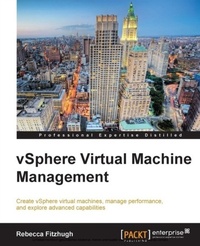
vSphere Virtual Machine Management
This tutorial will help VMware administrators fine-tune and expand their expertise with vSphere. From creating and configuring virtual machines to optimizing performance, it's all here in a crystal clear series of chapters.
Published on 7. October 2025
326 pages
978-1-78217-219-2 (ISBN)
Description

Key Features
Book DescriptionThis book follows a step-by-step tutorial approach with some real-world scenarios that vSphere businesses will be required to overcome every day. This book also discusses creating and configuring virtual machines and also covers monitoring virtual machine performance and resource allocation options. This book is for VMware administrators who want to build their knowledge of virtual machine administration and configuration. It's assumed that you have some experience with virtualization administration and vSphere.What you will learn
Understand virtual machine concepts
Create a virtual machine using the wizard
Understand other ways to provision virtual machines
Discover advanced virtual machine settings
Manage multitiered applications with vApps
Migrate and monitor your virtual machines
Balance resource utilization and availability
Optimize virtual machine performance and resource allocation
Who this book is for
Book DescriptionThis book follows a step-by-step tutorial approach with some real-world scenarios that vSphere businesses will be required to overcome every day. This book also discusses creating and configuring virtual machines and also covers monitoring virtual machine performance and resource allocation options. This book is for VMware administrators who want to build their knowledge of virtual machine administration and configuration. It's assumed that you have some experience with virtualization administration and vSphere.What you will learn
Understand virtual machine concepts
Create a virtual machine using the wizard
Understand other ways to provision virtual machines
Discover advanced virtual machine settings
Manage multitiered applications with vApps
Migrate and monitor your virtual machines
Balance resource utilization and availability
Optimize virtual machine performance and resource allocation
Who this book is for
All prices
More details
Edition
Digital original
Language
English
Place of publication
Birmingham
United Kingdom
Target group
Professional and scholarly
US School Grade: College Graduate Student
Edition type
Digital original
File size
8,01 MB
ISBN-13
978-1-78217-219-2 (9781782172192)
Copyright in bibliographic data and cover images is held by Nielsen Book Services Limited or by the publishers or by their respective licensors: all rights reserved.
Schweitzer Classification
Other editions
Additional editions
Rebecca Fitzhugh
Vsphere Virtual Machine Management
Book
03/2014
Packt Publishing
€74.20
Shipment within 3-4 weeks
Person
Fitzhugh Rebecca :
Rebecca Fitzhugh is an independent VMware consultant specializing in architecting vSphere, Horizon, and vCloud environments, along with delivering a variety of authorized VMware courses as VMware Certified Instructor (VCI). Prior to becoming a consultant and instructor, she served 5 years in the United States Marine Corps (2006-2011), where she assisted in the build out and administration of multiple enterprise networks residing on virtual infrastructure. Rebecca has written several white papers and articles for Global Knowledge and VMware Press, as along with previously authoring vSphere Virtual Machine Management (ISBN 9781782172185) for Packt Publishing. Rebecca currently holds multiple IT industry certifications, including VMware Certified Advanced Professional (VCAP) in Data Center Design (DCD), Data Center Administration (DCA), and Cloud Infrastructure Administration (CIA). She has been selected as a vExpert three times (2014, 2015, and 2016). You can follow Rebecca on Twitter (@RebeccaFitzhugh) or contact her via LinkedIn (www.linkedin.com/in/rmfitzhugh/).
Rebecca Fitzhugh is an independent VMware consultant specializing in architecting vSphere, Horizon, and vCloud environments, along with delivering a variety of authorized VMware courses as VMware Certified Instructor (VCI). Prior to becoming a consultant and instructor, she served 5 years in the United States Marine Corps (2006-2011), where she assisted in the build out and administration of multiple enterprise networks residing on virtual infrastructure. Rebecca has written several white papers and articles for Global Knowledge and VMware Press, as along with previously authoring vSphere Virtual Machine Management (ISBN 9781782172185) for Packt Publishing. Rebecca currently holds multiple IT industry certifications, including VMware Certified Advanced Professional (VCAP) in Data Center Design (DCD), Data Center Administration (DCA), and Cloud Infrastructure Administration (CIA). She has been selected as a vExpert three times (2014, 2015, and 2016). You can follow Rebecca on Twitter (@RebeccaFitzhugh) or contact her via LinkedIn (www.linkedin.com/in/rmfitzhugh/).
Content
Table of Contents

