

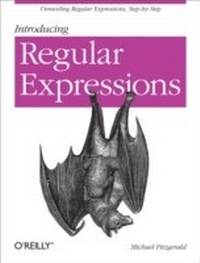
Introducing Regular Expressions
1st Edition
Published on 10. July 2012
154 pages
978-1-4493-3890-9 (ISBN)
Description

If youre a programmer new to regular expressions, this easy-to-follow guide is a great place to start. Youll learn the fundamentals step-by-step with the help of numerous examples, discovering first-hand how to match, extract, and transform text by matching specific words, characters, and patterns.Regular expressions are an essential part of a programmers toolkit, available in various Unix utlilities as well as programming languages such as Perl, Java, JavaScript, and C#. When youve finished this book, youll be familiar with the most commonly used syntax in regular expressions, and youll understand how using them will save you considerable time.Discover what regular expressions are and how they workLearn many of the differences between regular expressions used with command-line tools and in various programming languagesApply simple methods for finding patterns in text, including digits, letters, Unicode characters, and string literalsLearn how to use zero-width assertions and lookaroundsWork with groups, backreferences, character classes, and quantifiersUse regular expressions to mark up plain text with HTML5
More details
Other editions
Additional editions
Book
08/2012
1st Edition
O'Reilly
€47.00
Article not available at the moment
Content
- Intro
- Copyright
- Table of Contents
- Preface
- Who Should Read This Book
- What You Need to Use This Book
- Conventions Used in This Book
- Using Code Examples
- Safari® Books Online
- How to Contact Us
- Acknowledgments
- Chapter 1. What Is a Regular Expression?
- Getting Started with Regexpal
- Matching a North American Phone Number
- Matching Digits with a Character Class
- Using a Character Shorthand
- Matching Any Character
- Capturing Groups and Back References
- Using Quantifiers
- Quoting Literals
- A Sample of Applications
- What You Learned in Chapter 1
- Technical Notes
- Chapter 2. Simple Pattern Matching
- Matching String Literals
- Matching Digits
- Matching Non-Digits
- Matching Word and Non-Word Characters
- Matching Whitespace
- Matching Any Character, Once Again
- Marking Up the Text
- Using sed to Mark Up Text
- Using Perl to Mark Up Text
- What You Learned in Chapter 2
- Technical Notes
- Chapter 3. Boundaries
- The Beginning and End of a Line
- Word and Non-word Boundaries
- Other Anchors
- Quoting a Group of Characters as Literals
- Adding Tags
- Adding Tags with sed
- Adding Tags with Perl
- What You Learned in Chapter 3
- Technical Notes
- Chapter 4. Alternation, Groups, and Backreferences
- Alternation
- Subpatterns
- Capturing Groups and Backreferences
- Named Groups
- Non-Capturing Groups
- Atomic Groups
- What You Learned in Chapter 4
- Technical Notes
- Chapter 5. Character Classes
- Negated Character Classes
- Union and Difference
- POSIX Character Classes
- What You Learned in Chapter 5
- Technical Notes
- Chapter 6. Matching Unicode and Other Characters
- Matching a Unicode Character
- Using vim
- Matching Characters with Octal Numbers
- Matching Unicode Character Properties
- Matching Control Characters
- What You Learned in Chapter 6
- Technical Notes
- Chapter 7. Quantifiers
- Greedy, Lazy, and Possessive
- Matching with *, +, and ?
- Matching a Specific Number of Times
- Lazy Quantifiers
- Possessive Quantifiers
- What You Learned in Chapter 7
- Technical Notes
- Chapter 8. Lookarounds
- Positive Lookaheads
- Negative Lookaheads
- Positive Lookbehinds
- Negative Lookbehinds
- What You Learned in Chapter 8
- Technical Notes
- Chapter 9. Marking Up a Document with HTML
- Matching Tags
- Transforming Plain Text with sed
- Substitution with sed
- Handling Roman Numerals with sed
- Handling a Specific Paragraph with sed
- Handling the Lines of the Poem with sed
- Appending Tags
- Using a Command File with sed
- Transforming Plain Text with Perl
- Handling Roman Numerals with Perl
- Handling a Specific Paragraph with Perl
- Handling the Lines of the Poem with Perl
- Using a File of Commands with Perl
- What You Learned in Chapter 9
- Technical Notes
- Chapter 10. The End of the Beginning
- Learning More
- Notable Tools, Implementations, and Libraries
- Perl
- PCRE
- Ruby (Oniguruma)
- Python
- RE2
- Matching a North American Phone Number
- Matching an Email Address
- What You Learned in Chapter 10
- Appendix A. Regular Expression Reference
- Regular Expressions in QED
- Metacharacters
- Character Shorthands
- Whitespace
- Unicode Whitespace Characters
- Control Characters
- Character Properties
- Script Names for Character Properties
- POSIX Character Classes
- Options/Modifiers
- ASCII Code Chart with Regex
- Technical Notes
- Regular Expression Glossary
- Index
- About the Author
