

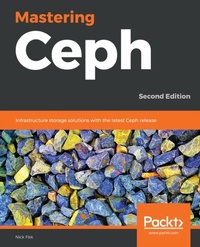
Mastering Ceph
Infrastructure storage solutions with the latest Ceph release
2nd Edition
Published on 23. September 2024
356 pages
978-1-78961-510-4 (ISBN)
Description

No detailed description available for "Mastering Ceph".
More details
Edition
2nd Revised edition
Language
English
Place of publication
Birmingham
United Kingdom
Target group
Professional and scholarly
US School Grade: College Graduate Student
Edition type
Revised edition
File size
5,38 MB
ISBN-13
978-1-78961-510-4 (9781789615104)
Copyright in bibliographic data and cover images is held by Nielsen Book Services Limited or by the publishers or by their respective licensors: all rights reserved.
Schweitzer Classification
Other editions
Additional editions
Book
03/2019
2nd Edition
Packt Publishing
€56.40
Shipment within 3-4 weeks
Previous edition
E-Book
07/2025
Packt Publishing
from
€34.79
Available for download
Person
Fisk Nick :
Nick Fisk is an IT specialist with a strong history in enterprise storage. Having worked in a variety of roles throughout his career, he has encountered a wide variety of technologies. In 2012, Nick was given the opportunity to focus more on open source technologies, and this is where he got his first exposure to Ceph. Having seen the potential of Ceph as a storage platform and the benefits of moving away from the traditional closed stack storage platforms, Nick pursued Ceph with keen interest. Throughout the following years, his experience with Ceph increased with the deployment of several clusters and enabled him to spend time in the Ceph community, helping others and improving certain areas of Ceph.
Nick Fisk is an IT specialist with a strong history in enterprise storage. Having worked in a variety of roles throughout his career, he has encountered a wide variety of technologies. In 2012, Nick was given the opportunity to focus more on open source technologies, and this is where he got his first exposure to Ceph. Having seen the potential of Ceph as a storage platform and the benefits of moving away from the traditional closed stack storage platforms, Nick pursued Ceph with keen interest. Throughout the following years, his experience with Ceph increased with the deployment of several clusters and enabled him to spend time in the Ceph community, helping others and improving certain areas of Ceph.
Content
Table of Contents
Planning for ceph
Deploying Ceph With Containers
Bluestore
Ceph and Non-Native Protocols
RADOS Pools and Client Access
Developing with Librados
Distributed Computation with Ceph RADOS Classes
Monitoring Ceph
Tuning Ceph
Tiering with Ceph
Troubleshooting
Disaster Recovery
Assessments
Planning for ceph
Deploying Ceph With Containers
Bluestore
Ceph and Non-Native Protocols
RADOS Pools and Client Access
Developing with Librados
Distributed Computation with Ceph RADOS Classes
Monitoring Ceph
Tuning Ceph
Tiering with Ceph
Troubleshooting
Disaster Recovery
Assessments
