

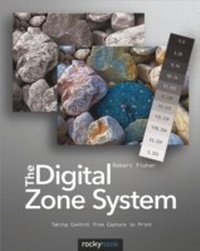
Digital Zone System
Taking Control from Capture to Print
1st Edition
Published on 28. December 2012
162 pages
978-1-4571-7912-9 (ISBN)
Description

There is an ongoing debate among photographers whether digital photography processes will ever be able to reach the pinnacle of image quality and tonality achieved by Ansel Adams decades ago. The Digital Zone System (DZS) is an innovative methodology for editing digital images that mimics the Zone System created by Adams. With this book, author Robert Fisher presents a practical guide for editing digital images with a level of control previously unattainable without significant manual work. He walks the reader through the background of Adam's original Zone System and points out similarities to current digital processes including Expose to the Right (ETTR) and high dynamic range imaging (HDRI). Learn to use luminance masks to separate an image into ",one-stop", zones of brightness, similar to the zones in Adams's Zone System, that can be worked on individually or in groups. This makes the DZS a powerful tool for converting color images to black and white. You will also gain tremendous control over how color is adjusted in your images by learning to isolate and adjust color in specific targeted areas. These DZS processes are quicker and simpler than the tedious work of using global adjustments and painting in layer masks to isolate the effects of an adjustment layer.In this book, you will learn how to use the Digital Zone System for editing color images, converting images to black and white, and tone mapping HDR images. Also included are brief discussions of color management, setting up Photoshop, printing, and exposure for digital images. The book is richly illustrated with step-by-step screenshots and stunning example images that show the benefits of the Digital Zone System over commonly used digital editing methods. Once mastered, the DZS will allow you to produce a higher level of quality in your images, at a faster pace and with greater ease than ever before.
More details
Other editions
Additional editions
Book
12/2012
1st Edition
Rocky Nook
€32.00
Article exhausted; check different version
E-Book
12/2012
1st Edition
Rocky Nook
from
€54.69
Available for download
Content
- The Digital Zone System
- Table of Contents
- Introduction
- Chapter 1: Zone System Background
- Using a Traditional Step Wedge
- Expose for the Shadows
- Develop for the Highlights
- The Zone System and Slide Film
- The Zone System and Color Negative Film
- The Zone System and Roll Film
- The Modified Zone System
- Visualization
- Chapter 2: Color Management, Photoshop Setup, and Image Management
- Color Management
- Monitor Calibration and Profiling
- Choosing a Monitor
- Monitor Calibration and Profile Creation
- Scanner Profiling
- Profiles in Printing
- Camera Profiling
- RAW or JPEG
- Setting Up Photoshop
- Image Management
- Keywording
- Geotagging
- Image Backup
- Cloud Backup
- Chapter 3: Digital Exposure and Metering
- Metering
- The 18% Gray Phenomenon
- What is a Histogram?
- Exposure
- Shutter Speed
- Aperture
- ISO
- Camera Exposure Modes
- Aperture Priority Mode
- Shutter Priority Mode
- Manual Mode
- Bulb Mode
- Exposing for Digital
- Expose to the Right
- Chapter 4: Tools of the Digital Zone System
- Camera and File Format
- Lightroom 4 and Adobe Camera Raw 7
- Photoshop CS6
- Smart Objects
- Layers
- Layer Masks
- Alpha Channels
- Chapter 5: The Digital Zone System
- Separating Zones
- Creating a Luminance Layer
- Creating Zone Masks
- Using Zone Masks
- Sharpening
- Sharpening with Your Masks
- Chapter 6: The Digital Zone System and Black-and-White
- Creating a Luminance Layer
- How Do We Get Shades of Gray?
- Black-and-White Conversions with the DZS
- ACR/Lightroom vs. DZS for Black-and-White Conversions
- Chapter 7: The Digital Zone System and High Dynamic Range Imagery
- What is HDR?
- HDR Merging
- Tonemapping HDR Images
- Soft Tonemapping
- Editing Images Post-Tonemapping
- Image Blending with Zone Masks
- Chapter 8: Printing in the Digital Zone System
- Choosing a Printing Surface
- The Right Paper for the Right Image
- Color Management for Printing
- Soft Proofing
- Soft Proofing in Photoshop
- Rendering Intents
- Preserve Details Using BCP
- Why Use A Wide Color Space?
- See Which Colors are Out-of-Gamut
- Color Printing
- Black-and-White Printing
- Printing in Lightroom
- Soft Proofing in Lightroom
- Using the Print Module in Lightroom
- Sending Prints to a Lab
- Conclusion
- Appendices
- Index
