

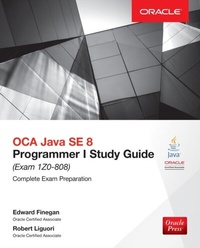
OCA Java SE 8 Programmer I Study Guide (Exam 1Z0-808)
1st Edition
Published on 11. September 2015
608 pages
978-1-259-58753-5 (ISBN)
Available for download
Description

The official study guide for the entry-level Oracle Certified Associate exam for Java Programmers-fully updated for Java SE 8Confidently prepare for the OCA Java SE 8 Programmer I exam with this thoroughly revised, up-to-date guide from Oracle Press. Featuring step-by-step exercises, comprehensive chapter self-tests, and two complete downloadable practice exams, this volume provides an integrated, easy-to-follow study system based on a proven methodology.OCA Java SE 8 Programmer I Study Guide (Exam 1Z0-808) offers the most complete and in-depth coverage of all of the exam objectives, and also serves as an essential on-the-job reference for Java developers. You ll have access to a total of more than 250 challenging practice questions that precisely mirror the content of the live exam no other guide on the market provides the same level of accuracy and detail.Questions accurately simulate the type and style of questions found on the actual testIncludes special Exam Watch, Inside the Exam, and On the Job sectionsDownloadable MAC and PC compatible test engine includes two complete practice exams
More details
Content
- Cover
- Title Page
- Copyright
- Dedication
- About the Authors
- Contents
- Preface
- Acknowledgments
- Introduction
- 1 Packaging, Compiling, and Interpreting Java Code
- The Java Platform
- Platform Independence
- Java's Object-Oriented Philosophy
- Robust and Secure
- Understand Packages
- Package Design
- package and import Statements
- Exercise 1-1: Replacing Implicit import Statements with Explicit import Statements
- Understand Package-Derived Classes
- Java Utilities API
- Java Basic Input/Output API
- The Java Networking API
- Java Abstract Window Toolkit API
- Java Swing API
- JavaFX API
- Understand Class Structure
- Naming Conventions
- Separators and Other Java Source Symbols
- Java Class Structure
- Compile and Interpret Java Code
- Java Compiler
- Java Interpreter
- Exercise 1-2: Compiling and Interpreting Packaged Software
- V Two-Minute Drill
- Q&A Self Test
- Self Test Answers
- 2 Programming with Java Statements
- Understand Assignment Statements
- The Assignment Expression Statement
- Create and Use Conditional Statements
- The if Conditional Statement
- The if-then Conditional Statement
- The if-then-else Conditional Statement
- The Ternary Operator
- The switch Conditional Statement
- Exercise 2-1: Evaluating the String Class in the switch Statement
- Create and Use Iteration Statements
- The for Loop Iteration Statement
- The Enhanced for Loop Iteration Statement
- Exercise 2-2: Iterating Through an ArrayList While Applying Conditions
- The while Iteration Statement
- The do-while Iteration Statement
- Exercise 2-3: Performing Code Refactoring
- Exercise 2-4: Knowing Your Statement-Related Keywords
- Create and Use Transfer of Control Statements
- The break Transfer of Control Statement
- The continue Transfer of Control Statement
- The return Transfer of Control Statement
- The labeled Statement
- V Two-Minute Drill
- Q&A Self Test
- Self Test Answers
- 3 Programming with Java Operators and Strings
- Understand Fundamental Operators
- Assignment Operators
- Exercise 3-1: Using Compound Assignment Operators
- Arithmetic Operators
- Relational Operators
- Logical Operators
- Understand Operator Precedence
- Use String Objects and Their Methods
- Strings
- The String Concatenation Operator
- Exercise 3-2: Uncovering Bugs that Your Compiler May Not Find
- Methods of the String Class
- Use StringBuilder Objects and Their Methods
- Methods of the StringBuilder Class
- Exercise 3-3: Using Constructors of the StringBuilder Class
- Test Equality Between Strings and Other Objects
- equals Method of the String Class
- Exercise 3-4: Working with the compareTo Method of the String Class
- V Two-Minute Drill
- Q&A Self Test
- Self Test Answers
- 4 Working with Basic Classes and Variables
- Understand Primitives, Enumerations, and Objects
- Primitive Variables
- Objects
- Exercise 4-1: Compile and Run an Object
- Arrays
- Enumerations
- Java Is Strongly Typed
- Naming Conventions
- Use Primitives, Enumerations, and Objects
- Literals
- Examples of Primitives, Enumerations, and Objects
- Exercise 4-2: Creating Getters and Setters
- V Two-Minute Drill
- Q&A Self Test
- Self Test Answers
- 5 Understanding Methods and Variable Scope
- Create and Use Methods
- Using Method Syntax
- Making and Calling a Method
- Overloading a Method
- Pass Objects by Reference and Value
- Passing Primitives by Value to Methods
- Passing Objects by Reference to Methods
- Understand Variable Scope
- Local Variables
- Method Parameters
- Instance Variables
- An Object's Lifecycle
- Create and Use Constructors
- Making a Constructor
- Overloading a Constructor
- Using the Default Constructor
- Use the this and super Keywords
- The this Keyword
- The super Keyword
- Create Static Methods and Instance Variables
- Static Methods
- Static Variables
- Constants
- V Two-Minute Drill
- Q&A Self Test
- Self Test Answers
- 6 Programming with Arrays
- Work with Java Arrays
- One-Dimensional Arrays
- Multi-Dimensional Arrays
- Work with ArrayList Objects and Their Methods
- Using the ArrayList Class
- ArrayList vs. Standard Arrays
- Exercise 6-1: Implement an ArrayList and Standard Array
- V Two-Minute Drill
- Q&A Self Test
- Self Test Answers
- 7 Understanding Class Inheritance
- Implement and Use Inheritance and Class Types
- Inheritance
- Overriding Methods
- Abstract Classes
- Interfaces
- Advanced Concepts of Inheritance
- Understand Encapsulation Principles
- Good Design with Encapsulation
- Access Modifiers
- Setters and Getters
- Advanced Use of Classes with Inheritance and Encapsulation
- Java Access Modifiers Example
- Inheritance with Concrete Classes Examples
- Inheritance with Abstract Classes Examples
- Exercise 7-1: Add Functionality to the Plant Simulator
- Interface Example
- V Two-Minute Drill
- Q&A Self Test
- Self Test Answers
- 8 Understanding Polymorphism and Casts
- Understand Polymorphism
- Concepts of Polymorphism
- Practical Examples of Polymorphism
- Exercise 8-1: Add Functionality to the Describable Example
- Understand Casting
- When Casting Is Needed
- V Two-Minute Drill
- Q&A Self Test
- Self Test Answers
- 9 Handling Exceptions
- Understand the Rationale and Types of Exceptions
- Advantages of Exceptions
- Exception Hierarchy in Java
- Checked Exceptions
- Unchecked Exceptions
- (Unchecked) Errors
- Exercise 9-1: Determining When to Use Assertions in Place of Exceptions
- Understand the Nature of Exceptions
- Defining Exceptions
- Throwing Exceptions
- Propagating Exceptions
- Exercise 9-2: Creating a Custom Exception Class
- Alter the Program Flow
- The try-catch Statement
- The try-finally Statement
- The try-catch-finally Statement
- The try-with-resources Statement
- The multi-catch Clause
- Exercise 9-3: Using NetBeans Code Templates for Exception Handling Elements
- Recognize Common Exceptions
- Common Checked Exceptions
- Common Unchecked Exceptions
- Common Errors
- Exercise 9-4: Creating an Error Condition
- V Two-Minute Drill
- Q&A Self Test
- Self Test Answers
- 10 Programming with the Date and Time API
- Understand the Date and Time API
- Calendar Data Creation
- Calendar Data Manipulation
- Calendar Periods
- Exercise 10-1: Using the normalized Method of the Period Class
- Calendar Data Formatting
- V Two-Minute Drill
- Q&A Self Test
- Self Test Answers
- 11 Understanding Lambda Expressions
- Write Lambda Expressions
- Functional Programming
- Functional Interfaces
- Lambda Expressions
- Lambda Expressions and FI Example
- Predicate Functional Interface
- Exercise 11-1: IDE Refactoring for Lambda Expressions
- V Two-Minute Drill
- Q&A Self Test
- Self Test Answers
- A Class Relationships
- Understand Class Compositions and Associations
- Class Compositions and Associations
- Class Relationships
- Multiplicities
- Association Navigation
- Class Compositions and Associations in Practice
- Examples of Class Association Relationships
- Examples of Class Composition Relationships
- Examples of Association Navigation
- Appendix Summary
- B Java SE 8 Packages
- Core Packages
- Integration Packages
- User Interface Packages
- Security Packages
- XML-based Packages
- Temporal Packages
- C Java Keywords
- D Bracket Conventions
- Java Bracket Conventions
- Miscellaneous Bracket Conventions
- E Unicode Standard
- ASCII Punctuation Characters
- F Pseudo-code Algorithms
- Implementing Statement-Related Algorithms from Pseudo-code
- Pseudo-code Algorithms
- Pseudo-code Algorithms and Java
- G Unified Modeling Language
- Recognizing Representations of Significant UML Elements
- Classes, Abstract Classes, and Interface Diagrams
- Attributes and Operations
- Visibility Modifiers
- Recognizing Representations of UML Associations
- Graphic Paths
- Relationship Specifiers
- H Functional Interfaces
- Specific-Purpose FIs
- General-Purpose FIs
- I About the Download
- System Requirements
- McGraw-Hill Professional Media Center Download
- Oracle Press Practice Exam Software
- Installing the Practice Exam Software
- Running the Practice Exam Software
- Practice Exam Software Features
- Removing Installation
- Help
- Enterprise Architect Project File
- Code Samples
- Technical Support
- Windows 8 Troubleshooting
- McGraw-Hill Education Content Support
- Glossary
- Index

