

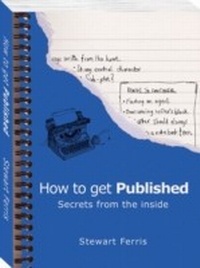
How to Get Published
Secrets from the Inside
Published on 6. June 2004
160 pages
978-1-78372-179-5 (ISBN)
Description

Everyone has a book in them, they say. Having gone through the process of extracting a masterpiece from your head what happens next? In most cases the book will end up in a desk drawer as a pile of papers or inside a computer. But that's not what you want, is it? You wrote it to get published. You want to see your name in print, to go into bookshops and see your book on the shelves. You want to feel that moment of pride when you see someone on the bus reading your book. The concept that a good book will always find a publisher is outdated and over-simplistic. The truth is that most writers remain unpublished because they pay attention only to the quality of their writing. Publishers are business people. Their job is to make money from selling books. They know that high quality writing alone isn't always enough to make a profitable book, so when choosing which manuscripts to sign up for publication they think about many more elements than just the words on the page. After 15 years in the book industry, Stewart Ferris has identified all of the crucial factors that publishers consider besides good writing. How to Get Published reveals for the first time these inside secrets and provides tactics that any writer can use to create the perfect conditions for their own 'lucky break' to happen.
*Why books get accepted
*How publishing works
*How to find a publisher
*What to put in a submission
*How to write a sizzling synopsis
*10 ways to leapfrog other submissions
*Sending multiple submissions
*Easily avoidable reasons why books get rejected
*16 crucial factors that publishers consider when deciding what to publish
*And much more!
Stewart Ferris has published 500 books, rejected 10,000 submissions, and is the author of more than 20 books.
*Why books get accepted
*How publishing works
*How to find a publisher
*What to put in a submission
*How to write a sizzling synopsis
*10 ways to leapfrog other submissions
*Sending multiple submissions
*Easily avoidable reasons why books get rejected
*16 crucial factors that publishers consider when deciding what to publish
*And much more!
Stewart Ferris has published 500 books, rejected 10,000 submissions, and is the author of more than 20 books.
More details
Edition
Digital original
Language
English
Place of publication
Chichester
United Kingdom
Edition type
Digital original
File size
1,20 MB
ISBN-13
978-1-78372-179-5 (9781783721795)
Copyright in bibliographic data and cover images is held by Nielsen Book Services Limited or by the publishers or by their respective licensors: all rights reserved.
Schweitzer Classification
Other editions
Additional editions
Stewart Ferris
How to Get Published
Book
06/2005
Summersdale Publishers
€27.42
Article exhausted; check different version
Person
Stewart Ferris
