

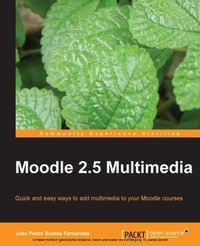
Moodle 2.5 Multimedia
Adding multimedia to Moodle will make it work even harder for you as a teaching tool. Learn the easy way how images, video, audio, and maps can transform your courses. No special technical skills needed.
2nd Edition
Published on 13. January 2025
270 pages
978-1-78328-148-0 (ISBN)
Description

Adding multimedia to Moodle will make it work even harder for you as a teaching tool. Learn the easy way how images, video, audio, and maps can transform your courses. No special technical skills needed.
Key Features
Gives ideas to teachers and trainers on how to use multimedia effectively in Moodle
Plenty of screenshots and a step-by-step approach, with tips on how to use simple and free software tools and web applications to improve your course
Focus on both the creation of instructional materials and the design of students activities around multimedia where they have an active role in creating, discussing and assessing their work
Based on the development of a Moodle course about music, with connections to other subjects and a broad range of activities
Book DescriptionMultimedia is a very old human endeavor. It has taken mankind almost 30,000 years since painting on cave walls to get a combination of text, image, sound, and video all working in the same medium, that is, in motion pictures. Finally, after thousands of years of human history, we can all (not just an elite few) create multimedia easily using Moodle. Moodle was built around an idea of learning that happens when a group of people construct things for one another, collaboratively creating a small culture of shared artifacts with shared meanings. A tutorial-based guide, with clear illustrations and examples of how to create, convert and add multimedia to Moodle using a range of free e-learning software tools and web applications. This book follows the design of resources and activities for the course 'AEuMusic for everyday life'AEu. The tasks presented are quick and easy to do for teachers and trainers with busy schedules. Giving readers an insight into the creation and integration of multimedia in Moodle courses. Starting with images you will learn to create photo collages, screenshots and comic strips. Then you will discover audio and how to extract audio from CDs to create a soundtrack for a movie and a podcast. Later, you will use video to produce a trailer for a movie, photo slideshows, online TVs and screencasts. Following that, you will develop an understanding of interactive elements and web communication, such as online maps, interactive timelines or web meetings. Finally, you will look at multimedia quizzes and assessment of multimedia assignments, ending with general issues on copyright, licensing and safety. A focus of the book is to show readers that using multimedia is not just about improving instruction, but also improving the ways in which students can can now create multimedia easily, and share it without great effort.. To make this easier, many of the moodle tutorials in the book will be based on activities designed for students to create, discuss and assess each other's multimedia works.What you will learn
Create and edit images, drawings, screenshots, audio, music, and video
Understand copyright and licensing of multimedia works, particularly public domain and creative commons licenses
Discover basic procedures to create videos with simple equipment to add as course resources and activities
Download and publish videos in online video sharing services
Convert between several video formats and integrate them in Moodle
Develop multimedia elements such as interactive floor planners, interactive presentations, online maps, diagrams, concept maps and timelines using web applications and blend them with Moodle
Learn how to interact with students in real-time using synchronous communication and screen sharing applications
Who this book is forIf you are a teacher or trainer who runs online courses and has a basic understanding of Moodle, this book will be ideal for you. It is not necessary to have an advanced technical background to create multimedia elements as the tasks will be simple, not time consuming, and will be practical for everyday use.
Key Features
Gives ideas to teachers and trainers on how to use multimedia effectively in Moodle
Plenty of screenshots and a step-by-step approach, with tips on how to use simple and free software tools and web applications to improve your course
Focus on both the creation of instructional materials and the design of students activities around multimedia where they have an active role in creating, discussing and assessing their work
Based on the development of a Moodle course about music, with connections to other subjects and a broad range of activities
Book DescriptionMultimedia is a very old human endeavor. It has taken mankind almost 30,000 years since painting on cave walls to get a combination of text, image, sound, and video all working in the same medium, that is, in motion pictures. Finally, after thousands of years of human history, we can all (not just an elite few) create multimedia easily using Moodle. Moodle was built around an idea of learning that happens when a group of people construct things for one another, collaboratively creating a small culture of shared artifacts with shared meanings. A tutorial-based guide, with clear illustrations and examples of how to create, convert and add multimedia to Moodle using a range of free e-learning software tools and web applications. This book follows the design of resources and activities for the course 'AEuMusic for everyday life'AEu. The tasks presented are quick and easy to do for teachers and trainers with busy schedules. Giving readers an insight into the creation and integration of multimedia in Moodle courses. Starting with images you will learn to create photo collages, screenshots and comic strips. Then you will discover audio and how to extract audio from CDs to create a soundtrack for a movie and a podcast. Later, you will use video to produce a trailer for a movie, photo slideshows, online TVs and screencasts. Following that, you will develop an understanding of interactive elements and web communication, such as online maps, interactive timelines or web meetings. Finally, you will look at multimedia quizzes and assessment of multimedia assignments, ending with general issues on copyright, licensing and safety. A focus of the book is to show readers that using multimedia is not just about improving instruction, but also improving the ways in which students can can now create multimedia easily, and share it without great effort.. To make this easier, many of the moodle tutorials in the book will be based on activities designed for students to create, discuss and assess each other's multimedia works.What you will learn
Create and edit images, drawings, screenshots, audio, music, and video
Understand copyright and licensing of multimedia works, particularly public domain and creative commons licenses
Discover basic procedures to create videos with simple equipment to add as course resources and activities
Download and publish videos in online video sharing services
Convert between several video formats and integrate them in Moodle
Develop multimedia elements such as interactive floor planners, interactive presentations, online maps, diagrams, concept maps and timelines using web applications and blend them with Moodle
Learn how to interact with students in real-time using synchronous communication and screen sharing applications
Who this book is forIf you are a teacher or trainer who runs online courses and has a basic understanding of Moodle, this book will be ideal for you. It is not necessary to have an advanced technical background to create multimedia elements as the tasks will be simple, not time consuming, and will be practical for everyday use.
More details
Edition
2nd Revised edition
Language
English
Place of publication
Birmingham
United Kingdom
Target group
Professional and scholarly
US School Grade: College Graduate Student
Edition type
Revised edition
File size
15,67 MB
ISBN-13
978-1-78328-148-0 (9781783281480)
Copyright in bibliographic data and cover images is held by Nielsen Book Services Limited or by the publishers or by their respective licensors: all rights reserved.
Schweitzer Classification
Other editions
Additional editions
Person
Pedro Soares Fernandes Joao :
Joao Pedro Soares Fernandes is a science teacher from Portugal, who has been working on Moodle since 2004. He has been involved in several Moodle initiatives at school, university, and government levels as a teacher, trainer, course and content developer, manager, consultant, designer, and researcher. Joao's main interests range from education to multimedia, the Web, participation, democracy, and human development. In a single year, he can be seen in several corners of the earth, either working, visiting schools, hiking, or taking photos in mostly non-touristic venues. He also loves music, old cheap cars, farming, cooking, and spending his time in nature.
Joao Pedro Soares Fernandes is a science teacher from Portugal, who has been working on Moodle since 2004. He has been involved in several Moodle initiatives at school, university, and government levels as a teacher, trainer, course and content developer, manager, consultant, designer, and researcher. Joao's main interests range from education to multimedia, the Web, participation, democracy, and human development. In a single year, he can be seen in several corners of the earth, either working, visiting schools, hiking, or taking photos in mostly non-touristic venues. He also loves music, old cheap cars, farming, cooking, and spending his time in nature.
Content
Table of Contents
Getting ready for multimedia in Moodle
Picture this
Sound and music
Video
Web 2.0 and other multimedia forms
Multimedia and assessment
Synchronous communication and interaction
Common multimedia issues in Moodle
Getting ready for multimedia in Moodle
Picture this
Sound and music
Video
Web 2.0 and other multimedia forms
Multimedia and assessment
Synchronous communication and interaction
Common multimedia issues in Moodle
