

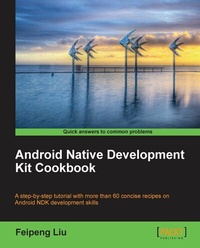
Android Native Development Kit Cookbook
Create Android apps using Native C/C++ with the expert guidance contained in this cookbook. From basic routines to advanced multimedia development, it helps you harness the full power of Android NDK.
Published on 13. January 2025
346 pages
978-1-84969-151-2 (ISBN)
Description

Create Android apps using Native C/C++ with the expert guidance contained in this cookbook. From basic routines to advanced multimedia development, it helps you harness the full power of Android NDK.
Key Features
Build, debug, and profile Android NDK apps
Implement part of Android apps in native C/C++ code
Optimize code performance in assembly with Android NDK
Book DescriptionBuilding Android applications would usually mean that you spend all of your time working in Java. There are however times when this is not the most efficient or best method for the application being built. This is where Android NDK comes in. Android NDK allows the developer to write in Native C/C++, giving you the power to reuse code and libraries and also, in most cases, increase the speed and efficiency of your application.The "Android Native Development Kit Cookbook" will help you understand the development, building, and debugging of your native Android applications. We will discover and learn JNI programming and essential NDK APIs such as OpenGL ES, and the native application API. We will then explore the process of porting existing libraries and software to NDK. By the end of this book you will be able to build your own apps in NDK apps."Android Native Development Kit Cookbook" begins with basic recipes that will help you in the building and debugging of native apps, and JNI programming. The recipes cover various topics of application development with Android NDK such as OpenGL programming and Multimedia programming. We will begin with a simple recipe, Hello NDK, before moving on to cover advanced topics with recipes on OpenGL ES that focus on 2D and 3D graphics, as well as recipes that discuss working with NDK and external APIs. If you are looking for ways to make your application available in Android and take measures to boost your application's performance, then this Cookbook is for you.What you will learn
Develop Android apps in C/C++ without a single line of Java
Program 2D/3D graphics with both OpenGL ES 1x and 2.0 in Android NDK
Write multi-threaded Android apps in Android NDK
Port existing C/C++ libraries and applications to Android with NDK
Develop multimedia Android apps with Android NDK
Who this book is forAndroid developers who want to learn Android NDK programming, or develop multimedia and games in Android NDK will benefit from this book.
Key Features
Build, debug, and profile Android NDK apps
Implement part of Android apps in native C/C++ code
Optimize code performance in assembly with Android NDK
Book DescriptionBuilding Android applications would usually mean that you spend all of your time working in Java. There are however times when this is not the most efficient or best method for the application being built. This is where Android NDK comes in. Android NDK allows the developer to write in Native C/C++, giving you the power to reuse code and libraries and also, in most cases, increase the speed and efficiency of your application.The "Android Native Development Kit Cookbook" will help you understand the development, building, and debugging of your native Android applications. We will discover and learn JNI programming and essential NDK APIs such as OpenGL ES, and the native application API. We will then explore the process of porting existing libraries and software to NDK. By the end of this book you will be able to build your own apps in NDK apps."Android Native Development Kit Cookbook" begins with basic recipes that will help you in the building and debugging of native apps, and JNI programming. The recipes cover various topics of application development with Android NDK such as OpenGL programming and Multimedia programming. We will begin with a simple recipe, Hello NDK, before moving on to cover advanced topics with recipes on OpenGL ES that focus on 2D and 3D graphics, as well as recipes that discuss working with NDK and external APIs. If you are looking for ways to make your application available in Android and take measures to boost your application's performance, then this Cookbook is for you.What you will learn
Develop Android apps in C/C++ without a single line of Java
Program 2D/3D graphics with both OpenGL ES 1x and 2.0 in Android NDK
Write multi-threaded Android apps in Android NDK
Port existing C/C++ libraries and applications to Android with NDK
Develop multimedia Android apps with Android NDK
Who this book is forAndroid developers who want to learn Android NDK programming, or develop multimedia and games in Android NDK will benefit from this book.
All prices
More details
Edition
Digital original
Language
English
Place of publication
Birmingham
United Kingdom
Target group
Professional and scholarly
US School Grade: College Graduate Student
Edition type
Digital original
File size
7,01 MB
ISBN-13
978-1-84969-151-2 (9781849691512)
Copyright in bibliographic data and cover images is held by Nielsen Book Services Limited or by the publishers or by their respective licensors: all rights reserved.
Schweitzer Classification
Other editions
Additional editions
Feipeng Liu
Android Native Development Kit Cookbook
Book
03/2013
Packt Publishing
€63.40
Shipment within 3-4 weeks
Person
Feipeng Liu :
Feipeng Liu is a technology enthusiast with a focus on multimedia systems and applications. He started mobile applications development in 2008 on Windows Mobile. In 2010, he started developing apps for Android with NDK. His Android apps have been used by many users. One of his apps, Video Converter Android, reached 1 million downloads within 10 months. Feipeng received his B.ENG in Electrical and Electronic Engineering, Nanyang Technological University and Master of Computing degree in the Department of Computer Science, National University of Singapore.
Feipeng Liu is a technology enthusiast with a focus on multimedia systems and applications. He started mobile applications development in 2008 on Windows Mobile. In 2010, he started developing apps for Android with NDK. His Android apps have been used by many users. One of his apps, Video Converter Android, reached 1 million downloads within 10 months. Feipeng received his B.ENG in Electrical and Electronic Engineering, Nanyang Technological University and Master of Computing degree in the Department of Computer Science, National University of Singapore.
Content
Table of Contents

