

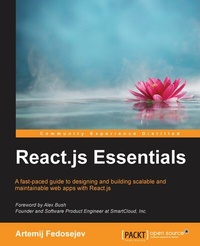
React.js Essentials
A fast-paced guide to designing and building scalable and maintainable web apps with React.js
1st Edition
Published on 17. June 2024
208 pages
978-1-78217-462-2 (ISBN)
Description

A fast-paced guide to designing and building scalable and maintainable web apps with React.jsKey FeaturesBook DescriptionBuilding web applications with maintainable and performant user interfaces is a challenge that many have faced for more than a decade, but no one has risen to this challenge quite like React.js. Today React.js is used by Facebook, Instagram, Khan Academy, and Imperial College London, to name a few. Many new users recognize the benefits of React.js and adopt it in their own projects, forming a fast-growing community. The speed at which React.js has evolved promises a bright future for those who invest in learning it today. React.js Essentials will take you on a fast-paced journey through building your own maintainable React.js application. Begin by exploring how you can create single and multiple user interface elements. Create stateless and stateful components and make them reactive, learn to interact between your components and lifecycle methods and gauge how to effectively integrate your user interface components with other JavaScript libraries. Delve deep into the core elements of the Flux architecture and learn how to manage your application using stores. Finish by going that extra mile with the Jest test framework, running multiple tests on your application and find solutions to scale it further without complexity.What you will learn - Install powerful React.js tools to make development much more efficient
- Create React elements with properties and children
- Get started with stateless and stateful React components
- Use JSX to speed up your React.js development process
- Add reactivity to your React components with lifecycle methods
- Integrate your React components with other JavaScript libraries
- Utilize the Flux application architecture with your React components
- Test your React components with Jest test framework
Who this book is for
- Create React elements with properties and children
- Get started with stateless and stateful React components
- Use JSX to speed up your React.js development process
- Add reactivity to your React components with lifecycle methods
- Integrate your React components with other JavaScript libraries
- Utilize the Flux application architecture with your React components
- Test your React components with Jest test framework
Who this book is for
All prices
More details
Other editions
Additional editions
Artemij Fedosejev
React.js Essentials
A fast-paced guide to designing and building scalable and maintainable web apps with React.js
Book
08/2015
Packt Publishing
€39.40
Shipment within 3-4 weeks
Person
Fedosejev Artemij :
Artemij Fedosejev is a technical lead living in London, United Kingdom. He is a self-taught web developer who has been a web developer since the early 2000s. Artemij earned his BSc in computer science from University College Cork, Ireland. He participated in the IGNITE Graduate Business Innovation Programme, where he built and launched a website that received the Most Innovative Project award. Artemij has played a key role in creating frontend architecture using React.js and Flux for various websites. Artemij created a number of open source projects, including Snapkite Engine, Snapkite Stream Client, and other projects.
Artemij Fedosejev is a technical lead living in London, United Kingdom. He is a self-taught web developer who has been a web developer since the early 2000s. Artemij earned his BSc in computer science from University College Cork, Ireland. He participated in the IGNITE Graduate Business Innovation Programme, where he built and launched a website that received the Most Innovative Project award. Artemij has played a key role in creating frontend architecture using React.js and Flux for various websites. Artemij created a number of open source projects, including Snapkite Engine, Snapkite Stream Client, and other projects.
Content
Table of Contents - Installing powerful tools for your project
- Creating your first React Element
- Creating your first React Component
- Making your React components reactive
- Using your React components with another library
- Updating your React components
- Building complex React components
- Testing your React application with Jest
- Supercharge your React architecture with Flux
- Preparing your React application for painless maintenance with Flux
- Creating your first React Element
- Creating your first React Component
- Making your React components reactive
- Using your React components with another library
- Updating your React components
- Building complex React components
- Testing your React application with Jest
- Supercharge your React architecture with Flux
- Preparing your React application for painless maintenance with Flux

