

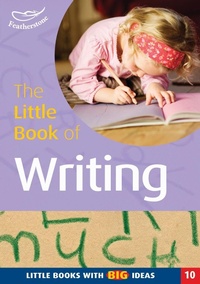
The Little Book of Writing
Little Books with Big Ideas (10)
1st Edition
Published on 4. June 2015
64 pages
978-1-4729-2347-9 (ISBN)
Description

Help early learners develop their writing skills through these fun and stimulating activites. Remember writing is not just for indoors - expand your writing environment both inside and out! These activites are easy to source and cost-effective for every Early Years setting.
More details
Series
Edition
1. Auflage
Language
English
Place of publication
London
United Kingdom
Publishing group
Bloomsbury Publishing PLC
Target group
Professional and scholarly
ISBN-13
978-1-4729-2347-9 (9781472923479)
Copyright in bibliographic data and cover images is held by Nielsen Book Services Limited or by the publishers or by their respective licensors: all rights reserved.
Schweitzer Classification
Other editions
Additional editions
Book
11/2013
Featherstone
€31.15
Article exhausted; check different version
Persons
Sally Featherstone has a wealth of experience as a teacher, head teacher and a local authority adviser and inspector. In recent years, alongside her activities in publishing, Sally built a national reputation as a trainer and consultant in the Primary and Early Years field - she is currently concentrating on expanding her writing about learning in the early years.
Content
- Cover
- Title
- Copyright
- Contents
- Introduction
- Section 1 - Creating the environment for writing
- Message boards
- Hands and feet
- Interesting surfaces and mark-making tools
- Creating an interesting mark-making area
- Developing a space to write
- Adding more resources
- Managing in difficult environments
- Starting a mark-making and surfaces scrapbook
- Developing skills
- Supporting writing in role
- Your influence on young writers
- Section 2 - Inspiring young writers
- Surprise letters
- Secret messages
- Make an appointment
- Let's make a sign
- Please take care of this toy
- What's in the box?
- Let's make a big book!
- How do you make it?
- What do you know?
- Greetings!
- Section 3 - Extending opportunities
- Can I help you?
- What can the computer do?
- Today is...
- Who am I? Who are we?
- The Little Books Club
