

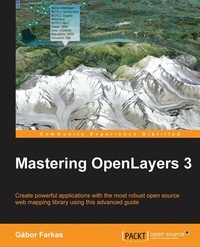
Mastering OpenLayers 3
Create powerful applications with the most robust open source web mapping library using this advanced guide
Published on 8. July 2025
308 pages
978-1-78528-657-5 (ISBN)
Description

Create powerful applications with the most robust open source web mapping library using this advanced guide
Key Features
[* ]Develop responsive and platform-independent web mapping applications with OpenLayers 3
[* ]Learn the key points of creating great applications with native JavaScript through the step-by-step examples
[* ]Master the use of the library, from compiling custom builds to developing a complete WebGIS appliation
Book DescriptionOpenLayers 3 allows you to create stunning web mapping and WebGIS applications. It uses modern, cutting edge browser technologies. It is written with Closure Library, enabling you to build browser-independent applications without painful debugging ceremonies, which even have some limited fallback options for older browsers. With this guide, you will be introduced to the world of advanced web mapping and WebGIS. First, you will be introduced to the advanced features and functionalities available in OpenLayers 3. Next, you will be taken through the key points of creating custom applications with OpenLayers 3. You will then learn how to create the web mapping application of yours (or your company's) dream with this open source, expense-free, yet very powerful library. We'll also show you how to make amazing looking thematic maps and create great effects with canvas manipulation. By the end of this book, you will have a strong command of web mapping and will be well on your way to creating amazing applications using OpenLayers 3. What you will learn
[* ]Use the advanced functionality of the OpenLayers 3 library effectively
[* ] Implement the library in your application, shaping it to your needs
[* ]Manage layers and the layer stack dynamically
[* ]Create not only stunning but also accurate thematic maps
[* ] Extend OpenLayers 3 with your own custom classes
[* ] Develop mobile-friendly web mapping applications
Make stunning effects with canvas manipulation, or visualize point clouds with WebGL
Integrate third-party applications, and create custom builds that completely satisfy your needs
Who this book is forThis book is intended for front-end developers with basic understanding of JavaScript and GIS concepts, and preferably for those who are familiar with the fundamentals of OpenLayers 3. You might have never used OpenLayers 3 as a seasoned JavaScript developer. If this is the case and you are eager to learn web mapping, this book will definitely set you on the right track.
Key Features
[* ]Develop responsive and platform-independent web mapping applications with OpenLayers 3
[* ]Learn the key points of creating great applications with native JavaScript through the step-by-step examples
[* ]Master the use of the library, from compiling custom builds to developing a complete WebGIS appliation
Book DescriptionOpenLayers 3 allows you to create stunning web mapping and WebGIS applications. It uses modern, cutting edge browser technologies. It is written with Closure Library, enabling you to build browser-independent applications without painful debugging ceremonies, which even have some limited fallback options for older browsers. With this guide, you will be introduced to the world of advanced web mapping and WebGIS. First, you will be introduced to the advanced features and functionalities available in OpenLayers 3. Next, you will be taken through the key points of creating custom applications with OpenLayers 3. You will then learn how to create the web mapping application of yours (or your company's) dream with this open source, expense-free, yet very powerful library. We'll also show you how to make amazing looking thematic maps and create great effects with canvas manipulation. By the end of this book, you will have a strong command of web mapping and will be well on your way to creating amazing applications using OpenLayers 3. What you will learn
[* ]Use the advanced functionality of the OpenLayers 3 library effectively
[* ] Implement the library in your application, shaping it to your needs
[* ]Manage layers and the layer stack dynamically
[* ]Create not only stunning but also accurate thematic maps
[* ] Extend OpenLayers 3 with your own custom classes
[* ] Develop mobile-friendly web mapping applications
Make stunning effects with canvas manipulation, or visualize point clouds with WebGL
Integrate third-party applications, and create custom builds that completely satisfy your needs
Who this book is forThis book is intended for front-end developers with basic understanding of JavaScript and GIS concepts, and preferably for those who are familiar with the fundamentals of OpenLayers 3. You might have never used OpenLayers 3 as a seasoned JavaScript developer. If this is the case and you are eager to learn web mapping, this book will definitely set you on the right track.
All prices
More details
Edition
Digital original
Language
English
Place of publication
Birmingham
United Kingdom
Target group
US School Grade: College Graduate Student
Edition type
Digital original
File size
14,64 MB
ISBN-13
978-1-78528-657-5 (9781785286575)
Copyright in bibliographic data and cover images is held by Nielsen Book Services Limited or by the publishers or by their respective licensors: all rights reserved.
Schweitzer Classification
Other editions
Additional editions
Person
Farkas Gabor :
Gbor Farkas is a PhD student at the University of Pcs's Institute of Geography. He holds a master's degree in geography, although he moved from traditional geography to pure geoinformatics in his early studies. He often studies geo-informatical solutions in his free time, keeps up with the latest trends, and is an open source enthusiast. He loves to work with GRASS GIS, PostGIS, and QGIS, but his all-time favorite is Web GIS, which is his main research interest.
Gbor Farkas is a PhD student at the University of Pcs's Institute of Geography. He holds a master's degree in geography, although he moved from traditional geography to pure geoinformatics in his early studies. He often studies geo-informatical solutions in his free time, keeps up with the latest trends, and is an open source enthusiast. He loves to work with GRASS GIS, PostGIS, and QGIS, but his all-time favorite is Web GIS, which is his main research interest.
Content
Table of Contents
Creating Simple Maps with OpenLayers 3
Applying Custom Styles
Working with Layers
Using Vector Data
Creating Responsive Applications with Interactions and Controls
Controlling the Map: View and Projection
Mastering the Renderers
OpenLayers 3 for Mobile
Tools of the Trade: Integrating Third Party Applications
Compiling Custom Builds with Closure
Creating Simple Maps with OpenLayers 3
Applying Custom Styles
Working with Layers
Using Vector Data
Creating Responsive Applications with Interactions and Controls
Controlling the Map: View and Projection
Mastering the Renderers
OpenLayers 3 for Mobile
Tools of the Trade: Integrating Third Party Applications
Compiling Custom Builds with Closure

