

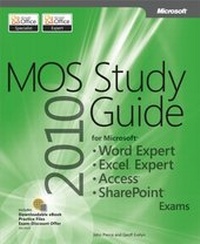
MOS 2010 Study Guide for Microsoft Word Expert, Excel Expert, Access, and SharePoint Exams
1st Edition
Published on 12. August 2011
720 pages
978-0-7356-6411-1 (ISBN)
Description

Demonstrate your expertise with Microsoft Office! Designed to help you practice and prepare for four Microsoft Office Specialist (MOS) exams, this all-in-one study guide features:
Full, objective-by-objective exam coverage
Easy-to-follow procedures and illustrations to review essential skills
Hands-on practice tasks to apply what you've learned; files included
Use the in-depth exam prep, practice, and review to help advance your proficiency with Microsoft Office-and earn the credential that proves it!
Exams covered:
77-887: MOS: Microsoft Office Word 2010 Expert
77-888: MOS: Microsoft Office Excel 2010 Expert
77-885: MOS: Microsoft Office Access 2010
77-886: MOS: Microsoft SharePoint 2010
Companion Content includes:
Practice files for each exam
Fully searchable eBook
Sample chapters from five STEP BY STEP books from Microsoft Press (TBD)
Additional eBooks and resources
Full, objective-by-objective exam coverage
Easy-to-follow procedures and illustrations to review essential skills
Hands-on practice tasks to apply what you've learned; files included
Use the in-depth exam prep, practice, and review to help advance your proficiency with Microsoft Office-and earn the credential that proves it!
Exams covered:
77-887: MOS: Microsoft Office Word 2010 Expert
77-888: MOS: Microsoft Office Excel 2010 Expert
77-885: MOS: Microsoft Office Access 2010
77-886: MOS: Microsoft SharePoint 2010
Companion Content includes:
Practice files for each exam
Fully searchable eBook
Sample chapters from five STEP BY STEP books from Microsoft Press (TBD)
Additional eBooks and resources
More details
Series
Language
English
Place of publication
Redmond
United States
Target group
College/higher education
ISBN-13
978-0-7356-6411-1 (9780735664111)
Copyright in bibliographic data and cover images is held by Nielsen Book Services Limited or by the publishers or by their respective licensors: all rights reserved.
Schweitzer Classification
Other editions
Additional editions
Geoff Evelyn | John Pierce
MOS 2010 Study Guide for Microsoft Word Expert, Excel Expert, Access, and SharePoint Exams
Book
08/2011
Microsoft Press
€65.79
Article exhausted; check different version
Persons
Geoff Evelyn enjoys over 25 years in Information Technology with over 10 years' experience in SharePoint, covering development, design and implementation. He majors in SharePoint information systems design, architecture, implementation, planning, governance and automation, all in the land of SharePoint. Geoff headed the team to introduce SharePoint to the Scottish Highland University in 2001 and then on to over 30 Scottish colleges. He then went on to help implement, manage and govern SharePoint in many global companies. Geoff is a Fellow of Institute of Analysts and Programmers, a member of the Institute for the Management of Information Systems and has published many articles and guides on SharePoint, all available online and on his website (http://www.sharepointgeoff.com). Geoff is an MCITP in SharePoint 2010 Administrator, and holds an MCTS in SharePoint 2007 in Configuration and Development. He is also a Microsoft Office Specialist Project, Word, Outlook and PowerPoint, holds MCDST and is a Prince 2 Practitioner.
