

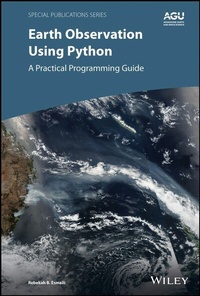
Earth Observation Using Python
Description

Thousands of satellite datasets are freely available online, but scientists need the right tools to efficiently analyze data and share results. Python has easy-to-learn syntax and thousands of libraries to perform common Earth science programming tasks.
Earth Observation Using Python: A Practical Programming Guide presents an example-driven collection of basic methods, applications, and visualizations to process satellite data sets for Earth science research.
* Gain Python fluency using real data and case studies
* Read and write common scientific data formats, like netCDF, HDF, and GRIB2
* Create 3-dimensional maps of dust, fire, vegetation indices and more
* Learn to adjust satellite imagery resolution, apply quality control, and handle big files
* Develop useful workflows and learn to share code using version control
* Acquire skills using online interactive code available for all examples in the book
The American Geophysical Union promotes discovery in Earth and space science for the benefit of humanity. Its publications disseminate scientific knowledge and provide resources for researchers, students, and professionals.
Find out more about this book from this Q&A with the Author
More details
Other editions
Additional editions
Person
Rebekah Bradley Esmaili, Atmospheric Scientist, Science and Technology Corp. (STC) and NOAA/JPSS, University of Maryland, USA.
Content
Foreword
Introduction
1 A Tour of Current Satellite Missions and Products
1.1 History of Computational Scientific Visualization
1.2 Brief catalog of current satellite products
1.2.1 Meteorological and Atmospheric Science
1.2.2 Hydrology
1.2.3 Oceanography and Biogeosciences
1.2.4 Cryosphere
1.3 The Flow of Data from Satellites to Computer
1.4 Learning using Real Data and Case Studies
1.5 Summary
1.6 References
2 Overview of Python
2.1 Why Python?
2.2 Useful Packages for Remote Sensing Visualization
2.2.1 NumPy
2.2.2 Pandas
2.2.3 Matplotlib
2.2.4 netCDF4 and h5py
2.2.5 Cartopy
2.3 Maturing Packages
2.3.1 xarray
2.3.2 Dask
2.3.3 Iris
2.3.4 MetPy
2.3.5 cfgrib and eccodes
2.4 Summary
2.5 References
3 A Deep Dive into Scientific Data Sets
3.1 Storage
3.1.1 Single-values
3.1.2 Arrays
3.2 Data Formats
3.2.1 Binary
3.2.2 Text
3.2.3 Self-describing data formats
3.2.4 Table-Driven Formats
3.2.5 geoTIFF
3.3 Data Usage
3.3.1 Processing Levels
3.3.2 Product Maturity
3.3.3 Quality Control
3.3.4 Data Latency
3.3.5 Re-processing
3.4 Summary
3.5 References
4 Practical Python Syntax
4.1 "Hello Earth" in Python
4.2 Variable Assignment and Arithmetic
4.3 Lists
4.4 Importing Packages
4.5 Array and Matrix Operations
4.6 Time Series Data
4.7 Loops
4.8 List Comprehensions
4.9 Functions
4.10 Dictionaries
4.11 Summary
4.12 References
5 Importing Standard Earth Science Datasets
5.1 Text
5.2 NetCDF
5.3 HDF
5.4 GRIB2
5.5 Importing Data using xarray
5.5.1 netCDF
5.5.2 GRIB2
5.5.3 Accessing datasets using OpenDAP
5.6 Summary
5.7 References
6 Plotting and Graphs for All
6.1 Univariate Plots
6.1.1 Histograms
6.1.2 Barplots
6.2 Two Variable Plots
6.2.1 Converting Data to a Time Series
6.2.2 Useful Plot Customizations
6.2.3 Scatter Plots
6.2.4 Line Plots
6.2.5 Adding data to an existing plot
6.2.6 Plotting two side-by-side plots
6.2.7 Skew-T Log-P
6.3 Three Variable Plots
6.3.1 Filled Contour
6.3.2 Mesh Plots
6.4 Summary
6.5 References
7 Creating Effective and Functional Maps
7.1 Cartographic Projections
7.1.1 Projections
7.1.2 Plate Carrée
7.1.3 Equidistant Conic
7.1.4 Orthographic
7.2 Cylindrical Maps
7.2.1 Global plots
7.2.2 Changing projections
7.2.3 Regional Plots
7.2.4 Swath Data
7.2.5 Quality Flag Filtering
7.3 Polar Stereographic Maps
7.4 Geostationary Maps
7.5 Plotting datasets using OpenDAP
7.6 Summary
7.7 References
8 Gridding Operations
8.1 Regular 1D grids
8.2 Regular 2D grids
8.3 Irregular 2D grids
8.3.1 Resizing
8.3.2 Regridding
8.3.3 Resampling
8.4 Summary
8.5 References
9 Meaningful Visuals through Data Combination
9.1 Spectral and Spatial Characteristics of Different Sensors
9.2 Normalized Difference Vegetation Index (NDVI)
9.3 Window Channels
9.4 RGB
9.4.1 True Color
9.4.2 Dust RGB
9.4.3 Fire/Natural RGB
9.5 Matching with Surface Observations
9.5.1 With user-defined functions
9.5.2 With Machine Learning
9.6 Summary
9.7 References
10 Exporting with Ease
10.1 Figures
10.2 Text Files
10.3 Pickling
10.4 NumPy binary files
10.5 NetCDF
10.5.1 Using netCDF4 to create netCDF files
10.5.2 Using Xarray to create netCDF files
10.5.3 Following Climate and Forecast (CF) metadata conventions
10.6 Summary
11 Developing a Workflow
11.1 Scripting with Python
11.1.1 Creating scripts using text editors
11.1.2 Creating scripts from Jupyter Notebooks
11.1.3 Running Python scripts from the command line
11.1.4 Handling output when scripting
11.2 Version Control
11.2.1 Code Sharing though Online Repositories
11.2.2 Setting-up on GitHub
11.3 Virtual Environments
11.3.1 Creating an environment
11.3.2 Changing environments from the command line
11.3.3 Changing environments in Jupyter Notebook
11.4 Methods for code development
11.5 Summary
11.6 References
12 Reproducible and Shareable Science
12.1 Clean Coding Techniques
12.1.1 Stylistic conventions
12.1.2 Tools for Clean Code
12.2 Documentation
12.2.1 Comments and docstrings
12.2.2 README file
12.2.3 Creating useful commit messages
12.3 Licensing
12.4 Effective Visuals
12.4.1 Make a Statement
12.4.2 Undergo Revision
12.4.3 Are Accessible and Ethical
12.5 Summary
12.6 References
Conclusion
A Installing Python
A.1 Download and Install Anaconda
A.2 Package management in Anaconda
A.3 Download sample data for this book
B Jupyter Notebooks
B.1 Running on a Local Machine (New Coders)
B.2 Running on a Remote Server (Advanced)
B.3 Tips for Advanced Users
B.3.1 Customizing Notebooks with Configuration Files
B.3.2 Starting and Ending Python Scripts
B.3.3 Creating Git Commit templates
C Additional Learning Resources
D Tools
D.1 Text Editors and IDEs
D.2 Terminals
E Finding, Accessing, and Downloading Satellite Datasets
E.1 Ordering data from NASA EarthData
E.2 Ordering data from NOAA/CLASS
F Acronyms
Acknowledgements
INTRODUCTION
Python is a programming language that is rapidly growing in popularity. The number of users is large, although difficult to quantify; in fact, Python is currently the most tagged language on stackoverflow.com, a coding Q&A website with approximately 3 million questions a year. Some view this interest as hype, but there are many reasons to join the movement. Scientists are embracing Python because it is free, open source, easy to learn, and has thousands of add-on packages. Many routine tasks in the Earth sciences have already been coded and stored in off-the-shelf Python libraries. Users can download these libraries and apply them to their research rather than simply using older, more primitive functions. The widespread adoption of Python means scientists are moving toward a common programming language and set of tools that will improve code shareability and research reproducibility.
Among the wealth of remote sensing data available, satellite datasets are particularly voluminous and tend to be stored in a variety of binary formats. Some datasets conform to a "standard" structure, such as netCDF4. However, because of uncoordinated efforts across different agencies and countries, such standard formats bear their own inconsistencies in how data are handled and intended to be displayed. To address this, many agencies and companies have developed numerous "quick look" methods. For instance, data can be searched for and viewed online as Jpeg images, or individual files can be displayed with free, open-source software tools like Panoply (www.giss.nasa.gov/tools/panoply/) and HDFView (www.hdfgroup.org/downloads/hdfview/).
Still, scientists who wish to execute more sophisticated visualization techniques will have to learn to code. Coding knowledge is not the only limitation for users. Not all data are "analysis ready," i.e., in the proper input format for visualization tools. As such, many pre-processing steps are required to make the data usable for scientific analysis. This is particularly evident for data fusion, where two datasets with different resolutions must first be mapped to the same grid before they are compared. Many data users are not satellite scientists or professional programmers but rather members of other research and professional communities, these barriers can be too great to overcome. Even to a technical user, the nuances can be frustrating. At worst, obstacles in coding and data visualization can potentially lead to data misuse, which can tarnish the work of an entire community.
The purpose of this text is to provide an overview of the common preparatory work and visualization techniques that are applied to environmental satellite data using the Python language. This book is highly example-driven, and all the examples are available online. The exercises are primarily based on hands-on tutorial workshops that I have developed. The motivation for producing this book is to make the contents of the workshops accessible to more Earth scientists, as very few Python books currently available target the Earth science community.
This book is written to be a practical workbook and not a theoretical textbook. For example, readers will be able to interactively run prewritten code interactively alongside the text to guide them through the code examples. Exercises in each section build on one another, with incremental steps folded in. Readers with minimal coding experience can follow each "baby step" to get them up to become "spun up" quickly, while more experienced coders have the option of working with the code directly and spending more time on building a workflow as described in Section III.
The exercises and solutions provided in this book use Jupyter Notebook, a highly interactive, web-based development environment. Using Jupyter Notebook, code can be run in a single line or short blocks, and the results are generated within an interactive documented format. This allows the student to view both the Python commands and comments alongside the expected results. Jupyter Notebook can also be easily converted to programs or scripts than can be executed on Linux Machines for high-performance computing. This provides a friendly work environment to new Python users. Students are also welcome to develop code in any environment they wish, such as the Spyder IDE or using iPython.
While the material builds on concepts learned in other chapters, the book references the location of earlier discussions of the material. Within each chapter, the examples are progressive. This design allows students to build on their understanding knowledge (and learn where to find answers when they need guidance) rather than memorizing syntax or a "recipe." Professionally, I have worked with many datasets and I have found that the skills and strategies that I apply on satellite data are fairly universal. The examples in this book are intended to help readers become familiar with some of the characteristic quirks that they may encounter when analyzing various satellite datasets in their careers. In this regard, students are also strongly encouraged to submit requests for improvements in future editions.
Like many technological texts, there is a risk that the solutions presented will become outdated as new tools and techniques are developed. The sizable user community already contributing to Python implies it is actively advancing; it is a living language in contrast to compiled, more slowly evolving legacy languages like Fortran and C/C++. A drawback of printed media is that it tends to be static and Python is evolving more rapidly than the typical production schedule of a book. To mitigate this, this book intends to teach fluency in a few, well-established packages by detailing the steps and thought processes needed for a user needs to carry out more advanced studies. The text focuses discipline-agnostic packages that are widely used, such as NumPy, Pandas, and xarray, as well as plotting packages such as Matplotlib and Cartopy.
I have chosen to highlight Python primarily because it is a general-purpose language, rather than being discipline or task-specific. Python programmers can script, process, analyze, and visualize data. Python's popularity does not diminish the usefulness and value of other languages and techniques. As with all interpreted programming languages, Python may run more slowly compared to compiled languages like Fortran and C++, the traditional tools of the trade. For instance, some steps in data analysis could be done more succinctly and with greater computational efficiency in other languages. Also, underlying packages in Python often rely on compiled languages, so an advanced Python programmer can develop very computationally efficient programs with popular packages that are built with speed-optimized algorithms. While not explicitly covered in this book, emerging packages such as Dask can be helpful to process data in parallel, so more advanced scientific programmers can learn to optimize the speed performance of their code. Python interfaces with a variety of languages, so advanced scientific programmers can compile computationally expensive processing components and run them using Python. Then, simpler parts of the code can be written in Python, which is easier to use and debug.
This book encourages readers to share their final code online with the broader community, a practice more common among software developers than scientists. However, it is also good practice to write code and software in a thoughtful and carefully documented manner so that it is usable for others. For instance, well-written code is general purpose, lacks redundancy, and is intuitively organized so that it may be revised or updated if necessary. Many scientific programmers are self-learners with a background in procedural programming, and thus their Python code will tend to resemble the flow of a Fortran or IDL program. This text uses Jupyter Notebook, which is designed to promote good programming habits in establishing a "digestible code" mindset; this approach organizes code into short chunks. This book focuses on clear documentation in science algorithms and code. This is handled through version control, using virtual environments, how to structure a usable README file, and what to include in inline commenting.
For most environmental science endeavors, data and code sharing are part of the research-to-operations feedback loop. "Operations" refers to continuous data collection for scientific research and hazard monitoring. By sharing these tools with other researchers, datasets are more fully and effectively utilized. Satellite data providers can upgrade existing datasets if there is a demand. Globally, satellite data are provided through data portals by NASA, NOAA, EUMETSAT, ESA, JAXA, and other international agencies. However, the value of these datasets is often only visible through scientific journal articles, which only represent a small subset of potential users. For instance, if the applications of satellite observations used for routine disaster mitigation and planning in a disadvantaged nation are not published in a scientific journal, improvements for disaster-mitigation specific needs may never be met.
Further, there may be unexpected or novel uses of datasets that can drive scientific inquiry, but if the code that brings those uses to life is hastily written and not easily understood, it is effectively a waste of time for colleagues to attempt to employ such...
