

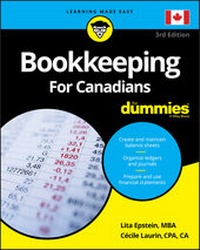
Bookkeeping For Canadians For Dummies
3rd Edition
Published on 31. October 2018
384 pages
978-1-119-52215-7 (ISBN)
Description

Bookkeeping made easy
Bookkeeping is an essential skill required in every industry, with a certain concentration in wholesale and retail trade, manufacturing, payroll services, accounting and tax preparation. If you're a small business owner looking for clear and concise instructions on keeping the books, tracking transactions, recognizing assets and liabilities and keeping ledgers and journals, this book is your one-stop guide to making it easier!
Bookkeeping For Canadians For Dummies covers how to create financial statements and also shows how to operate accounts for businesses. In addition, it teaches you how to recognize the assets and liabilities to the business.
* Keep the books
* Track transactions
* Compete against larger competitors
* Stay on top of journals
Small business owners keeping their own books will rejoice to have this handy guide by their side!
Bookkeeping is an essential skill required in every industry, with a certain concentration in wholesale and retail trade, manufacturing, payroll services, accounting and tax preparation. If you're a small business owner looking for clear and concise instructions on keeping the books, tracking transactions, recognizing assets and liabilities and keeping ledgers and journals, this book is your one-stop guide to making it easier!
Bookkeeping For Canadians For Dummies covers how to create financial statements and also shows how to operate accounts for businesses. In addition, it teaches you how to recognize the assets and liabilities to the business.
* Keep the books
* Track transactions
* Compete against larger competitors
* Stay on top of journals
Small business owners keeping their own books will rejoice to have this handy guide by their side!
More details
Other editions
Additional editions
Lita Epstein | Cecile Laurin
Bookkeeping For Canadians For Dummies
Book
11/2018
3rd Edition
Wiley
€30.50
Article exhausted; check different version
Persons
Lita Epstein, MBA designs and teaches online courses on investing for retirement, getting ready for tax time, and finance and investing for women.
Cécile Laurin, CPA, CA is a Chartered Professional Accountant and teacher based in Ottawa.
Content
- Intro
- Title Page
- Copyright Page
- Table of Contents
- Introduction
- About This Book
- Foolish Assumptions
- Icons Used in This Book
- Beyond the Book
- Where to Go from Here
- Part 1 Basic Bookkeeping: Why You Need It
- Chapter 1 So You Want to Do the Books
- Delving into Bookkeeping Basics
- Choosing your accounting method
- Understanding assets, liabilities, and equity
- Introducing debits and credits
- Charting your bookkeeping course
- Recognizing the Importance of an Accurate Electronic or Paper Trail
- Maintaining a ledger
- Keeping journals
- Considering computerizing
- Instituting internal controls
- Using Bookkeeping's Tools to Manage Daily Finances
- Maintaining inventory
- Tracking sales
- Handling payroll
- Running Tests for Accuracy
- Proving out your cash
- Testing your balance
- Doing bookkeeping corrections
- Showing Off Your Financial Success
- Preparing financial statements
- Paying income taxes
- Getting a Business Number (BN)
- Chapter 2 Getting Down to Bookkeeping Basics
- Bookkeepers: The Record Keepers of the Business World
- Wading through Basic Bookkeeping Lingo
- Accounts for the balance sheet
- Accounts for the income statement or statement of earnings
- Other common terms
- Pedalling through the Accounting Cycle
- Exploring Cash and Accrual Accounting
- Cash-basis accounting
- Recording by using accrual accounting
- Seeing Double with Double-Entry Bookkeeping
- Differentiating Debits and Credits
- Chapter 3 Outlining Your Financial Roadmap with a Chart of Accounts
- Getting to Know the Chart of Accounts
- Starting with Balance Sheet Accounts
- Tackling assets
- Laying out your liabilities
- Eyeing equity
- Tracking Income Statement Accounts
- Recording the money you make
- Tracking the cost of sales
- Acknowledging the money you spend
- Setting up your Chart of Accounts
- Part 2 Keeping a Paper or an Electronic Trail
- Chapter 4 Ledgers: A One-Stop Summary of Your Business Transactions
- The Eyes and Ears of a Business
- Developing Summary Entries for the General Ledger
- Posting Entries to the General Ledger
- Adjusting Entries and Accrual Accounting
- Using Computerized Transactions to Post and Adjust in the General Ledger
- Chapter 5 Keeping Journals
- Establishing a Transaction's Point of Entry
- When Cash Changes Hands
- Keeping track of incoming cash
- Following outgoing cash
- Managing Sales like a Pro
- Keeping Track of Purchases
- Dealing with Transactions that Don't Fit
- Posting Journal Information to Accounts
- Simplifying Your Journaling with Computerized Accounting
- Dealing with Sales Taxes
- Goods and services tax and harmonized sales tax (GST/HST)
- Provincial sales tax or retail sales tax (PST/RST)
- Chapter 6 Computer Options for Your Bookkeeping
- Surveying Your Software Options
- Sage 50 Accounting
- QuickBooks Online
- Setting Up Your Computerized Books
- Customizing software to match your operations
- Converting your manual bookkeeping to a computerized system
- Chapter 7 Controlling Your Books, Your Records, and Your Money
- Putting Controls on Your Business's Cash
- Chequing accounts
- Savings accounts
- Petty cash accounts
- Cash registers
- Keeping the Right Paperwork
- Creating a filing system
- Figuring out what to keep and for how long
- Protecting Your Business against Internal Fraud
- Facing the reality of financial fraud
- Dividing staff responsibilities
- Balancing control costs
- Protecting Your Cash through Employee Bonding
- Part 3 Tracking Day-to-Day Business Operations
- Chapter 8 Buying and Tracking Your Purchases
- Keeping Track of Inventory
- Taking a physical count
- Calculating the cost of goods sold
- Entering the initial cost
- Managing inventory and its book value
- Buying and Monitoring Supplies
- Staying on Top of Your Bills
- Chapter 9 Counting Your Sales
- Collecting on Cash Sales
- Discovering the value of sales receipts
- Recording cash transactions in the books
- Selling on Credit
- Deciding whether to offer credit
- Recording sales-on-account transactions in the books
- Proving Out the Cash Register
- Tracking Volume Discounts
- Recording Sales Discounts
- Recording Sales Returns and Allowances
- Recording Service Revenue
- Accrued revenue
- Unearned revenue
- Monitoring Accounts Receivable
- Accepting and Expecting Your Losses
- Recovering GST/HST
- Chapter 10 Employee Payroll and Benefits
- Staffing Your Business
- Remembering two critical numbers
- Filling out TD1 - Personal Tax Credits Return
- Choosing pay periods
- Investigating laws concerning employment
- Collecting Employee Taxes
- Canada and Québec Pension Plans (CPP/QPP)
- Employment Insurance (EI)
- Combined income tax withheld
- Determining Net Pay
- Considering Voluntary Deductions
- Surveying Your Benefits Options
- Tax-exempt benefits
- Taxable benefits
- Preparing Payroll and Posting It in the Books
- Calculating payroll for hourly employees
- Doling out funds to salaried employees
- Totalling up for commission cheques
- Counting tips and gratuities
- Preparing and Recording Payroll Cheques
- Outsourcing Payroll and Benefits Work
- Chapter 11 Employer-Paid Benefits and Government Payroll Reporting
- Paying Employer Portions of CPP/QPP and EI
- Filing Form PD7A
- Knowing how often to file
- Workers' Compensation Program (WCB) - Workplace Safety and Insurance Board (WSIB)
- Maintaining Employee Records
- Keeping track of employee records with software
- Completing a Record of Employment (ROE) for departing employees
- Part 4 Preparing the Books for Year's (or Month's) End
- Chapter 12 Depreciating Your Assets
- Defining Depreciation
- Knowing what you can and can't depreciate
- Delving into cost basis
- Reducing the Book Value or Carrying Amount of Fixed Assets
- Evaluating your depreciation options
- Choosing and changing a depreciation method
- Tackling Taxes and Depreciation
- Capital cost allowance (CCA)
- Figuring out the useful life of a fixed asset
- Setting Up Depreciation Schedules
- Considering Impairments of Fixed Assets
- Recording Depreciation Expenses
- Chapter 13 Paying and Collecting Interest
- Deciphering Types of Interest
- Simple interest
- Compound interest
- Handling Interest Income
- Delving into Loans and Interest Expense
- Short-term debt
- Long-term debt
- Chapter 14 Proving Out the Cash
- Why Prove Out the Books?
- Making Sure Ending Cash Is Right
- Summarizing the Cash Journals
- Finalizing cash receipts
- Finalizing cash outlays
- Reconciling Bank Accounts
- Tracking down errors
- Using a computerized system
- Posting Adjustments and Corrections
- Chapter 15 Finalizing the Journals
- Prepping to Post: Checking for Accuracy and Tallying
- Paying attention to initial transaction details
- Summarizing journal entries
- Analyzing summary results
- Planning for cash flow
- Posting to the General Ledger
- Checking Out Computerized Journal Records
- Chapter 16 Checking Your Accuracy by Trial and - We Hope - No Error
- Working with a Manual Trial Balance
- Building your trial balance
- Dealing with trial balance errors
- Testing Your Balance by Using Computerized Accounting Systems
- Developing a Financial Statement Worksheet
- Replacing Worksheets with Computerized Reports
- Chapter 17 Adjusting the Books
- Adjusting All the Right Areas
- Depreciating assets
- Allocating prepaid expenses
- Counting inventory
- Allowing for bad debts
- Recognizing unpaid salaries and wages
- Accruing for unpaid services
- Accruing for unpaid interest
- Accruing for revenue
- Adjusting for unearned revenue
- Testing an Adjusted Trial Balance
- Changing Your Chart of Accounts
- Using the QuickBooks Journal Entry Feature
- Part 5 Reporting Results and Starting Over
- Chapter 18 Developing a Balance Sheet
- What Is a Balance Sheet?
- Gathering Balance Sheet Ingredients
- Dividing and listing your assets
- Acknowledging your debts
- Naming your owners' investments
- Ta-Dah! Pulling Together the Final Balance Sheet
- Account format
- Report format
- Putting Your Balance Sheet to Work
- Testing your liquidity
- Assessing your debt
- Generating Balance Sheets Electronically
- Chapter 19 Producing an Income Statement
- What Is an Income Statement?
- Formatting the Income Statement
- Preparing the Income Statement
- Finding net sales
- Finding cost of goods sold
- Drawing remaining amounts from your worksheet
- Gauging your cost of goods sold
- Deciphering Gross Profit
- Monitoring Expenses
- Using the Income Statement to Make Business Decisions
- Testing Profits
- Return on sales
- Return on assets
- Return on equity
- Branching Out with Income Statement Data
- Chapter 20 Completing Year-End Payroll and Reports
- Year-End Employee Reporting
- Preparing T4s
- Producing T4s with QuickBooks
- Filing T4s
- Preparing the T4 Summary
- Chapter 21 Satisfying the Taxman
- Finding the Right Business Type
- Sole proprietorship
- Partnership
- Limited partnership (LP)
- Limited liability partnership (LLP)
- Corporations
- Tax Reporting for Sole Proprietors
- Capital cost allowance
- Business expenses
- Tax instalments
- Filing Tax Forms for Partnerships
- Paying Corporate Taxes
- Taking Care of Sales Taxes Obligations
- Using QuickBooks
- Chapter 22 Prepping the Books for a New Accounting Cycle
- Finalizing the General Ledger
- Zeroing out income statement accounts
- Carrying over balance sheet accounts
- Conducting Year-End Bookkeeping Tasks
- Checking customer accounts
- Assessing vendor accounts
- Updating your inventory records
- Deactivating accounts
- Starting the Cycle Anew
- Part 6 The Part of Tens
- Chapter 23 Top Ten Ways to Manage Your Business Cash with Your Books
- Charting the Way
- Balancing and Posting Your Entries
- Reconciling Your Bank Account
- Tracking Customer Collections
- Paying Bills Accurately and on Time
- Planning Profits
- Comparing Budget to Actual Expenses
- Comparing Sales Goals to Actual Sales
- Tracking Cost Trends
- Making Pricing Decisions
- Chapter 24 Top Ten Most Important Accounts for Any Bookkeeper
- Cash
- Accounts Receivable
- Inventory
- Accounts Payable
- Payroll Taxes Payable
- Loans Payable
- Equity
- Sales
- Purchases and Cost of Goods Sold
- Wages and Salaries Expense
- Appendix: Glossary
- Index
- EULA
