

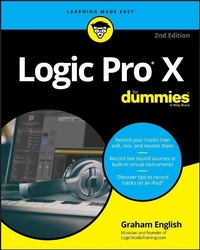
Logic Pro X For Dummies
2nd Edition
Published on 2. August 2018
416 pages
978-1-119-50619-5 (ISBN)
Description

Spend less time learning and more time recording
Logic Pro X offers Mac users the tools and power they need to create recordings ready to share with the world. This book provides the know-how for navigating the interface, tweaking the settings, picking the sounds, and all the other tech tasks that get in the way of capturing the perfect take.
Written by a Logic Pro X trainer who's used the software to further his own music career, Logic Pro X For Dummies cuts back on the time needed to learn the software and allows for more time making amazing recordings.
* Record live sound sources or built-in virtual instruments
* Arrange your tracks to edit, mix, and master
* Discover tips to speed the process and record on an iPad
* Make sense of the latest software updates
A favorite among Logic Pro X beginners, this book is updated to reflect the ongoing changes added to enhance Logic Pro X's recording power.
Logic Pro X offers Mac users the tools and power they need to create recordings ready to share with the world. This book provides the know-how for navigating the interface, tweaking the settings, picking the sounds, and all the other tech tasks that get in the way of capturing the perfect take.
Written by a Logic Pro X trainer who's used the software to further his own music career, Logic Pro X For Dummies cuts back on the time needed to learn the software and allows for more time making amazing recordings.
* Record live sound sources or built-in virtual instruments
* Arrange your tracks to edit, mix, and master
* Discover tips to speed the process and record on an iPad
* Make sense of the latest software updates
A favorite among Logic Pro X beginners, this book is updated to reflect the ongoing changes added to enhance Logic Pro X's recording power.
More details
Other editions
Additional editions
Graham English
Logic Pro X For Dummies
Book
10/2018
2nd Edition
Wiley
Unfortunately, price unknown
Article exhausted; check for reprint
