

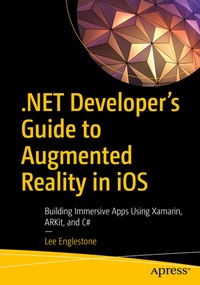
.NET Developer's Guide to Augmented Reality in iOS
Description

Attention .NET developers, here is your starting point for learning how to create and publish augmented reality (AR) apps for iOS devices.
This book introduces and explores iOS augmented reality mobile app development specifically for .NET developers. The continued adoption and popularity of Xamarin, a tool that allows cross-platform mobile application development, opens up many app publishing opportunities to .NET developers that were never before possible, including AR development.
You will use Xamarin to target Apple's augmented reality framework, ARKit, to develop augmented reality apps in the language you prefer-C#. Begin your journey with a foundational introduction to augmented reality, ARKit, Xamarin, and .NET. You will learn how this remarkable collaboration of technologies can produce fantastic experiences, many of them never before tried by .NET developers. From there you will dive into the fundamentals and then explore various topics and AR features. Throughout your learning, proof of concepts will be demonstrated to reinforce learning.
After reading this book you will have the fundamentals you need, as well as an understanding of the overarching concepts that combine them. You will come away with an understanding of the wide range of augmented reality features available for developers, including the newest features included in the latest versions of ARKit.
What You Will Learn
- Create rich commercial and personal augmented reality mobile apps
- Explore the latest capabilities of ARKit
- Extend and customize chapter examples for building your own amazing apps
- Graduate from traditional 2D UI app interfaces to immersive 3D AR interfaces
Who This Book Is For
Developers who want to learn how to use .NET and C# to create augmented reality apps for iOS devices. It is recommended that developers have some Xamarin experienceand are aware of the cross-platform options available to .NET. A paid Apple developer account is not needed to experiment with the AR code samples on your devices.
More details
Other editions
Additional editions
Person
Lee Englestone is an innovative, hands-on software development manager and technical lead, based in Stockport, England. He has been a .NET developer for many years, writing code for Windows, web, mobile, cloud, and augmented reality applications in his spare time. He believes that there are many new exciting opportunities for developers in the area of augmented reality and is excited to share them with his fellow .NET developers. In recognition of his community contributions, he has been awarded a Microsoft MVP in Developer Technologies.
Content
Chapter 1: Setting Up Your Environment.- Chapter 2: Basic Concepts.- Chapter 3: Nodes, Geometries, Materials, and Anchors.- Chapter 4: Built in AR Guides.- Chapter 5: Animations.- Chapter 6: Constraints.- Chapter 7: Lighting.- Chapter 8: Video and Sound.- Chapter 9: Plane Detection.- Chapter 10: Image Detection .- Chapter 11: Face Tracking and Expression Detection.- Chapter 12: Touch Gestures and Interaction.- Chapter 13: 3D Models.- Chapter 14: Physics.- Chapter 15: Object Detection.- Chapter 16: Body Tracking.- Chapter 17: Publishing to the App Store.
