

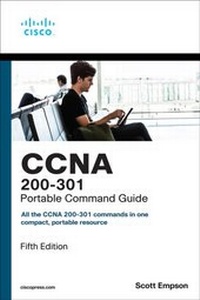
CCNA 200-301 Portable Command Guide
5th Edition
Published on 10. March 2021
320 pages
978-0-13-593781-5 (ISBN)
Description

CCNA 200-301 Portable Command Guide is filled with valuable, easy-to-access information-and it's portable enough to use whether you're in the server room or the equipment closet.
The guide summarizes all CCNA certification-level Cisco IOS Software commands, keywords, command arguments, and associated prompts, providing you with tips and examples of how to apply the commands to real-world scenarios. Throughout, configuration examples give you a better understanding of how these commands are used in simple network designs.
This book has been completely updated to cover topics in the new 200-301 exam. Use this quick reference resource to help you memorize commands and concepts as you work to pass the CCNA certification exam. Coverage includes
? Network Fundamentals: IPv4 addressing, subnetting, VLSM, route summarization, IPv6 addressing, cables/connections, CLI
? LAN Switching Technologies: Switch configuration, VLANs, VLAN trunking protocol, inter-VLAN communication, STP, EtherChannel, CDP, LLDP
? Routing Technologies: Router configuration, static routing, OSPF
? IP Services: DHCP, NAT, NTP
? Security Fundamentals: Layer 2 security, ACL traffic management, device monitoring and hardening
? Wireless Technologies: Configuring and securing a WLAN AP
? Quick, offline access to all CCNA commands for research and solutions
? Logical how-to topic groupings for a one-stop resource
? Great for review before CCNA certification exams
? Compact size makes it easy to carry with you wherever you go
? "Create Your Own Journal" section with blank, lined pages enables you to personalize the book for your needs
This book is part of the Cisco Press Certification Self-Study Product Family, which offers readers a self-paced study routine for Cisco certification exams. Titles in the Cisco Press Certification Self-Study Product Family are part of a recommended learning program from Cisco that includes simulation and hands-on training from authorized Cisco Learning Partners and self-study products from Cisco Press.
The guide summarizes all CCNA certification-level Cisco IOS Software commands, keywords, command arguments, and associated prompts, providing you with tips and examples of how to apply the commands to real-world scenarios. Throughout, configuration examples give you a better understanding of how these commands are used in simple network designs.
This book has been completely updated to cover topics in the new 200-301 exam. Use this quick reference resource to help you memorize commands and concepts as you work to pass the CCNA certification exam. Coverage includes
? Network Fundamentals: IPv4 addressing, subnetting, VLSM, route summarization, IPv6 addressing, cables/connections, CLI
? LAN Switching Technologies: Switch configuration, VLANs, VLAN trunking protocol, inter-VLAN communication, STP, EtherChannel, CDP, LLDP
? Routing Technologies: Router configuration, static routing, OSPF
? IP Services: DHCP, NAT, NTP
? Security Fundamentals: Layer 2 security, ACL traffic management, device monitoring and hardening
? Wireless Technologies: Configuring and securing a WLAN AP
? Quick, offline access to all CCNA commands for research and solutions
? Logical how-to topic groupings for a one-stop resource
? Great for review before CCNA certification exams
? Compact size makes it easy to carry with you wherever you go
? "Create Your Own Journal" section with blank, lined pages enables you to personalize the book for your needs
This book is part of the Cisco Press Certification Self-Study Product Family, which offers readers a self-paced study routine for Cisco certification exams. Titles in the Cisco Press Certification Self-Study Product Family are part of a recommended learning program from Cisco that includes simulation and hands-on training from authorized Cisco Learning Partners and self-study products from Cisco Press.
All prices
More details
Edition
5th edition
Language
English
Place of publication
Indianapolis
United States
Publishing group
Pearson Education (US)
Target group
Professional and scholarly
File size
13,36 MB
ISBN-13
978-0-13-593781-5 (9780135937815)
Copyright in bibliographic data and cover images is held by Nielsen Book Services Limited or by the publishers or by their respective licensors: all rights reserved.
Schweitzer Classification
Other editions
Additional editions
Scott Empson
CCNA 200-301 Portable Command Guide
Book
12/2019
5th Edition
Cisco Press
€40.00
Shipment within 15-20 days
Person
Scott Empson is an instructor in the Department of Information Systems Technology at the Northern Alberta Institute of Technology in Edmonton, Alberta, Canada, where he has taught for more than 20 years. He teaches technical courses in Cisco routing and switching, along with courses in professional development and leadership. He has a Master of Education degree along with three undergraduate degrees: a Bachelor of Arts, with a major in English; a Bachelor of Education, again with a major in English/language arts; and a Bachelor of Applied Information Systems Technology, with a major in network management. Scott lives in Edmonton, Alberta, with his wife, Trina, and two university-attending-but-still-haven't-moved-out-yet-but-hope-to-move-out-as-soon-aspossible-after-graduation-so-Dad-can-have-the-TV-room-back children, Zachariah and Shaelyn.
Content
CHAPTER 1 IPv4 Addressing-How It Works
CHAPTER 2 How to Subnet IPv4 Addresses
CHAPTER 3 Variable Length Subnet Masking (VLSM)
CHAPTER 4 Route Summarization
CHAPTER 5 IPv6 Addressing-How It Works
CHAPTER 6 Cables and Connections
CHAPTER 7 The Command-Line Interface
CHAPTER 8 Configuring a Switch
CHAPTER 9 VLANs
CHAPTER 10 VLAN Trunking Protocol and Inter-VLAN Communication
CHAPTER 11 Spanning Tree Protocol
CHAPTER 12 EtherChannel
CHAPTER 13 Cisco Discovery Protocol (CDP) and Link Layer Discovery Protocol (LLDP)
CHAPTER 14 Configuring a Cisco Router
CHAPTER 15 Static Routing
CHAPTER 16 Open Shortest Path First (OSPF)
CHAPTER 17 DHCP
CHAPTER 18 Network Address Translation (NAT)
CHAPTER 19 Configuring Network Time Protocol (NTP)
CHAPTER 20 Layer Two Security Features
CHAPTER 21 Managing Traffic Using Access Control Lists (ACLs)
CHAPTER 22 Device Monitoring and Hardening
CHAPTER 23 Configuring and Securing a WLAN AP
APPENDIX A How to Count in Decimal, Binary, and Hexadecimal
APPENDIX B How to Convert Between Number Systems
APPENDIX C Binary/Hex/Decimal Conversion Chart
APPENDIX D Create Your Own Journal Here
CHAPTER 2 How to Subnet IPv4 Addresses
CHAPTER 3 Variable Length Subnet Masking (VLSM)
CHAPTER 4 Route Summarization
CHAPTER 5 IPv6 Addressing-How It Works
CHAPTER 6 Cables and Connections
CHAPTER 7 The Command-Line Interface
CHAPTER 8 Configuring a Switch
CHAPTER 9 VLANs
CHAPTER 10 VLAN Trunking Protocol and Inter-VLAN Communication
CHAPTER 11 Spanning Tree Protocol
CHAPTER 12 EtherChannel
CHAPTER 13 Cisco Discovery Protocol (CDP) and Link Layer Discovery Protocol (LLDP)
CHAPTER 14 Configuring a Cisco Router
CHAPTER 15 Static Routing
CHAPTER 16 Open Shortest Path First (OSPF)
CHAPTER 17 DHCP
CHAPTER 18 Network Address Translation (NAT)
CHAPTER 19 Configuring Network Time Protocol (NTP)
CHAPTER 20 Layer Two Security Features
CHAPTER 21 Managing Traffic Using Access Control Lists (ACLs)
CHAPTER 22 Device Monitoring and Hardening
CHAPTER 23 Configuring and Securing a WLAN AP
APPENDIX A How to Count in Decimal, Binary, and Hexadecimal
APPENDIX B How to Convert Between Number Systems
APPENDIX C Binary/Hex/Decimal Conversion Chart
APPENDIX D Create Your Own Journal Here
