
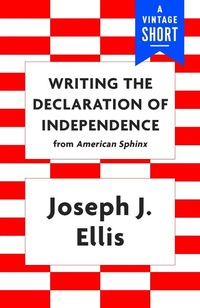
Writing the Declaration of Independence
Description
Alles über E-Books | Antworten auf Fragen rund um E-Books, Kopierschutz und Dateiformate finden Sie in unserem Info- & Hilfebereich.
A colorful, enlightening account of how Thomas Jefferson wrote the Declaration of Independence, and the road to July 4: a selection from Joseph J. Ellis's American Sphinx, winner of the National Book Award. How did the newest and youngest member of Virginia's delegation to the Constitutional Congress come to write the founding document of the American project? In "Writing the Declaration of Independence," Pulitzer Prize-winning historian Joseph J. Ellis outlines the life of the document and the road to its adoption on July 4. From Jefferson's arrival in Philadelphia in 1775 in an ornate carriage along with four horses and three slaves, to a fascinating guided tour of the drafts and discussions (including the importance of a good speaking voice, the theatricality of Patrick Henry, and Jefferson's tortured, ultimately discarded section blaming the king for American slavery), this is the true history of Independence Day.

More details
Person
System requirements
File format: ePUB
Copy protection: Adobe-DRM (Digital Rights Management)
System requirements:
- Computer (Windows; MacOS X; Linux): Install the free reader Adobe Digital Editions prior to download (see eBook Help).
- Tablet/smartphone (Android; iOS): Install the free app Adobe Digital Editions or the app PocketBook before downloading (see eBook Help).
- E-reader: Bookeen, Kobo, Pocketbook, Sony, Tolino and many more (not Kindle).
The file format ePub works well for novels and non-fiction books – i.e., „flowing” text without complex layout. On an e-reader or smartphone, line and page breaks automatically adjust to fit the small displays.
This eBook uses Adobe-DRM, a „hard” copy protection. If the necessary requirements are not met, unfortunately you will not be able to open the eBook. You will therefore need to prepare your reading hardware before downloading.
Please note: We strongly recommend that you authorise using your personal Adobe ID after installation of any reading software.
For more information, see our ebook Help page.