

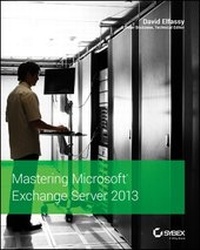
Mastering Microsoft Exchange Server 2013
Published on 29. October 2013
984 pages
978-1-118-84246-1 (ISBN)
Description

The bestselling guide to Exchange Server, fully updated forthe newest version
Microsoft Exchange Server 2013 is touted as a solution forlowering the total cost of ownership, whether deployed on-premisesor in the cloud. Like the earlier editions, this comprehensiveguide covers every aspect of installing, configuring, and managingthis multifaceted collaboration system. It offers Windows systemsadministrators and consultants a complete tutorial and reference,ideal for anyone installing Exchange Server for the first time orthose migrating from an earlier Exchange Server version.
* Microsoft Exchange Server 2013 is a messaging system thatallows for access to e-mail, voicemail, and calendars from avariety of devices and any location, making it ideal for theenterprise
* With more than 21,000 copies of earlier editions sold, thiscomprehensive guide offers systems administrators and consultantsboth a tutorial and a reference guide for installing and managingExchange Server 2013
* A team of Microsoft Certified Masters walks you step by stepthrough planning and design, installation, administration andmanagement, maintenance, and more
Mastering Microsoft Exchange Server 2013 is the completereference for planning, installing, and maintaining the mostpopular e-mail server product available.
Microsoft Exchange Server 2013 is touted as a solution forlowering the total cost of ownership, whether deployed on-premisesor in the cloud. Like the earlier editions, this comprehensiveguide covers every aspect of installing, configuring, and managingthis multifaceted collaboration system. It offers Windows systemsadministrators and consultants a complete tutorial and reference,ideal for anyone installing Exchange Server for the first time orthose migrating from an earlier Exchange Server version.
* Microsoft Exchange Server 2013 is a messaging system thatallows for access to e-mail, voicemail, and calendars from avariety of devices and any location, making it ideal for theenterprise
* With more than 21,000 copies of earlier editions sold, thiscomprehensive guide offers systems administrators and consultantsboth a tutorial and a reference guide for installing and managingExchange Server 2013
* A team of Microsoft Certified Masters walks you step by stepthrough planning and design, installation, administration andmanagement, maintenance, and more
Mastering Microsoft Exchange Server 2013 is the completereference for planning, installing, and maintaining the mostpopular e-mail server product available.
All prices
More details
Other editions
Additional editions
David Elfassy
Mastering Microsoft Exchange Server 2013
Book
11/2013
Wiley
€51.90
Article exhausted; check for reprint
Person
David Elfassy, MCSE, MCITP, MCT, Exchange Server MVP, is an international presenter and trainer. He collaborates with Microsoft on certification, courseware, and key development projects. David is a project lead on many migrations and implementations of Microsoft infrastructure technologies for government and corporate organizations.
Contributors include: J. Peter Bruzzese, Chris Crandall, Adam Miceli, Bob Reinsch, Jeffrey Rosen, and Michael B. Smith.
Contributors include: J. Peter Bruzzese, Chris Crandall, Adam Miceli, Bob Reinsch, Jeffrey Rosen, and Michael B. Smith.
Content
Introduction xxv
Part 1: Exchange Fundamentals 1
Chapter 1: Putting Exchange Server 2013 in Context 3
Chapter 2: Introducing the Changes in Exchange Server 2013 27
Chapter 3: Understanding Availability, Recovery, and Compliance 55
Chapter 4: Virtualizing Exchange Server 2013 83
Chapter 5: Introduction to PowerShell and the Exchange Management Shell 103
Chapter 6: Understanding the Exchange Autodiscover Process 149
Part 2: Getting Exchange Server Running 175
Chapter 7: Exchange Server 2013 Quick Start Guide 177
Chapter 8: Understanding Server Roles and Configurations 201
Chapter 9: Exchange Server 2013 Requirements 217
Chapter 10: Installing Exchange Server 2013 241
Chapter 11: Upgrades and Migrations to Exchange Server 2013 or Office 365 259
Part 3: Recipient Administration 283
Chapter 12: Management Permissions and Role-based Access Control 285
Chapter 13: Basics of Recipient Management 325
Chapter 14: Managing Mailboxes and Mailbox Content 339
Chapter 15: Managing Mail-enabled Groups, Mail-enabled Users, and Mail-enabled Contacts 389
Chapter 16: Managing Resource Mailboxes 413
Chapter 17: Managing Modern Public Folders 429
Chapter 18: Managing Archiving and Compliance 455
Part 4: Server Administration 483
Chapter 19: Creating and Managing Mailbox Databases 485
Chapter 20: Creating and Managing Database Availability Groups 507
Chapter 21: Understanding the Client Access Server 547
Chapter 22: Managing Connectivity with Transport Services 599
Chapter 23: Managing Transport, Data Loss Prevention, and Journaling Rules 639
Part 5: Troubleshooting and Operating 669
Chapter 24: Troubleshooting Exchange Server 2013 671
Chapter 25: Backing Up and Restoring Exchange Server 695
Appendix: The Bottom Line 723
Index 757
Part 1: Exchange Fundamentals 1
Chapter 1: Putting Exchange Server 2013 in Context 3
Chapter 2: Introducing the Changes in Exchange Server 2013 27
Chapter 3: Understanding Availability, Recovery, and Compliance 55
Chapter 4: Virtualizing Exchange Server 2013 83
Chapter 5: Introduction to PowerShell and the Exchange Management Shell 103
Chapter 6: Understanding the Exchange Autodiscover Process 149
Part 2: Getting Exchange Server Running 175
Chapter 7: Exchange Server 2013 Quick Start Guide 177
Chapter 8: Understanding Server Roles and Configurations 201
Chapter 9: Exchange Server 2013 Requirements 217
Chapter 10: Installing Exchange Server 2013 241
Chapter 11: Upgrades and Migrations to Exchange Server 2013 or Office 365 259
Part 3: Recipient Administration 283
Chapter 12: Management Permissions and Role-based Access Control 285
Chapter 13: Basics of Recipient Management 325
Chapter 14: Managing Mailboxes and Mailbox Content 339
Chapter 15: Managing Mail-enabled Groups, Mail-enabled Users, and Mail-enabled Contacts 389
Chapter 16: Managing Resource Mailboxes 413
Chapter 17: Managing Modern Public Folders 429
Chapter 18: Managing Archiving and Compliance 455
Part 4: Server Administration 483
Chapter 19: Creating and Managing Mailbox Databases 485
Chapter 20: Creating and Managing Database Availability Groups 507
Chapter 21: Understanding the Client Access Server 547
Chapter 22: Managing Connectivity with Transport Services 599
Chapter 23: Managing Transport, Data Loss Prevention, and Journaling Rules 639
Part 5: Troubleshooting and Operating 669
Chapter 24: Troubleshooting Exchange Server 2013 671
Chapter 25: Backing Up and Restoring Exchange Server 695
Appendix: The Bottom Line 723
Index 757

