

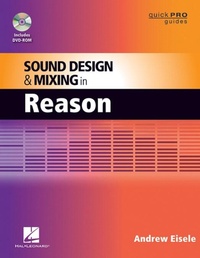
Sound Design and Mixing in Reason
1st Edition
Published on 1. February 2012
148 pages
978-1-4584-7134-5 (ISBN)
Description

You'll begin with a little history of the synthesizers and the basics of how use them. Learn the functions of oscillators, filters, amplifiers, LFOs and envelopes. Next, you'll apply your knowledge to the Subtractor, Malstrom, and Thor. Then, you'll explore sampling and how to work with the sample-based instruments in Reason, such as the NN19, NNXT, and the Dr. Octorex. In the next section, you'll look at some advanced routing techniques, followed by an in-depth look at Reason's multitude of effects Processors. Finally, you'll build up an arrangement while practicing some advanced mixing and mastering techniques.
More details
Series
Edition
1. Auflage
Language
English
Place of publication
Milwaukee
United States
ISBN-13
978-1-4584-7134-5 (9781458471345)
Copyright in bibliographic data and cover images is held by Nielsen Book Services Limited or by the publishers or by their respective licensors: all rights reserved.
Schweitzer Classification
Other editions
Additional editions
Andrew Eisele
Sound Design and Mixing in Reason
Book
04/2012
Hal Leonard Corporation
€21.50
Shipment within 15-20 days
Person
Andrew Eisele (New York, NY) is the author and host of the Music Pro Guides, a training DVD series spanning 40-plus titles covering every major music production software. His teaching credits include Full Sail Real World Education, the School of Audio Engineering, and Dubspot. Currently, he works as a producer/DJ and is co-founder of the arts collective Tsunami Bass Experience and MorphSaru Productions.
Content
- Intro
- Title Page
- Copyright Page
- Contents
- Chapter 1: Sound Design and the Synthesizer
- What Is a Synthesizer?
- Understanding Sound
- Basic Elements of Sound
- The Basic Components of Synthesis
- Voltage-Controlled Oscillator (VCO)
- Voltage-Controlled Filter (VCF)
- Types of Filters
- Filter Slope
- Filter Controls
- Voltage-Controlled Amplifier (VCA)
- Low-Frequency Oscillator (LFO)
- LFO Controls
- LFO Effects
- Envelope Generator (ADSR)
- Exploring the Subtractor
- Signal Flow
- Dissecting the Subtractor
- Subtractor Oscillators 1 and 2
- Waveforms
- Oscillator Tune Controls
- Noise Generator
- Oscillator Mix
- FM (Frequency Modulation)
- Ring Modulator
- Subtractor Filters
- Filter 1
- Filter Types
- Freq
- Res
- Kbd
- Filter 2
- Level (Amplifier)
- LFO 1
- Waveforms
- LFO 1 Destinations
- Rate
- Sync
- Amount
- LFO 2
- LFO 2 Destinations
- Rate
- Amount
- Delay
- Kbd
- Envelopes Generators
- Amp Env
- Filter Env
- Mod Env
- Velocity
- Pitch Bend and Modulation Wheel
- Bend
- Mod
- Ext. Mod
- Common MIDI Messages
- External Modulation Destinations
- Play Parameters
- Note On
- Legato
- Retrig
- Portamento
- Polyphony
- Low BW
- Programming Custom Patches with the Subtractor
- Standard Effects
- PWM
- Lead
- Bass Drop
- Final Thoughts
- Chapter 2: Reason Instruments
- Thor Polysonic Synthesizer
- The Controller Panel
- Keyboard Modes
- Polyphony
- Polyphony Release
- Mono Legato
- Mono Retrigger
- Portamento
- Trigger Section
- Assignable Controls
- The Programmer
- Voice Section
- Oscillator 1, 2, and 3
- Analog
- Wavetable
- Phase Modulation
- FM Pair
- Multi Oscillator
- Noise
- Filters 1 and 2
- Low-Pass Ladder Filter
- State Variable Filter
- Comb Filter
- Formant Filter
- Shaper
- Amp
- LFO 1
- Envelopes
- Global Section
- The Modulation Routing Section
- The Step Sequencer
- Run Mode
- Direction
- Rate
- Edit
- Steps
- Note Transposing Sequence
- Malstrom Graintable Synthesizer
- Osc A and B
- Index
- Motion
- Shift
- Routing Oscillators
- Filters A and B
- Modulation (Mod A and B)
- Mod A
- Mod B
- Performance Control
- Velocity
- Pitch Bend and Mod Wheel
- Wobble Bass Patch
- Chapter 3: Sampling
- What Is a Sampler?
- A Brief History of the Sampler
- How a Sampler Works
- Sample Editor
- Key Zone
- Key Map
- Root Note
- Multisampling
- Sampling in Reason
- Preparing to Sample
- Setting Up the Recording Formats
- Setting Your Inputs
- Sampling into the Song Sample Tool Window
- Routing the ReDrum
- Open the Song Sample Tab from the Tool Window
- Assigned Samples
- Unassigned Samples
- Self-Contained Samples
- Sampling the ReDrum
- Edit Samples
- NN-19 Digital Sampler
- Loading Patches
- Keyboard Window
- Synth Parameters
- Osc
- Filter
- Filter Envelope
- Amp
- LFO
- Play Parameters
- Portamento
- Polyphony
- Spread
- Legato
- Retrigger
- Controller
- Pitch Bend
- Mod Wheel
- Velocity
- Creating Custom Patches
- Keyboard Display
- Sampling into the NN-19
- NN-XT
- Main Panel
- Remote Editor
- Key Map Display
- Sample Parameters
- Root
- Tune
- Start
- End
- Loop Start
- Loop End
- Play Mode
- Lo Key
- Hi Key
- Lo Vel
- Hi Vel
- Fade In
- Fade Out
- Alt
- Out
- Group Parameters
- Key Poly
- Group Mono
- Legato/Retrig
- LFO 1 Rate
- Portamento
- Synth Parameters
- Modulation
- Velocity
- LFO 1
- LFO 2
- Mod Envelope
- Pitch
- Filter
- Amp Envelope
- Velocity Switching
- Creating a Custom Patch
- Programming Custom High Hats
- Chapter 4: Reason Drum and Percussion Instruments
- Dr. OctoRex
- Dr. OctoRex Instrument Panel
- Global Transpose
- Trig Next Loop
- Show Programmer
- Select Loop and Load Slot
- Synth Parameters
- ReDrum Drum Computer
- Global Section
- High-Quality Interpolation
- Exclusive 8 and 9
- Master Volume
- Drum Sound Parameters
- Common Drum Parameters
- S1 and S2, Stereo, and Pan Controls
- Level, Length, and Decay
- Pitch, Tone, and Sample Start
- Channels 1, 2, and 10
- Channels 3, 4, 5, 8, and 9
- Channels 6 and 7
- The Sequencer
- Sequence Programming
- Using the ReDrum as a Sound Module
- Triggering Sounds
- Triggering Mutes
- Triggering Solos
- Kong Drum Designer
- Triggering Pads
- Loading Sounds
- Drums and FX
- Drum Modules
- FX
- Support Generator Effects
- Drum Module Panel
- Pad Settings
- Mute/Solo
- Pad Groups
- Drum Assignment
- Hit Type
- Quick Edit
- Practical Use of Pad settings
- Beat Juggling with Nurse Rex
- Chapter 5: Advanced Routing
- 14:2 Mixer
- Auto-Panning
- Auto-Leveling
- Complex LFO
- Tunable Feedback
- Sequenced Stutter Vocal Sample
- BV512 Digital Vocoder
- The Side Chain Bass Line
- Analog Drum Sequencer
- Chapter 6: Advanced Sequencing
- Advanced Sequencing
- The Sequence Window
- Block View
- Block Sequencing
- The Rack
- Vocode Bass
- Analog Drum Sequencer DS
- Kik/Snr ReDrum
- Sub Bass
- UG Pulse 1/8
- Banshee
- UG Pitch 1/16
- UG Strype 3/8
- Building the Arrangement
- The Breakdown
- The Outro
- Adding Additional Elements
- Chapter 7: Advanced Mixing Techniques
- Reference Mix
- The Big Meter
- VU Meter
- PPM Meter
- Peak Meter
- Peak Hold
- VU Offset
- Channel Selector
- Clip Indicator
- The Static Mix
- Setting the Mixer
- Wrangling the Low End
- Add Drums and Percussion
- Add the Synthesizers
- Add FX
- The Dynamic Mix
- Adding Automation to Blocks
- Adding Automation to Song View
- Finalizing the Mix
- EQ
- Stereo Imager
- Compressor
- Maximizer
- Chapter 8: Performing Live with Reason
- Building a Live Set Rack
- Locking a Controller to a Device
- Remote Override
- Edit Remote Override
- Programming Remote Overrides
- Keyboard Control
- Keyboard Control Edit Mode
- Additional Overrides
- DJing with Reason
- Chapter 9: ReWire
- Setting Up ReWire
- Audio ReWire
- MIDI ReWire
- Chapter 10: Reason and Record
- The Record Interface
- The Sequencer
- The Rack
- The Mixer
- Input
- Dynamics
- EQ
- Insert
- FX Sends
- Fader
- Master Section
- In Conclusion
- Appendix: The DVD-ROM
