

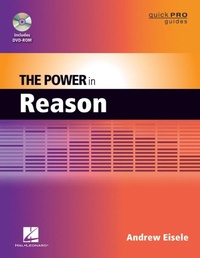
The Power in Reason
1st Edition
Published on 1. December 2011
134 pages
978-1-4584-6260-2 (ISBN)
Description

The Power in Reason begins with an overview of the program and the basic operations of how to record and edit MIDI. Next is a look at some of Reason's instruments, such as the Subtractor and ReDrum Drum Computer. Also discussed is how to apply effects to really build up the sound. Then, you will be instructed on how to build up a simple composition, followed by the basics of mixing and how to add that professional polish. And finally, you will learn how to render your composition down to a stereo file suitable to burning to a CD or uploading to the Web. Along the way author Andrew Eisele will share many tips and techniques he has learned by teaching Reason 5!
More details
Series
Edition
1. Auflage
Language
English
Place of publication
Milwaukee
United States
ISBN-13
978-1-4584-6260-2 (9781458462602)
Copyright in bibliographic data and cover images is held by Nielsen Book Services Limited or by the publishers or by their respective licensors: all rights reserved.
Schweitzer Classification
Other editions
Additional editions
Person
Andrew Eisele (New York, NY) is the author and host of the Music Pro Guides, a training DVD series spanning 40+ titles covering every major music production software. His teaching credits include Full Sail Real World Education, the School of Audio Engineering and Dubspot. Currently, he works as a producer/DJ and is co-founder of the arts collective Tsunami Bass Experience and MorphSaru Productions.
Content
- Intro
- Title Page
- Copyright Page
- Contents
- Chapter 1: Setting Up Your Studio for Reason
- Prerequisites for Running Reason
- Setting Up Your Studio
- Installing Drivers
- Installing Reason
- Setting Up Preferences
- General Preferences
- Audio Preferences
- Keyboards and Control Surfaces
- Advanced MIDI
- Computer Keyboard
- Chapter 2: Reason Overview
- What Is MIDI?
- What Is Reason?
- Understanding the Layout
- The Rack
- The Sequencer
- Transport
- Chapter 3: Getting Started
- Setting Preferences
- Create a New Session
- Save Your Session
- Create a Mixer
- Create a Dr. OctoRex Loop Player
- Create a Subtractor
- Chapter 4: Recording
- Selecting a Track
- The Metronome
- Recording MIDI
- Chapter 5: Editing MIDI
- Key Editor
- Slice Editor
- Chapter 6: The Reason Devices
- Instruments
- Effects Processors
- Utility Devices
- The Combinator
- Chapter 7: The Combinator
- The Combinator
- Exploring Combinator Presets
- Layers
- Show Devices
- Show Programmer
- Key Mapping
- Modulation Routing
- Splits
- Song Starters
- Chapter 8: Pattern Sequencing
- The Concept
- The Matrix Pattern Sequencer
- The Pattern Section
- Matrix Sequencer Programming
- Recording Patterns to the Sequencer Window
- Convert Pattern Automation to Notes
- The RPG-8 Monophonic Arpeggiator
- The RBG-8 Interface
- MIDI-to-CV Converter
- Arpeggiator
- Pattern
- Using the RPG-8
- Edit Menu Options for Pattern Editor
- Conclusion
- Chapter 9: Creating an Arrangement
- Before You Begin
- The Setup
- Setting the Mastering Suite
- Creating a Drum Track
- Recording Bass Line A
- Recording Bass Line B
- Creating Layers
- Using the Tool Window
- Organization
- Arranging
- Chapter 10: The Art and Science of Mixing
- Before You Begin Mixing
- Understanding the Mixer
- Gain Stage
- The Static Mix
- Understanding Sound
- Adding Effects
- Chapter 11: Automation
- What Is Automation?
- Getting Started with Automation
- Chapter 12: Finalizing and Exporting
- What Is Mastering?
- Using the M-Class Mastering Suite Combi
- Setting up the M-Class Mastering Suite
- Exporting your Song
- Export
- Appendix
- Video Tutorials
- Reason Song Files
- Reason Song 1.aff
