

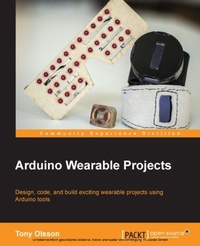
Arduino Wearable Projects
Design, code, and build exciting wearable projects using Arduino tools
1st Edition
Published on 7. October 2025
218 pages
978-1-78528-279-9 (ISBN)
Description

Design, code, and build exciting wearable projects using Arduino toolsKey FeaturesBook DescriptionThe demand for smart wearable technologies is becoming more popular day by day. The Arduino platform was developed keeping wearables, such as watches that track your location or shoes that count the miles you've run, in mind. It is basically an open-source physical computing platform based on a simple microcontroller board and a development environment in which you create the software for the board. If you're interested in designing and creating your own wearables, this is an excellent platform for you. This book provides you with the skills and understanding to create your own wearable projects. The book covers different prototyping boards which are compatible with the Arduino platform and are suitable for creating wearable projects. Each chapter of the book covers a project in which knowledge and skills are introduced gradually, making the book suitable for all kinds of readers. You begin your journey with understanding electronic components, including LEDs and sensors, to get yourself up to scratch and comfortable with different components. You will then gain hands-on experience by creating your very first wearable project, a pair of interactive bike gloves that help you cycle at night. This is followed by a project making your own funky LED glasses and a cool GPS watch. You'll also delve into other projects including creating your own keyless doorlock, wearable NFC tags, a fitness-tracking device, and a WiFi-enabled spark board. The final project is a compilation of the previous concepts used where you make your own smart watch with fitness tracking, internet-based notifications, GPS, and of course time telling.What you will learnWho this book is forThis book is intended for readers who are familiar with the Arduino platform and want to learn more about creating wearable projects. No previous experience in wearables is expected, although a basic knowledge of Arduino programming will help.
More details
Other editions
Additional editions
Person
Effe A Olsson Tony :
Tony Olsson works as a lecturer at the University of Malmö, where he teaches multiple design fields with the core being physical prototyping and wearable computing. His research includes haptic interactions and telehaptic communication. Olsson has a background in philosophy and traditional arts, but later shifted his focus to interaction design and computer science. He is also involved in running the IOIO laboratory at Malmö University. Besides his work at the university, he also works as a freelance artist/designer and author. Prior to this publication, Olsson published two books based on wearable computing and prototyping with Arduino and Arduino-based platforms.
Tony Olsson works as a lecturer at the University of Malmö, where he teaches multiple design fields with the core being physical prototyping and wearable computing. His research includes haptic interactions and telehaptic communication. Olsson has a background in philosophy and traditional arts, but later shifted his focus to interaction design and computer science. He is also involved in running the IOIO laboratory at Malmö University. Besides his work at the university, he also works as a freelance artist/designer and author. Prior to this publication, Olsson published two books based on wearable computing and prototyping with Arduino and Arduino-based platforms.
Content
- Cover
- Copyright
- Credits
- About the Author
- About the Reviewers
- www.PacktPub.com
- Table of Contents
- Preface
- Chapter 1: First Look and Blinking Lights
- Wearables
- Installing and using software
- The Arduino IDE
- First look at the IDE
- Getting to know you board
- The FLORA board
- Other boards
- Connecting and testing your board
- Some notes on programming
- External LEDs and blinking
- Summary
- Chapter 2: Working with Sensors
- Sensors
- A bend sensor
- The pressure sensor
- Light dependent resistors
- The accelerometer, compass, and gyroscope
- Summary
- Chapter 3: Bike Gloves
- Electronics needed
- Trying out the TSL2561
- Detecting gestures
- Making a glove
- Summary
- Chapter 4: LED Glasses
- Making the glasses
- Entering the matrix
- Programming the glasses
- Making a pattern
- Finishing the glasses Knight Rider style
- Summary
- Chapter 5: Where in the World Am I?
- Hocking up the OLED screen
- Getting the position
- Making the clock
- The final sketch
- Summary
- Chapter 6: Hands-on with NFC
- Reading a card
- Connecting the motor
- Putting the pieces together
- The final code
- Wrapping things up
- Summary
- Chapter 7: Hands-on BLE
- Hello Blend Micro
- The Blend Micro app
- Gesture tracking
- Wrapping things up
- Summary
- Chapter 8: On the Wi-fly
- The Particle Core
- Programing for the Particle Core
- The Dashboard
- HTML control
- Connecting to IFTTT
- Monitoring data changes
- DO a function
- Summary
- Chapter 9: Time to Get Smart
- Components
- Let's get started
- Watch design and soldering
- Desoldering
- Connecting the pieces
- Leather time
- Finishing up
- A smorgasbord of functionality
- The end of the beginning
- Index
